
12+ powerful Alexa commands you should start using at home (no subscriptions required)
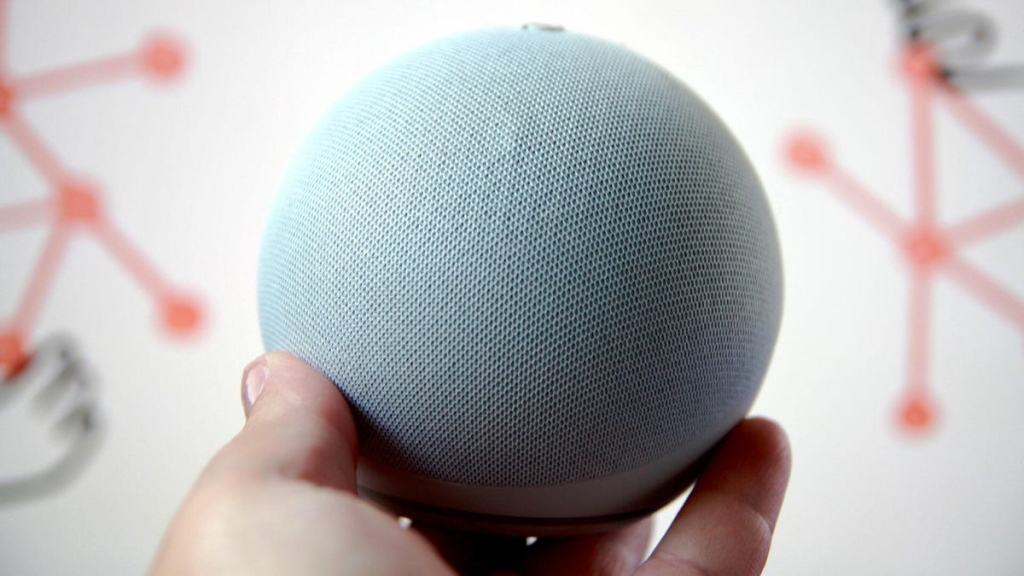
Amazon’s Alexa: 16 Clever Ways to Make Your Voice Assistant Work for You
By Maria Diaz | February 20, 2024 | 1,280 words
Virtual assistants are rapidly becoming as essential as smartphones in many households worldwide. While most mobile devices come equipped with built-in AI-powered helpers—like Siri on iPhones or Google’s Gemini on Android—Amazon’s Alexa has emerged as the dominant voice assistant in American homes and beyond, with users across multiple countries adopting Echo devices configured in various languages.
I’ve integrated Alexa into my daily routine for several years now, and it has fundamentally transformed how I manage my smart home ecosystem and interact with my Echo devices. Here are 16 innovative ways this voice assistant has enhanced my home life:
1. Become Your Personal Lighting Assistant
Every time I enter my bedroom’s en-suite bathroom, an Echo Dot greets me by illuminating the space and saying, “Hello, gorgeous.” The device’s occupancy sensor detects my presence and triggers a routine that simultaneously activates the lights and delivers this personalized greeting.
Previously, I relied on a smart wall light switch with motion detection that would turn on at night whenever car headlights appeared in the opposite window—often startling me with random activations at 4 AM. Delegating this task to Alexa has eliminated these disturbances.
2. Streamline Your Evening Wind-Down
Beyond the popular “Alexa, good night” routine for shutting off smart lights, you can create multiple customized routines for different areas of your home. In our main living space, I’ve established a comprehensive lights-out routine that simultaneously turns off the living room, kitchen, office, and outdoor lighting using a combination of smart lights and smart plugs.
For our children’s room, saying “Alexa, it’s bedtime” activates their sound machine (connected through a smart plug), switches off their bedside lamp, and sets their smart light strip to 2% brightness as a nightlight. My personal bedtime routine turns off my smart lights, activates the smart plug controlling my fan, and sets my smart air purifier to sleep mode.
3. Never Lose Your Phone Again
When my Apple Watch battery dies and I misplace my phone—which happens more often than I’d like to admit—Alexa provides an immediate solution. Simply saying “Alexa, find my phone” triggers a call to your device, making it ring until located.
4. Transform Alexa Into Your Home’s Landline
In our household, Alexa functions much like the landline telephones of my childhood. When I’m away and unable to reach my husband because he’s occupied with the children, I can call any of our Echo devices or broadcast an announcement to establish contact.
5. Keep Your Children on Schedule
Mornings in our home follow a structured routine managed through Alexa on our children’s Echo Show. After their alarm sounds, Alexa transitions their bedroom lights to daylight white at 100% brightness and announces, “Let’s get ready for school.” Later, another prompt states, “Okay, it’s time to go downstairs.” These automated reminders help our children stay focused and prepared, ensuring they’re ready to leave with their beds made at the appropriate time.
6. Track Your Amazon Packages Effortlessly
Alexa can monitor your Amazon orders directly through any Echo device. By asking “Alexa, where are my packages?” the assistant provides real-time updates on your shipments’ status and estimated delivery times.
7. Communicate Your Availability Status
I’ve configured several smart lights and a smart air purifier in my home office with routines that signal my availability to family members:
- “Alexa, I’m making a video” turns the lights green for optimal video background
- “Alexa, I’m on a call” switches lights to red as a do-not-disturb indicator
- “Alexa, it’s work time” sets lights to soft white and activates the air purifier, which proves particularly useful for managing pet dander since our dog shares the office space
8. Manage Multiple Kitchen Timers Simultaneously
My Echo Show 21 serves as my kitchen companion, offering a large display that doubles as a Fire TV, powerful speakers, and integrated Alexa functionality. When preparing multiple dishes simultaneously—say, baking cupcakes while cooking chili—I can set several named timers at once. Alexa tracks each timer individually and notifies me when each one completes.
9. Make Decisions More Entertaining
While many use Alexa for jokes, facts, and definitions, it can also facilitate lighthearted decision-making. When my partner and I can’t agree on dinner options, we ask Alexa to flip a coin. For family game night voting, we request a dice roll. With the Spin the Wheel skill enabled, you can input up to 10 options and have Alexa randomly select one.
10. Replace Your White Noise Machine
Any Echo speaker can function as a white noise generator, with Alexa offering various sound options from thunderstorms to brown noise. You can incorporate this into your nightly routine or request it spontaneously.
11. Create Comprehensive Routines
Rather than using basic commands like “turn on the bedside lamp,” develop elaborate routines that become your standard Alexa prompts. For instance, create an “out-the-door” routine that powers down all devices (except those you specify) when you say “Alexa, I’m headed out,” or a welcoming routine for your return home.
During movie watching, I prefer dimmed or off living room lights with my Nanoleaf 4D mirroring the television. Instead of executing each action separately, I’ve programmed routines that handle the entire process automatically.
12. Get Instant Cooking Assistance
As a kitchen companion, Alexa readily provides ingredient substitutions and measurement conversions, allowing you to adapt recipes based on available ingredients. You can ask questions like “How many tablespoons are in ⅓ cup?” or “What can I use instead of butter in this cake?”
13. Access Bedtime Stories
My children adore bedtime stories, particularly imaginative tales from their father (currently obsessed with “Peter Pants” in our household). Alexa offers assistance through the Amazon Kids+ subscription, which includes a free trial period with kids’ Amazon devices and unlocks the Hey Disney skill featuring numerous Disney stories and soundscapes.
Echo devices also provide access to Audible stories, with character-narrated short stories offering screen-free entertainment for children.
14. Emergency Assistance When You Need It Most
Beyond basic voice assistance, Alexa can function as more than a communication tool. With Alexa Emergency Assist, priced at $5.99 monthly, our family gains 24/7 access to emergency services through Alexa.
This service addresses my primary concern about not having a landline: how our children would contact emergency services during a crisis. I’ve taught our oldest to use my phone and placed papers with our contact information throughout the house, but Alexa Emergency Assist provides superior peace of mind. In an emergency, simply saying “Alexa, call for help” connects to an agent who can dispatch first responders to our address—no need to provide location details, as this information is stored in your profile during setup.
The service notifies pre-selected emergency contacts when assistance is requested, making it particularly valuable for seniors living alone who face fall risks. You can also store medical information including allergies and pre-existing conditions, add gate codes and pet details, and enable sound detection for smoke alarms and breaking glass.
15. Simplify Pet Care
Smart pet feeders have revolutionized our dog’s daily routine, especially given our busy schedules. These affordable devices integrate seamlessly with third-party voice assistants including Alexa and Google Assistant, allowing me to request feeding through voice commands or establish routines triggered by other events—such as feeding when backyard lights activate in the early morning.
16. Create a Whole-Home Intercom System
After moving from a starter home to a five-bedroom fixer-upper (which has proven more of a money pit, but that’s another story), I joked with my husband about needing an intercom system. Alexa and our network of Echo devices now serve this exact purpose.
Alexa can broadcast announcements to all devices simultaneously, but it also supports direct messaging and drop-in functionality between specific devices. When I’m preparing dinner in the kitchen while family members are scattered throughout the office, bedrooms, and playroom, I simply say “Alexa, announce that dinner is ready,” and the message reaches everyone. Similar announcements for bedtime or departure times efficiently communicate with all household members.
Tags: Alexa, Amazon Echo, smart home, voice assistant, virtual assistant, Echo devices, smart lighting, routines, emergency assistance, pet care, kitchen timers, intercom system, bedtime stories, package tracking, availability status, white noise, decision making, cooking help, landline alternative
Viral phrases: “Alexa, I’m on a call” lights turn red, “Hello, gorgeous” bathroom greeting, Find my phone with Alexa, Alexa as your home’s landline, Kids’ bedtime routine with Alexa, Track Amazon packages by voice, Smart office availability indicators, Multiple kitchen timers at once, Alexa makes decisions fun, White noise machine replacement, Comprehensive home routines, Instant cooking substitutions, Disney stories on Echo, Emergency help with voice command, Smart pet feeders with Alexa, Whole-home intercom system
,


Leave a Reply
Want to join the discussion?Feel free to contribute!