
4 Clever Uses For A USB-C To HDMI Adapter Cable
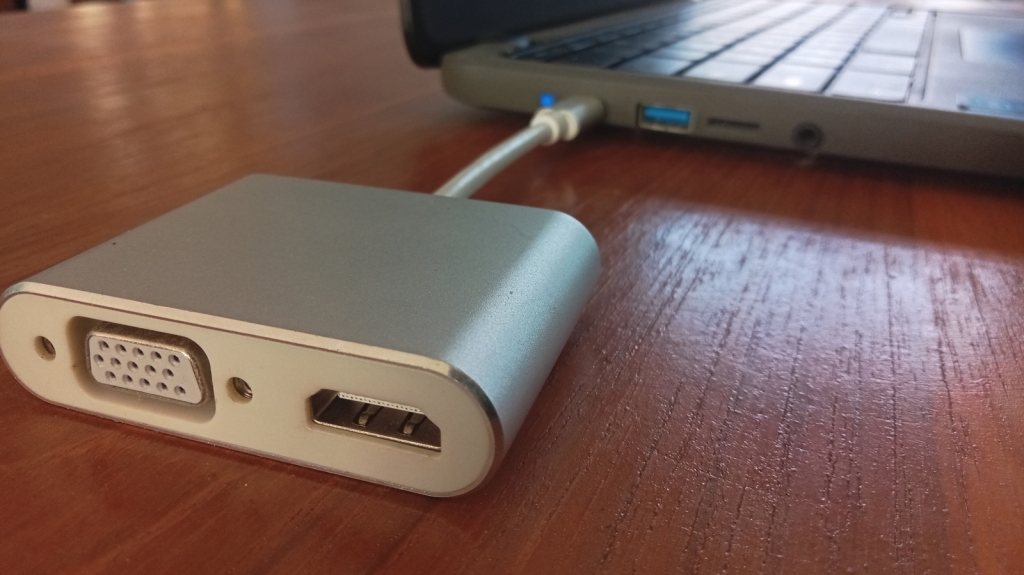
USB-C to HDMI Adapter Cable: 4 Clever Uses You Haven’t Thought Of Yet
In a world where USB-C is becoming the universal standard for charging, data transfer, and video output, the humble USB-C to HDMI adapter cable is often overlooked. While most people use it to connect their laptops, phones, or tablets to larger screens, there are some truly ingenious use cases that you might not have considered. From transforming your smartphone into a gaming PC to turning your DSLR into a high-quality webcam, this versatile adapter can do much more than you think. Let’s dive into four clever uses for a USB-C to HDMI adapter cable that will blow your mind.
1. Turn Your Smartphone into a Gaming PC with Android Emulation
PC gaming has never been more accessible, thanks to cloud gaming services and handheld gaming PCs. But did you know that you can also enjoy PC gaming on your smartphone? With the rise of Android emulation apps, high-end Android devices can now emulate AAA PC games at playable frame rates. Titles like Cyberpunk 2077 can run smoothly on your phone, and apps like Game Hub even offer built-in Steam integration for a seamless experience.
While playing on your phone’s screen is convenient, projecting the game onto a larger TV or monitor takes the experience to the next level. A USB-C to HDMI adapter cable allows you to connect your smartphone to a big screen, giving you a PC-like gaming experience without the need for an actual PC. Pair this with a Bluetooth controller, and you’ve got yourself a portable gaming setup that rivals traditional gaming rigs.
2. Using a Type-C to HDMI Cable on Type-C Equipped GPUs
USB-C isn’t just for mobile devices—some graphics cards also come equipped with Type-C ports. NVIDIA’s RTX 20 series and AMD’s Radeon RX 7900 XTX are among the few GPUs that feature this versatile connector. Initially designed for VirtualLink to connect VR headsets with a single cable, the Type-C port on GPUs can still be used for external displays.
While there’s not much reason to use Type-C on a GPU, it can serve as a backup connector if your other display ports (like HDMI or DisplayPort) are damaged or already in use. For example, RTX 20 series cards have five display outputs (including Type-C) but only support up to four displays simultaneously. Similarly, AMD cards like the RX 7900 XTX have four ports, so the Type-C port becomes essential if you want to run four monitors off a single card.
3. Turn Your DSLR into a Webcam with a Type-C Only Laptop
Webcams are convenient, but they often fall short when it comes to image quality. Even high-end webcams struggle with attributes like depth of field, low-light performance, and dynamic range due to their small sensors. If you’re looking for a significant upgrade, consider using your DSLR or mirrorless camera as a webcam.
Most DSLRs and mirrorless cameras come with dedicated HDMI outputs, making it easy to stream content to a PC. However, if your laptop lacks an HDMI port but has Type-C with DisplayAlt functionality, you’ll need a USB-C to HDMI adapter cable to make the connection. Keep in mind that you’ll also need to set up your camera and tripod in a way that positions the camera above your monitor for the best results.
4. Stream Content to an Older TV with an HDMI-Less Laptop
Watching content from your laptop on your TV is a common practice, but it’s not always straightforward. Older laptops and TVs may not support modern display-sharing technologies, leaving you with no choice but to use an HDMI cable. This can be inconvenient, especially if you have to run a long cord across your living room.
For laptops that lack HDMI ports, like certain Chromebooks and MacBooks, a USB-C to HDMI adapter cable is essential. But what if you want to go wireless? By combining a wireless HDMI adapter with a USB-C to HDMI adapter cable, you can stream content to your TV without the hassle of plugging in a cable. Wireless HDMI adapters are affordable (often under $100) and offer a range of 30 to 200 feet, making them a great solution for older setups.
Tags: USB-C, HDMI, adapter cable, gaming, emulation, DSLR, webcam, streaming, tech tips, viral tech, innovative uses, Type-C, DisplayAlt, wireless HDMI, Android gaming, PC gaming, graphics cards, NVIDIA, AMD, Radeon, RTX, laptop, TV, monitor, video output, data transfer, charging, universal standard, tech hacks, clever uses, tech news.
Viral Sentences:
- “Turn your smartphone into a gaming PC with Android emulation—no PC required!”
- “Use your DSLR as a webcam for professional-quality video calls.”
- “Stream to an older TV wirelessly with a USB-C to HDMI adapter cable.”
- “Graphics cards with Type-C ports? Here’s how to use them creatively.”
- “The ultimate guide to unlocking the full potential of your USB-C to HDMI adapter.”
,


Leave a Reply
Want to join the discussion?Feel free to contribute!