
5 Apple CarPlay Features Nobody Actually Uses
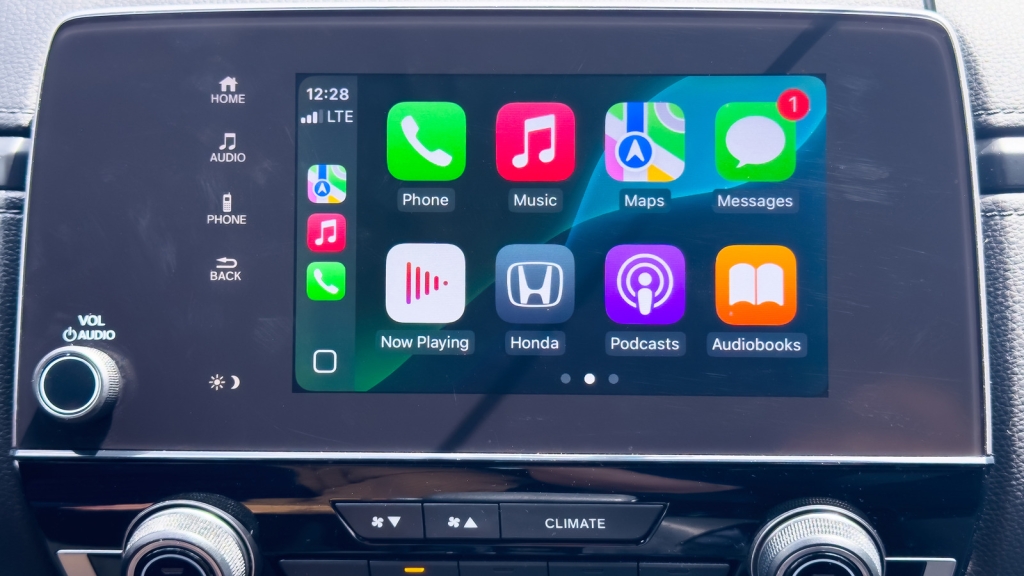
The 5 Apple CarPlay Features Nobody Actually Uses: A Deep Dive into the Forgotten Tools
When Apple introduced CarPlay back in March 2014, it was a revolutionary step toward integrating our iPhones seamlessly with our vehicles. Over the years, it has evolved from a basic interface into a feature-rich system that allows drivers to navigate, play music, make calls, and send messages—all while keeping their eyes on the road. However, not every feature Apple has added to CarPlay has gained traction. Some tools, despite their potential, remain largely untouched by users. In this article, we’ll explore the top five Apple CarPlay features that most people rarely use, why they’ve been overlooked, and what could make them more appealing.
1. Change the Wallpaper
Apple CarPlay allows users to customize the display wallpaper, but let’s be honest—how many of us actually bother to do this? The default wallpaper works just fine for most drivers, and changing it doesn’t enhance the core functionality of CarPlay. Whether you’re navigating, playing music, or making calls, the wallpaper remains a cosmetic detail that doesn’t impact the user experience.
Moreover, Apple CarPlay doesn’t offer the same level of customization as an iPhone or iPad. The preloaded wallpaper options are limited, and you can’t upload your own images. For most users, the focus while driving is on more critical tasks like monitoring the speedometer, following GPS directions, or staying aware of traffic conditions. The wallpaper, while a nice touch, simply doesn’t make the cut when it comes to priorities.
2. SharePlay
SharePlay is a feature designed to let passengers control the music during a drive. In theory, it sounds like a fun way to involve everyone in the car, but in practice, it often leads to chaos. Imagine your friends queuing up songs that don’t match the vibe or adding so many tracks that it disrupts the flow of your playlist. Music preferences vary widely, and it’s usually the driver’s choice that matters most.
Additionally, SharePlay comes with its own set of challenges. For it to work, everyone in the car needs to be on iOS 17 or higher and use the Apple Music app. The driver must also have an Apple Music subscription, which isn’t always the case. These requirements, combined with the potential for musical disagreements, have made SharePlay a feature that’s rarely activated by CarPlay users.
3. Siri
Siri, Apple’s virtual assistant, is incredibly useful on an iPhone, but its performance on CarPlay leaves much to be desired. While newer car models often have dedicated buttons on the steering wheel to activate Siri, the assistant can struggle to understand commands in noisy environments. Background noise from the engine, traffic, or even conversations can interfere with Siri’s ability to accurately process requests.
For example, you might ask Siri to call a specific contact, only for it to dial the wrong person. Or you might request directions to a particular destination, only for Siri to suggest an incorrect location. These inaccuracies can be frustrating, especially when you’re trying to focus on driving. While Apple isn’t entirely to blame—car manufacturers also need to improve microphone quality and placement—Siri’s unreliability on CarPlay has made it a feature that many users avoid.
4. Driving Focus
Driving Focus is a feature designed to minimize distractions by limiting notifications while you’re on the road. While it’s a great tool for iPhones, its implementation on CarPlay feels clunky. The feature can sometimes block important notifications, and customizing it to suit your needs can be a hassle.
For instance, you might set up Driving Focus to allow notifications only from specific contacts, but the feature might not work as intended. Additionally, not every drive is the same. A quick trip to the grocery store doesn’t require the same level of focus as a long road trip. Having to manually toggle Driving Focus on and off can feel inconvenient, leading many users to simply ignore notifications instead.
5. Share ETA with Contacts
When using Apple Maps on CarPlay, you can share your estimated time of arrival (ETA) with contacts. While this feature sounds useful, most people prefer simpler alternatives. A quick text saying, “I’m on my way” or “I’ll be there in 10 minutes” is often enough to keep others informed.
Moreover, many people already share their live location with close contacts, making the ETA feature redundant. For some, sharing such detailed information can feel invasive, especially if it’s not a regular practice. As a result, the ETA-sharing feature remains largely unused by CarPlay drivers.
Tags: Apple CarPlay, CarPlay features, Siri, SharePlay, Driving Focus, ETA sharing, Apple Maps, iPhone integration, car technology, driving tips, tech news, viral tech, automotive tech, infotainment systems, iOS 17, Apple Music, navigation apps, hands-free driving, road safety, car customization.
Viral Sentences:
- “Apple CarPlay’s wallpaper feature is the definition of ‘nice to have, but who cares?’”
- “SharePlay in the car? More like ‘Share the chaos’!”
- “Siri on CarPlay: Great in theory, frustrating in practice.”
- “Driving Focus on CarPlay? I’ll just ignore notifications, thanks.”
- “Sharing ETA? Just text me ‘I’m on my way’ and call it a day.”
,


Leave a Reply
Want to join the discussion?Feel free to contribute!