
5 Hidden Amazon Fire TV Stick Features You Should Be Using
Amazon Fire TV Stick: 5 Hidden Features You Should Be Using
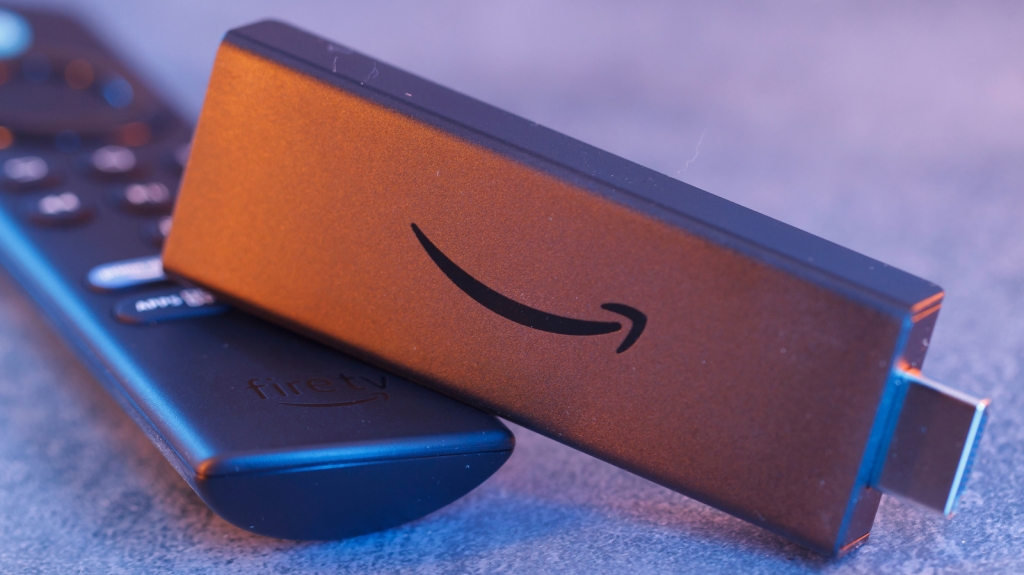
If you’re looking for an affordable and effortless way to add smart features to your older TV, the Amazon Fire TV Stick is a solid choice. With the basic model starting at just $30, and the Fire TV Stick 4K Select at $40, it’s an attractive alternative to pricier options like the Google TV Streamer or Apple TV 4K. At its core, the Fire TV Stick gives you access to streaming services like Netflix and Prime Video, but it’s capable of much more. Here are five lesser-known features that can elevate your experience.
1. Control Other Devices Using Your Fire TV Remote
Modern TVs offer incredible screen quality, but without a good audio setup, you’re missing out on the full cinematic experience. While HDMI makes connecting devices simple, juggling multiple remotes can be a hassle. That’s where HDMI-CEC (Consumer Electronics Control) comes in.
The Amazon Fire TV Stick supports HDMI-CEC, allowing you to use your Fire TV remote to control other connected devices, like your soundbar or Blu-ray player. To enable it, go to Settings > Display and Sounds > HDMI CEC Device Control. Keep in mind that compatibility may vary between devices, so you might encounter occasional hiccups.
2. Fire TV Mobile App
While the bundled remote is functional, the Fire TV mobile app takes control to the next level. Available for both Android and iOS, the app acts as a backup remote and makes typing searches a breeze. Recently updated, it now includes features like browsing new content, managing your watchlist, and even refining recommendations by marking titles you’d enjoy or not.
Whether you’re on your phone or tablet, the app lets you curate your entertainment library on the go, making it a must-have companion for your Fire TV Stick.
3. Access the Developer Tools Menu
For those who like to dig deeper, the Fire TV Stick has a hidden developer tools menu. To access it, press and hold the center button on your remote’s D-pad, then press and hold the down button for about four seconds. Release both buttons and press the menu button.
This menu includes features like “System X-Ray,” which displays real-time metrics such as CPU, memory, and network usage. You can also enable “Advanced Options” to view codec information, video resolution, and frame rate while playing media. It’s a great way to troubleshoot or simply understand how your device is performing.
4. Cloud Gaming
While the Fire TV Stick isn’t designed for gaming, it can handle cloud gaming thanks to services like Amazon Luna. If you’re an Amazon Prime member, you already have access to Luna for free. With a compatible game controller and a stable internet connection, you can play AAA titles without needing a console or gaming PC.
For an even bigger library of games, consider GeForce Now, another popular cloud gaming service now available on Fire OS. It’s a fantastic way to turn your TV into a gaming hub without investing in expensive hardware.
5. App Data and Cache Management
Over time, your Fire TV Stick may slow down or apps may crash, even on newer models. While a factory reset is an option, you can try clearing app data and cache first. Navigate to Settings > Applications > Manage Installed Applications, where you can clear the cache for specific apps or all apps at once.
Clearing cache can free up space and improve performance, but avoid doing it too frequently, as apps rely on cached data for quick access to content.
Final Thoughts
The Amazon Fire TV Stick is more than just a streaming device. From controlling your entire entertainment setup with one remote to exploring hidden developer tools and even gaming, it offers a range of features that go beyond the basics. Whether you’re a tech enthusiast or just looking to get the most out of your device, these tips can help you unlock its full potential.
Tags:
AmazonFireTVStick #HiddenFeatures #TechTips #Streaming #CloudGaming #HDMI-CEC #FireTVApp #DeveloperTools #SmartTV #TechHacks
Viral Sentences:
- “Turn your TV into a gaming hub with Amazon Luna—no console needed!”
- “Unlock hidden features on your Fire TV Stick and take control to the next level.”
- “Say goodbye to remote clutter with HDMI-CEC on your Fire TV Stick.”
- “The Fire TV Stick isn’t just for streaming—discover its secret powers!”
- “Boost your Fire TV Stick’s performance with these simple tricks.”
,


Leave a Reply
Want to join the discussion?Feel free to contribute!