
Gemini on Android desktop will have icon, keyboard shortcut
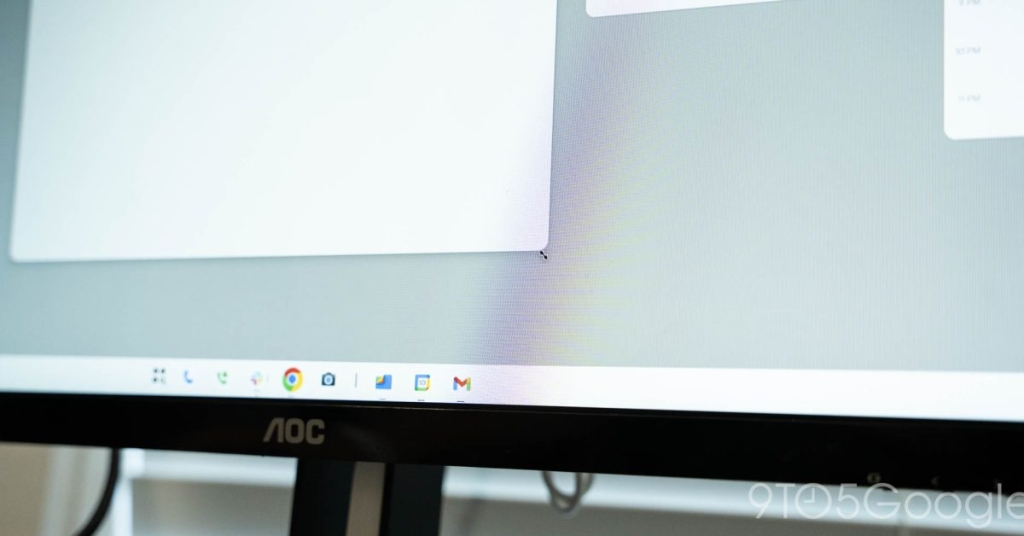
Android 16 QPR1 Unveils Persistent Gemini Access in Desktop Mode
In a significant development for Android’s evolving desktop experience, the latest Google app beta reveals how users will interact with Gemini on Android’s forthcoming desktop interface. The discovery, made through APK Insight analysis of version 17.5, provides our clearest look yet at how Google plans to integrate its AI assistant into the desktop environment.
Gemini’s Always-Ready Presence
The most striking revelation is the persistent Gemini icon that will reside in the status bar of Android’s desktop mode. This pill-shaped button, positioned alongside traditional status indicators like Wi-Fi and battery, ensures that Google’s AI assistant is never more than a single click away. The design philosophy mirrors the approach taken with Gemini Live on mobile devices, where immediate access to AI capabilities is prioritized.
What makes this particularly noteworthy is the parallel to Apple’s implementation of Siri in macOS, suggesting Google is taking desktop AI assistance seriously and learning from established desktop operating systems. The persistent nature of this button indicates that Google envisions Gemini as an integral part of the desktop workflow rather than an occasional tool.
Multiple Access Points for Maximum Convenience
Beyond the status bar icon, Google is implementing multiple pathways to access Gemini, demonstrating an understanding that desktop users have diverse preferences for how they interact with their systems. The keyboard shortcut [GoogleKeyIcon] + Space provides power users with rapid access, while the visual button caters to those who prefer point-and-click interfaces.
This multi-modal approach is particularly smart given the varied use cases for desktop computing. Writers might prefer keyboard shortcuts for seamless integration into their workflow, while casual users might gravitate toward the visual button. The flexibility ensures that Gemini can become a natural part of how users accomplish tasks on their Android desktop systems.
Powered by the Google App
The discovery that the Google app will power the Gemini experience on “Aluminium OS” (Google’s internal codename for Android’s desktop interface) is significant. This architecture choice suggests a unified approach across Google’s ecosystem, where the same application infrastructure that serves mobile users will extend to desktop environments. This could enable seamless transitions between mobile and desktop interactions with Gemini, maintaining context and conversation history across devices.
What This Means for Desktop AI
The persistent Gemini access in Android desktop mode represents a philosophical shift in how we think about AI assistants on computers. Rather than being buried in applications or requiring specific invocation methods, Gemini will be constantly available, ready to assist with writing, planning, brainstorming, and other tasks mentioned in the beta strings.
This approach acknowledges that AI assistance isn’t just for specific moments but can be a continuous partner in productivity. The comparison to the existing Gemini side panel in Chrome is apt – it suggests users will get an overlay interface that doesn’t disrupt their primary workflow but enhances it.
Implications for the Ecosystem
The timing of these revelations is particularly interesting given Google’s broader AI and hardware strategy. With Android XR devices on the horizon and Chromebook Plus laptops already featuring dedicated Google keys, the company is clearly investing in making AI assistance a core feature across its product lineup.
The desktop implementation could serve as a testing ground for features that might eventually make their way to other form factors. The persistent status bar button, for instance, could be an ideal solution for VR headsets where traditional input methods are limited.
Looking Ahead
While the exact capabilities of desktop Gemini remain to be seen, the infrastructure being put in place suggests ambitious plans. The always-available nature of the assistant, combined with the context awareness possible on desktop systems, opens up possibilities for truly intelligent assistance that understands not just what you’re asking, but what you’re working on.
As Android 16 QPR1 development continues, we can expect to learn more about how deeply Gemini will integrate with desktop applications, whether it will have system-wide awareness, and how it will handle complex, multi-step tasks that are common in desktop workflows.
The presence of these features in beta code doesn’t guarantee they’ll ship exactly as described, but it does confirm that Google is actively developing what could be one of the most accessible and integrated AI desktop experiences available.
Tags & Viral Phrases:
- Android 16 QPR1 desktop mode
- Gemini AI always-on desktop
- Google’s Aluminium OS secrets
- Persistent AI assistant revolution
- Status bar Gemini button
- [GoogleKeyIcon] + Space shortcut
- Android desktop interface leak
- AI assistant evolution
- Google app powers desktop Gemini
- Next-gen desktop computing
- AI integration benchmark
- Chromebook Plus Google key
- Android XR AI capabilities
- Desktop OS AI transformation
- Google’s AI ecosystem strategy
- Always-available AI assistant
- Mobile-to-desktop AI continuity
- Future of desktop computing
- AI productivity enhancement
- Google’s desktop AI vision
This comprehensive analysis reveals how Google is positioning Gemini as a fundamental component of the Android desktop experience, potentially setting new standards for how AI assistants integrate with traditional computing environments.
,

Leave a Reply
Want to join the discussion?Feel free to contribute!