
4 Costco Finds That Can Help You Build Your Own 3D Printing Station
Build the Ultimate 3D Printing Station with Costco’s Hidden Gems
Forget hunting across multiple stores—Costco has quietly assembled everything you need to create a professional-grade 3D printing setup that rivals commercial workshops. From industrial-grade shelving to premium filament and essential cleanup tools, this one-stop solution saves you time, money, and the headache of mismatched equipment.
The Heart of Your Setup: Choosing the Right 3D Printer
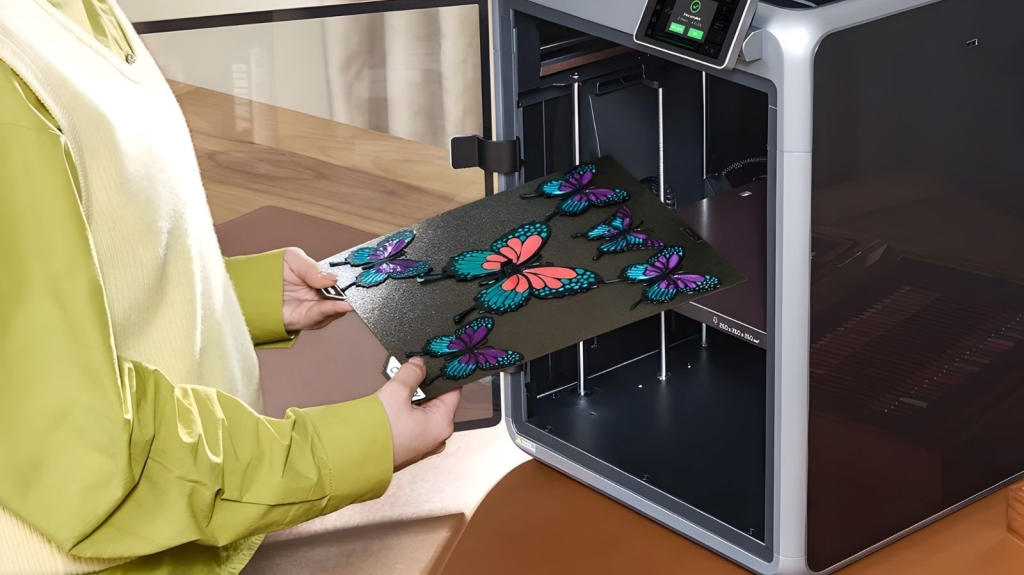
Every great 3D printing station starts with a solid foundation—your printer. Costco’s selection focuses on user-friendly models packed with features that make both beginners and veterans excited to hit print. Most models come with enclosures that regulate temperature, reduce noise, and enable you to work with advanced materials like ABS and PETG without warping issues.
The real game-changer? Built-in cameras that let you monitor prints remotely through your phone. No more hovering anxiously while your masterpiece takes shape. These smart printers can even detect print failures and pause automatically, saving you from catastrophic spaghetti disasters that waste hours of printing time.
For newcomers, pre-tuned profiles and guided setups eliminate the intimidation factor. Experienced makers will appreciate the robust metal frames, faster XY movement, and support for high-temperature filaments that unlock complex projects.
Shelving That Grows With Your Hobby
A 3D printer’s performance depends heavily on its foundation. Costco’s three-tier modular wire shelving unit (around $65) provides the perfect base. Position your printer on the top shelf for easy access, then use the lower levels for filament storage, completed projects, and future expansion.
Each shelf handles up to 150 pounds and measures 23 x 13 inches, standing 30 inches tall with adjustable heights every inch. This flexibility means you can easily add more printers, filament dryers, or specialized equipment as your skills evolve.
Pro tip: Secure the entire unit to a wall using off-wall saddle brackets to eliminate vibrations during printing. For extra accessibility, mount the brackets on a wooden board before attaching to the wall—this lets you pull the unit slightly away for rear access without moving the whole setup.
Premium Filament Without the Premium Price
Filament quality directly impacts your print success rate and surface finish. Costco stocks Polymaker PLA Pro in both core colors ($59.99) and fun colors ($69.99), offering professional-grade material at hobbyist prices.
The core pack includes black, white, blue, and red—perfect for functional prototypes and mechanical parts. The fun pack features celestial purple, starlight Neptune, silk gold, and marble white for eye-catching display pieces that showcase your creativity.
PLA remains the ideal starting point due to its ease of use and minimal warping. To maximize your results, orient models on their most stable surfaces in your slicer software, enable ironing for smoother top layers, and use auto-supports to prevent overhangs from collapsing mid-print. Slower speeds generally yield better accuracy and stronger parts.
Cleanup and Finishing Tools That Actually Work
3D printing creates surprisingly messy workspaces, especially when switching between colors. Filament purging leaves behind “poop” that accumulates quickly in standard trays. The Fanttik X200 Mix cordless vacuum tackles this problem efficiently, with enough suction to clean fans, vents, and electronics without disassembly.
Space is precious on your printing station, so Costco’s CAT two-piece deluxe multitool set ($41.99) is a revelation. This compact kit combines cutting, gripping, and filing tools perfect for trimming filament, removing supports, and smoothing rough edges during post-processing.
Instead of cluttering your workspace with individual tools, this multitool keeps everything within reach while leaving room for your growing collection of printed masterpieces—whether that’s functional prototypes or that Star Wars Stormtrooper helmet you’ve been dreaming about.
Tags & Viral Phrases:
3D printing station setup, Costco 3D printer deals, build your own 3D printing workshop, best 3D printer for beginners, professional 3D printing setup, 3D printer enclosure benefits, multi-color 3D printing, Polymaker PLA Pro filament review, 3D printer vibration control, wireless 3D printer monitoring, automatic print failure detection, modular shelving for 3D printing, 3D printer maintenance tools, filament storage solutions, 3D printing cleanup hacks, budget-friendly 3D printing setup, Costco tech deals 2024, home 3D printing workspace, 3D printer troubleshooting tips, silent 3D printing setup
,

Leave a Reply
Want to join the discussion?Feel free to contribute!