
I simplified my Google Photos searching and editing with this trick
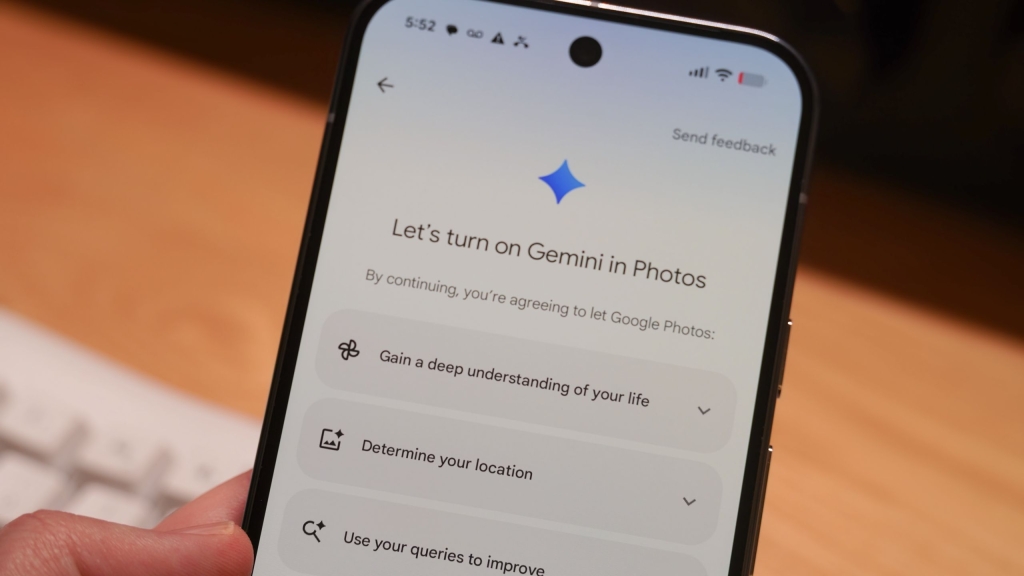
Google Photos’ Ask Photos: The Future of AI-Powered Photo Editing
Google Photos has long been a powerhouse in mobile photography, offering a robust suite of editing tools that rival even dedicated photo editing apps. But with the constant influx of new features—from Magic Eraser to Magic Editor—navigating the editor can feel overwhelming. Enter Ask Photos, Google’s latest innovation that’s transforming how we interact with our photo libraries.
What Is Ask Photos?
Ask Photos is Google’s answer to the increasingly complex world of mobile photo editing. Instead of hunting through menus for the right tool, you simply describe what you want to do in natural language. Think of it as having a conversation with your photos—you tell Google Photos what you’d like to change, and it figures out which tools to use and how to apply them.
This feature leverages Google’s advanced AI to understand your requests and execute them using the appropriate editing tools. Whether you want to “brighten the shadows,” “remove the person in the background,” or “make the colors pop,” Ask Photos translates your words into actions.
How Ask Photos Works
The feature integrates seamlessly into Google Photos’ existing interface. When you open a photo and tap the Edit button, you’ll find a new “Help me edit” text field. This is where the magic happens. You can either type your own prompt or choose from suggested ones that appear as you type.
Here’s how to use it:
- Open Google Photos and select a photo
- Tap the Edit button
- Press the “Help me edit” text field
- Type your prompt or select a suggestion
- Wait for processing, then save or continue editing
The Power of Conversational Editing
What makes Ask Photos truly revolutionary is its ability to handle complex editing tasks through simple conversation. You don’t need to know the difference between exposure and brightness sliders, or when to use Magic Eraser versus Magic Editor. Just describe your vision, and Google Photos handles the technical details.
For example, you might say:
- “Make this photo look like it was taken during golden hour”
- “Remove the power lines from the sky”
- “Crop this to focus on the main subject”
- “Make the colors more vibrant but keep skin tones natural”
The AI understands context and intent, applying multiple adjustments as needed to achieve your desired result.
Privacy and Transparency
Google has built Ask Photos with privacy in mind. The company explicitly states that your photos and videos aren’t used to train AI models. However, your prompts are used for training purposes, so avoid including personal information in your requests.
To maintain transparency, Ask Photos uses C2PA Content Credentials to track edits. This means anyone viewing your edited photos can see what changes were made and whether AI was involved. Google Pixel 10 series phones take this further by recording credentials at capture time, providing a complete edit history.
Why Ask Photos Matters
Ask Photos represents a significant shift in how we interact with technology. Instead of learning complex interfaces, we’re moving toward natural language interaction. This democratizes photo editing, making professional-quality results accessible to everyone, regardless of technical expertise.
The feature also showcases Google’s commitment to AI integration across its ecosystem. By bringing conversational AI to photo editing, Google is setting a new standard for user-friendly creative tools.
The Future of Photo Editing
Ask Photos is more than just a convenient feature—it’s a glimpse into the future of creative software. As AI continues to evolve, we can expect even more intuitive ways to express our creativity without getting bogged down in technical details.
For now, Ask Photos offers a perfect balance of power and simplicity, making it an essential tool for anyone who wants to get the most out of their photos without spending hours learning complex editing techniques.
Tags: Google Photos, Ask Photos, AI photo editing, conversational AI, Magic Eraser, Magic Editor, photo editing tips, Google AI, mobile photography, image editing, Ask Photos tutorial, Google Photos features, AI-powered editing, natural language photo editing, Google Photos update
Viral Phrases: “Your photos just got smarter,” “Talk to your photos and watch them transform,” “The end of complicated photo editing,” “AI that understands what you want,” “Google Photos’ secret weapon,” “Editing made this easy? Mind blown,” “The feature that changed everything,” “Why everyone’s talking about Ask Photos,” “The future is here, and it’s conversational,” “Google’s smartest photo feature yet”
,


Leave a Reply
Want to join the discussion?Feel free to contribute!