
Text Shortcuts You Should Be Using on iPhone and Mac
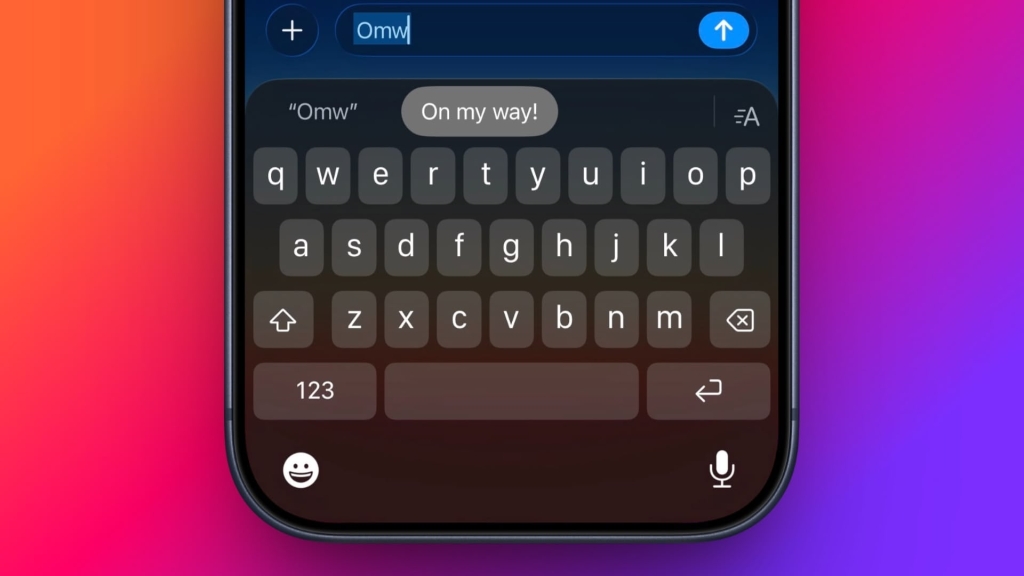
Apple’s autocorrect on iPhone and iPad always aims to help when you’re typing a message, but it’s by no means perfect, and some of the replacements it continually spews out can be frustrating. Fortunately, Apple’s software includes a feature called Text Replacement that allows you to specify what word or phrase replaces the specific text you type in.
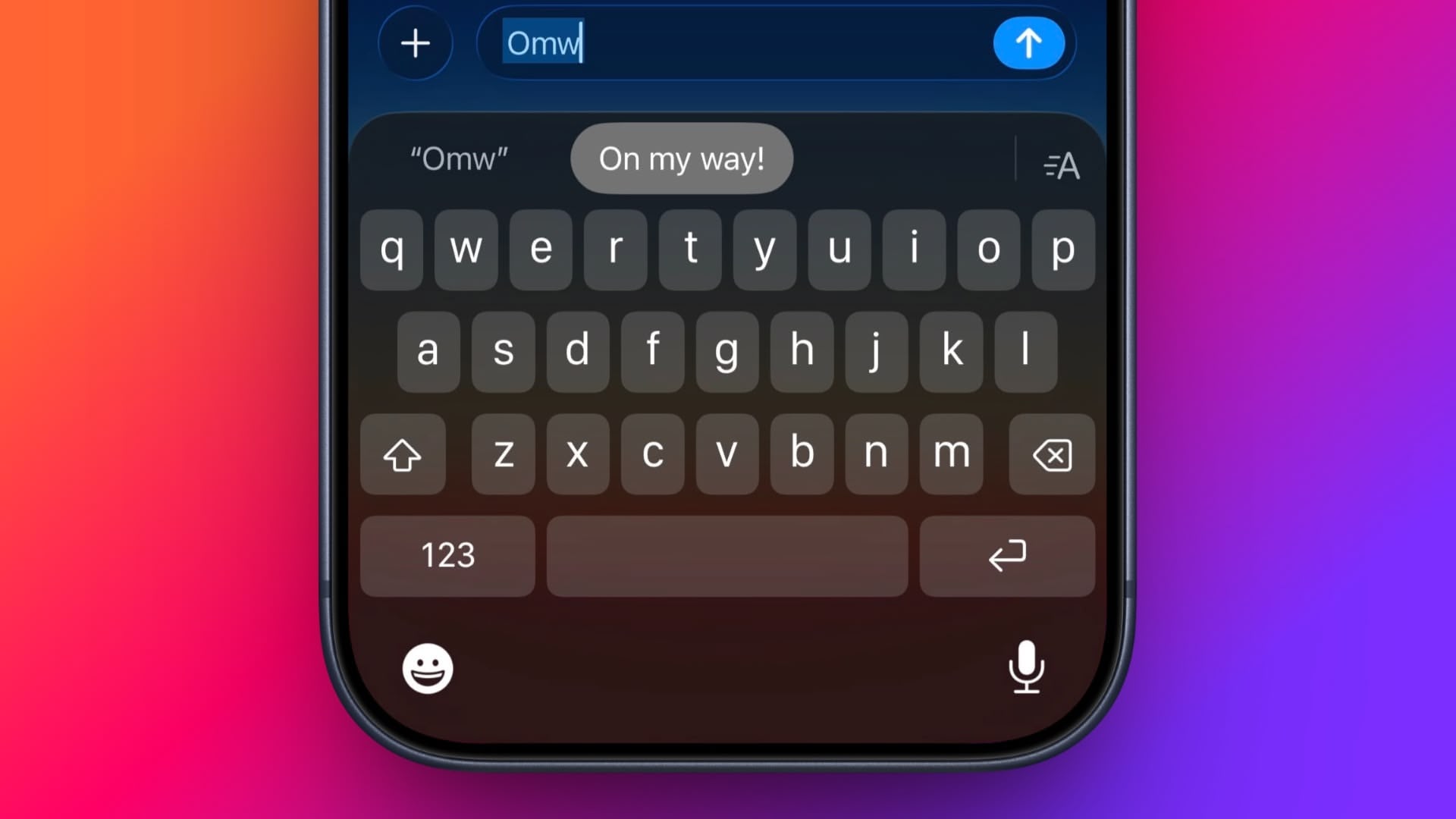
Even if you haven’t set up Text Replacement, you can try it out with Apple’s pre-set example: In any app that accepts text input, type “Omw” followed by a space, and it will change to “On my way!” automatically.
The following steps guide you through the process of setting up your own handy shortcut phrases with text replacements on both iOS devices and Mac.
How to Set Up Text Replacement on iPhone
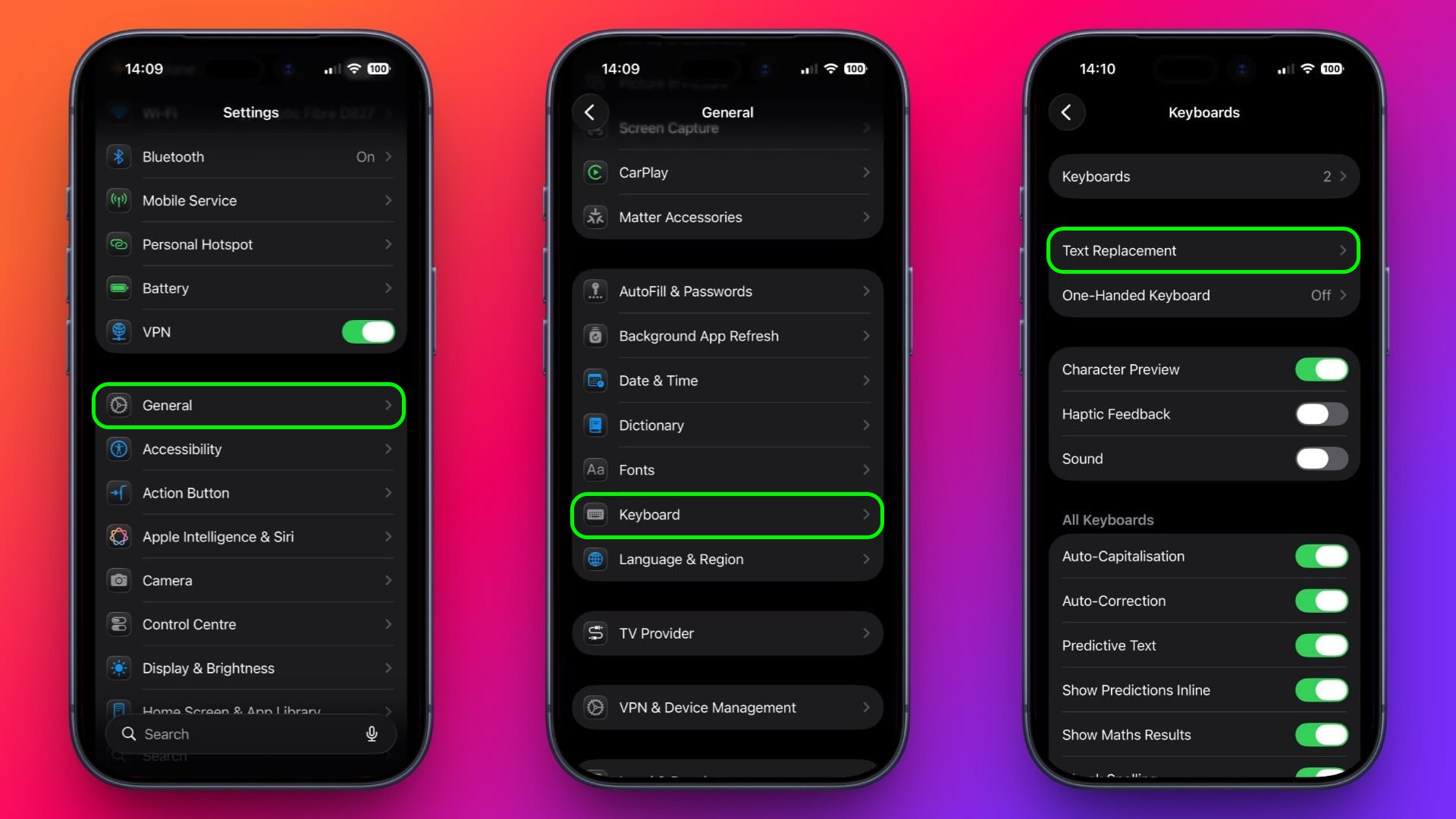
- Launch the Settings app on your iPhone or iPad.
- Tap General ➝ Keyboard.
- Tap Text Replacement.
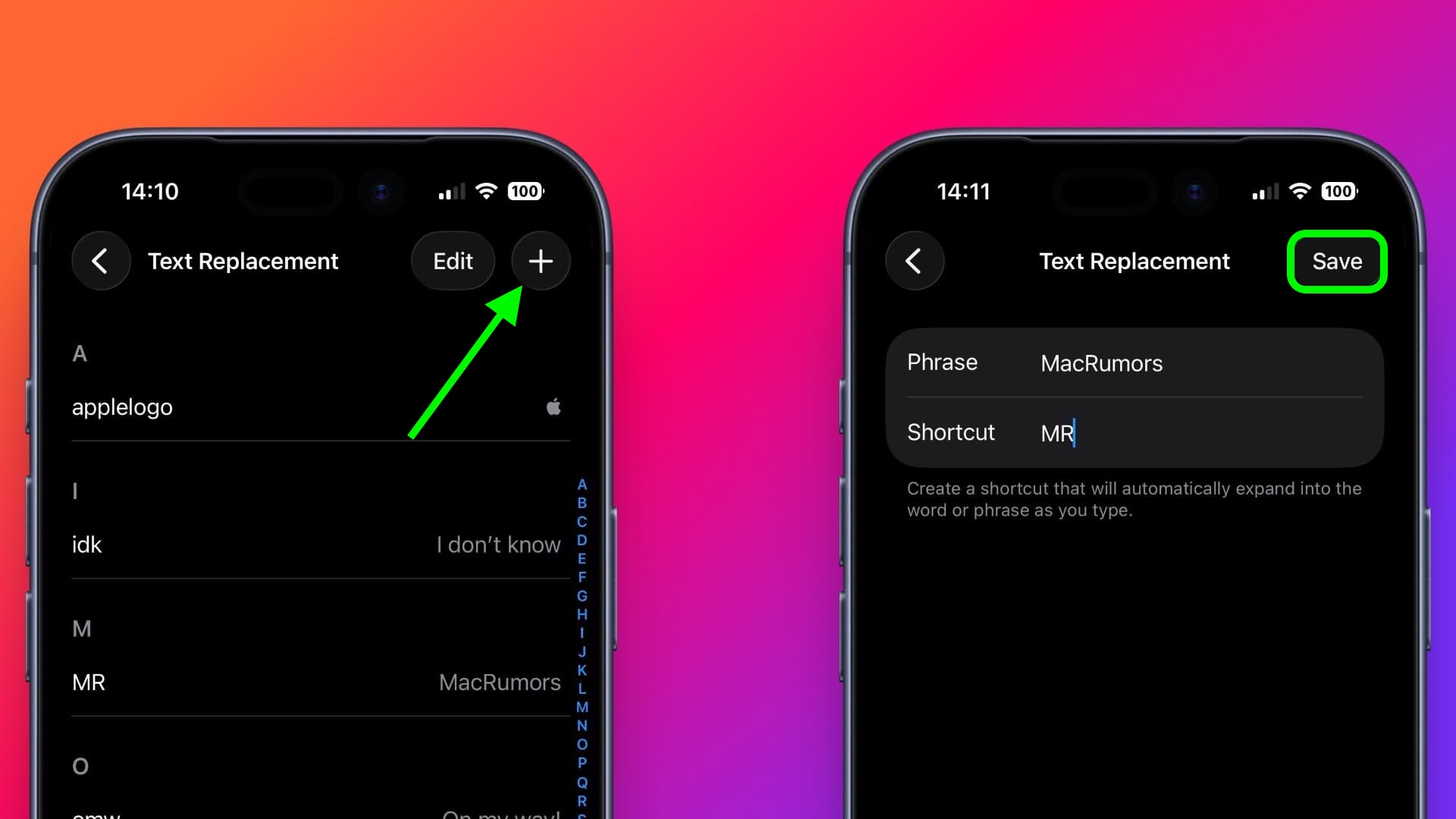
- Tap the plus (+) button in the top-right corner of the screen.
- On the next screen, fill in the “Phrase” field with the text you want to appear every time you type your shortcut.
- In the “Shortcut” field, input the text of your choice that you want to be replaced by the phrase above.
- Tap Save in the top-right corner to finish.
How to Set Up Text Replacement on Mac
The following steps work on Macs running macOS Ventura and later.
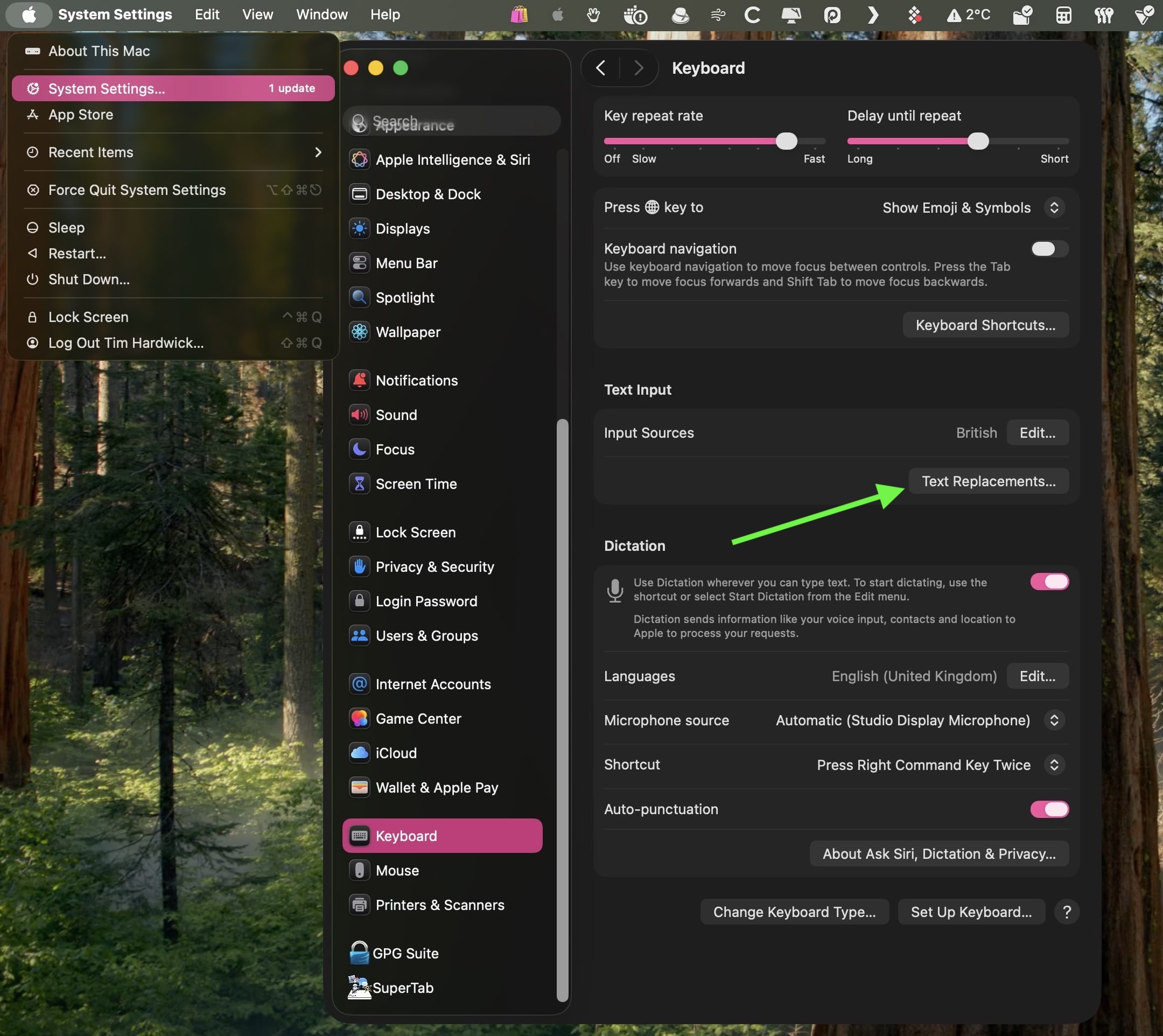
- On your Mac, click the logo in the top-left corner of the menu bar at the top of the screen and select System Settings….
- Scroll down and select Keyboard in the sidebar.
- Under “Text Input,” click Text Replacements….
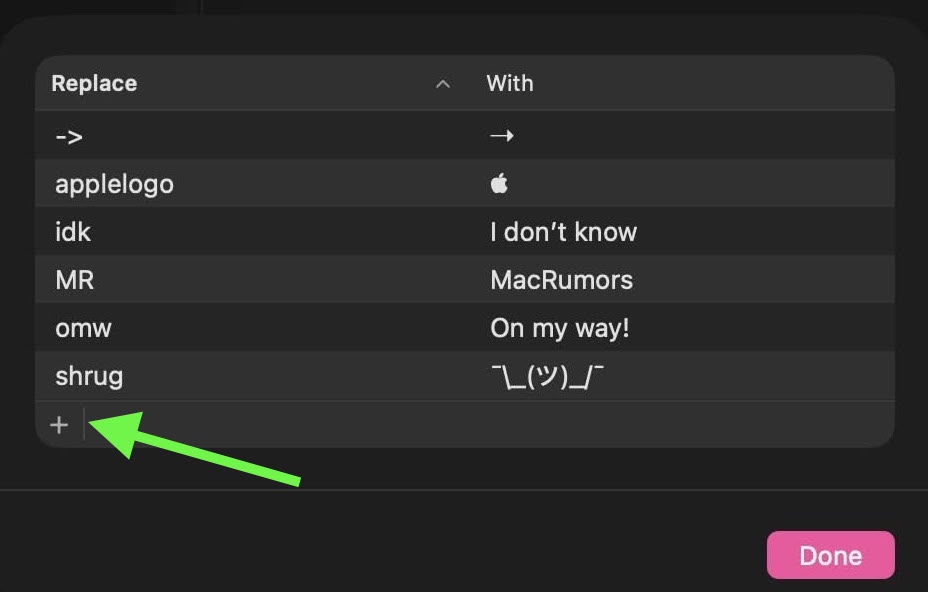
- Click the + button to add a text replacement.
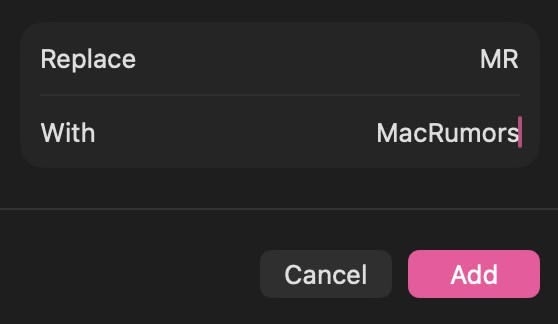
- In the “Replace” column, enter the text that you want replaced with something else.
- In the “With” column, type the replacement text that you want it to change to.
If you’re using the same Apple account across all of your Apple devices, any Text Replacements that you add on your Mac will be automatically synced to your iPhone and/or iPad, and vice versa.
This article, “Text Shortcuts You Should Be Using on iPhone and Mac” first appeared on MacRumors.com
Discuss this article in our forums
Text Replacement, iPhone, iPad, Mac, iOS, macOS, keyboard shortcuts, productivity tips, typing hacks, Apple devices, tech tips, message shortcuts, autocorrect fixes, time-saving tricks, Apple ecosystem, synced shortcuts, custom phrases, mobile productivity, MacRumors, technology news, iPhone hacks, iPad tips, Mac keyboard, text expansion, typing efficiency, Apple keyboard settings, digital productivity, smartphone tricks, tablet tips, computer shortcuts, Apple ecosystem integration, tech tutorials, mobile messaging, communication hacks, Apple software features, device synchronization, custom text shortcuts, typing automation, Apple user guide, iOS keyboard, macOS keyboard, mobile device management, Apple support, technology guide, digital communication, typing shortcuts, message automation, Apple device tips, tech how-to, iPhone keyboard, iPad keyboard, Mac keyboard settings, Apple user experience, typing tools, Apple device customization, mobile device tips, computer productivity, Apple ecosystem tips, typing tricks, Apple device management, technology tutorial, mobile device customization, computer tips, Apple device optimization, typing efficiency tips, Apple device synchronization, digital productivity tools, Apple device features, mobile device optimization, computer optimization, Apple device support, technology support, mobile device support, computer support, Apple device guide, mobile device guide, computer guide, technology guide, digital communication tools, typing automation tools, Apple device automation, mobile device automation, computer automation, technology automation, digital productivity automation, Apple device productivity, mobile device productivity, computer productivity, technology productivity, digital productivity optimization, Apple device optimization, mobile device optimization, computer optimization, technology optimization, Apple device management tools, mobile device management tools, computer management tools, technology management tools, Apple device customization tools, mobile device customization tools, computer customization tools, technology customization tools, Apple device support tools, mobile device support tools, computer support tools, technology support tools, Apple device guide tools, mobile device guide tools, computer guide tools, technology guide tools, digital communication tools, typing automation tools, Apple device automation tools, mobile device automation tools, computer automation tools, technology automation tools, digital productivity automation tools, Apple device productivity tools, mobile device productivity tools, computer productivity tools, technology productivity tools, digital productivity optimization tools, Apple device optimization tools, mobile device optimization tools, computer optimization tools, technology optimization tools, Apple device management optimization tools, mobile device management optimization tools, computer management optimization tools, technology management optimization tools, Apple device customization optimization tools, mobile device customization optimization tools, computer customization optimization tools, technology customization optimization tools, Apple device support optimization tools, mobile device support optimization tools, computer support optimization tools, technology support optimization tools, Apple device guide optimization tools, mobile device guide optimization tools, computer guide optimization tools, technology guide optimization tools,


Leave a Reply
Want to join the discussion?Feel free to contribute!