
Google Docs can now AI-generate audio summaries of your documents
Google Docs Just Got a Major AI Upgrade: Gemini Now Reads Your Documents Aloud
Google is once again pushing the boundaries of productivity with a slick new feature for Google Docs. In a move that blends artificial intelligence with everyday convenience, the tech giant has announced that Gemini, its powerful AI assistant, can now generate and read out audio summaries of your documents. The feature, which was previously exclusive to Google’s NotebookLM app, is now making its way into Google Docs, promising to change how students, professionals, and everyday users interact with their written content.
A Seamless Blend of AI and Productivity
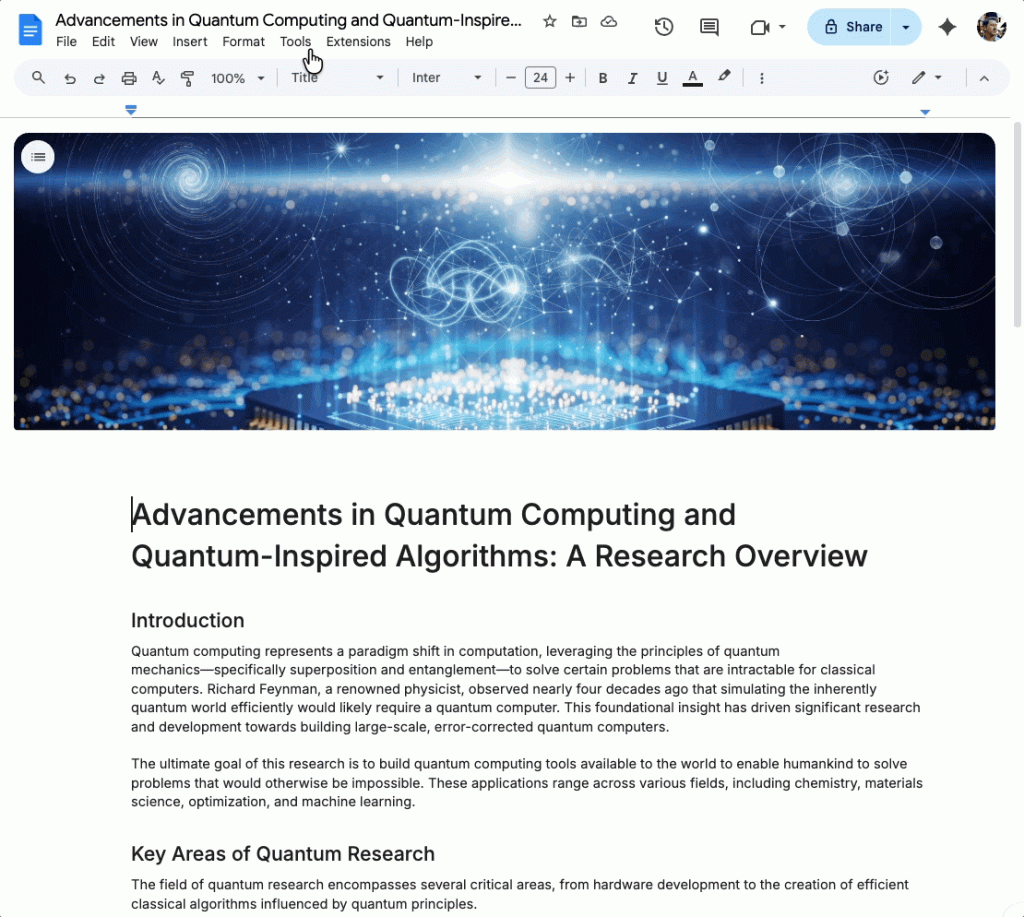
The new audio summaries are designed to be concise yet comprehensive, pulling together key points from across different sections of your document. Whether you’re reviewing a lengthy research paper, a business proposal, or a class assignment, Gemini can distill the most important information into a digestible audio format. The feature is accessible via the Tools > Audio menu in Google Docs, making it easy to activate whenever you need a quick overview.
Once generated, a small media player will appear on your screen, giving you full control over playback. You can adjust the speed anywhere from 0.5x to 2x, depending on how fast or slow you prefer to absorb information. And if you’re someone who enjoys a bit of personality in your AI interactions, you’re in luck—Google is offering multiple voice options, including a narrator, a persuader, and even a coach. Each voice brings a unique tone to the summary, allowing you to choose the style that best fits your mood or task.
Why This Matters
For students, this feature is a game-changer. Imagine being able to listen to a summary of your notes while commuting, exercising, or doing chores. It’s a perfect way to reinforce learning without having to stare at a screen. For professionals, it offers a hands-free way to review documents, catch up on reports, or prepare for meetings. Even casual users can benefit by turning long articles or personal projects into audio content for on-the-go consumption.
The move also highlights Google’s broader strategy to integrate AI more deeply into its suite of productivity tools. By bringing NotebookLM’s audio summary capabilities to Google Docs, the company is making advanced AI features more accessible to a wider audience. It’s a clear signal that Google sees AI not just as a futuristic concept, but as a practical tool for enhancing everyday tasks.
Rolling Out Now
Google began rolling out the feature yesterday, but don’t worry if you don’t see it immediately—it may take up to 15 days for the update to reach all users. The feature will be available to Google AI Pro and Ultra subscribers, Google Business and Enterprise customers, and as an add-on for Google Education accounts. If you fall into any of these categories, keep an eye out for the new Audio option in your Docs menu.
The Future of Document Interaction
This update is more than just a cool new feature—it’s a glimpse into the future of how we’ll interact with digital documents. As AI continues to evolve, we can expect even more intuitive and personalized ways to engage with our content. Whether it’s through voice, visuals, or interactive elements, the line between human and machine collaboration is becoming increasingly blurred.
For now, though, Google Docs users have plenty to be excited about. With Gemini’s audio summaries, the humble document just got a whole lot smarter—and a whole lot more accessible.
Tags & Viral Phrases:
- Google Docs AI upgrade
- Gemini reads documents aloud
- Audio summaries in Google Docs
- NotebookLM feature comes to Docs
- Hands-free document review
- AI productivity tools
- Google Workspace AI integration
- Listen to your documents
- AI-generated audio summaries
- Google Docs new feature
- Gemini voice options
- Narrator, persuader, coach voices
- AI for students and professionals
- Google AI Pro and Ultra
- Google Business and Enterprise AI
- Google Education add-on
- Future of document interaction
- AI-powered productivity
- Google Workspace updates
- Tech innovation 2026
- AI reading assistant
- Smart document summaries
- Google Docs audio feature
- AI voice customization
- On-the-go learning with AI
- Google AI rollout 2026
- Hands-free document consumption
- AI-enhanced Google Docs
- Next-gen productivity tools
- Google AI for everyone
,


Leave a Reply
Want to join the discussion?Feel free to contribute!