
This Android browser has one thing I love that Chrome sorely lacks
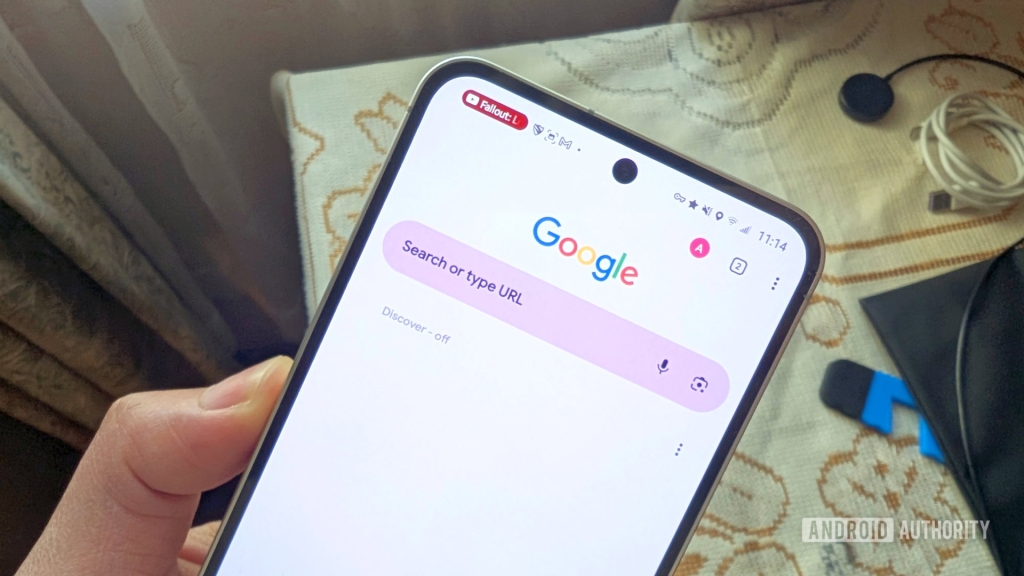
Chrome’s Tab Groups vs Fulguris Browser: Why This Underrated Android Browser Wins the Tab Management Battle
In today’s digital age, we’ve all been there—hundreds of browser tabs scattered across our mobile devices like digital confetti after a celebration gone wrong. For many of us, the endless tab accumulation has become a chronic condition, with hours of mindless browsing, fervent link-hopping, and rabbit hole-diving resulting in tab chaos that would make even the most organized person break into a cold sweat.
While I’ve managed to build up some self-control over the years (mostly), I know countless users still struggle with this modern-day affliction. The good news? Browser developers have finally caught on, and the competition to solve our tab management nightmares is heating up.
Google Chrome’s Tab Groups: A Step in the Right Direction
Google Chrome has long been the go-to browser for millions, and its Tab Groups feature was a welcome addition for those drowning in digital clutter. The concept is simple yet brilliant: organize your tabs into overarching categories or themes with color-coded labels. Whether you’re researching for work, planning a vacation, or just collecting cat memes, Tab Groups promised to bring order to chaos.
I genuinely regard this as one of Chrome’s standout features. The visual appeal is undeniable—Google nailed the color implementation, making it both functional and aesthetically pleasing. However, after diving deeper into the mobile experience, I discovered that this feature, while good, feels somewhat half-baked compared to what else is out there.
Enter Fulguris Browser: The Dark Horse of Android Browsing
Just when I thought I’d seen everything the mobile browser world had to offer, I stumbled upon Fulguris Browser. This open-source gem launched in 2020 and has been flying under the radar for far too long. Don’t let its humble appearance fool you—this browser is packed with features that even established giants are missing.
What makes Fulguris stand out immediately? Let’s count the ways:
User-customizable screen orientations: Create specific layouts for portrait and landscape modes—perfect for those who switch between reading and typing frequently.
Global dark mode: Because eye strain is real, and we all need that midnight browsing comfort.
Built-in ad blocking: Say goodbye to intrusive ads without installing additional extensions.
User script support: For the power users who need that extra layer of customization.
Dynamic theming: The browser actually draws colors from the site you’re viewing. Browsing Android Authority? Watch your tab bar transform into our signature punchy green!
All these features are impressive, but one particular aspect caught my attention and changed how I think about browser organization entirely: Fulguris’ robust session management system.
The Game-Changing Sessions Feature
Here’s where things get interesting. At first glance, Fulguris’ Sessions feature might seem similar to Chrome’s Tab Groups—both let you organize tabs effectively, clean up browsing sessions, and enable more focused research. But dig a little deeper, and you’ll discover why Sessions absolutely demolishes Tab Groups in the mobile browsing arena.
The Memory Advantage: Picking Up Where You Left Off
This is the killer feature that made me switch. When you use Chrome’s Tab Groups, switching between sessions becomes a multi-step process. You activate the new session, then you have to manually select which tab within that group you want to view. Chrome adds a nifty secondary tab bar within groups, but moving from one tab to another? That’s where the friction begins.
With Fulguris Sessions, the browser remembers exactly which tab you last selected in each session. Tap the Tab button, select your desired session, and boom—you’re immediately looking at the last accessed tab. This tiny difference saves precious seconds and eliminates the frustration of hunting through dozens of tabs to find your place.
Think about it: how much time do you waste each week navigating between organized tabs? Those seconds add up to minutes, then hours over the course of a month. Fulguris eliminates this waste entirely.
The Backup Revolution: True Tab Freedom
Here’s where Fulguris absolutely embarrasses Chrome’s approach. Google Chrome does a decent job of maintaining tabs within their groups between browsing sessions. If you’re logged in across multiple devices, your tabs sync beautifully, making it easy to access them or add new sites to existing groups.
But here’s the massive limitation: there’s no way to physically back up these tabs or tab groups. Sure, you could theoretically create bookmark folders for each group, but let’s be honest—that’s clunky, especially on mobile. It’s like trying to organize your closet by throwing everything into cardboard boxes and hoping you remember what’s inside each one.
Fulguris takes a completely different approach. It makes full use of its backup system in ways that give you unprecedented control:
- Full browser environment backups: Create copies for use on other devices or after a reset
- Standalone session backups: Save individual sessions or all of them to physical .bin files stored directly on your phone
- Simple restoration: Just navigate to Settings > Backup > Import under the Sessions subheading
This allows you to offload tabs you don’t need immediately but might require later. Tab Groups essentially force you to either keep those tabs loaded on your phone (consuming memory and resources) or save them to Bookmarks (creating organizational chaos).
With Fulguris, you get the best of both worlds. Need those research tabs later? Export the entire session to a .bin file. Want to free up memory now? Close the session entirely. Need it back tomorrow? Import it in seconds. It’s like having a filing cabinet for your browser tabs, not just a messy desk with piles of paper.
The Trade-offs: Nothing’s Perfect
I’d be remiss if I didn’t acknowledge that Fulguris isn’t without its flaws. The browser has some rather annoying design quirks that might frustrate new users:
- No bottom bar option: For many Android users, this is a deal-breaker
- Cramped UI: The interface takes some getting used to and feels less polished than Chrome’s
- Redundant menu design: Some navigation elements feel unnecessarily complicated
But here’s the thing: when a feature works this well, you’re willing to overlook a few design imperfections. The Sessions system is so superior that it makes Chrome’s Tab Groups feel like a beta feature in comparison.
The Verdict: Sessions vs. Tab Groups
After extensive testing and real-world usage, the conclusion is clear: Fulguris’ Sessions feature knocks Chrome’s Tab Groups out of the park. It’s not even close.
Chrome’s approach is like organizing your books by color on a shelf—it looks pretty, but finding the specific book you need is still a challenge. Fulguris’ Sessions are like having a library with a cataloging system, complete with check-out cards and backup copies stored in a climate-controlled vault.
The Bigger Picture: Browser Innovation Matters
This comparison highlights something crucial about the browser market: innovation isn’t just happening in the established players. Open-source projects like Fulguris are pushing boundaries and solving problems that even Google hasn’t addressed yet.
For users who value true organization, memory efficiency, and backup capabilities, Fulguris represents a significant leap forward. It proves that sometimes the best solutions come from unexpected places.
Your Turn: Join the Conversation
Have you tried Fulguris Browser? Are you still loyal to Chrome’s Tab Groups? Do you even use your browser’s tab management features at all?
The mobile browsing landscape is evolving rapidly, and user preferences vary wildly. Some of us need military-grade organization, while others prefer the simplicity of minimal tab management.
What’s your approach to tab chaos? Let me know in the comments below—I’m genuinely curious to hear how different users tackle this universal digital dilemma.
Tags & Viral Phrases:
game-changing browser feature, tab management revolution, Chrome killer feature, underrated Android browser, open-source browsing innovation, digital organization hack, session management mastery, tab chaos solution, browser backup breakthrough, mobile browsing game changer, underrated tech gem, browser feature comparison, tab organization expert, Chrome vs Fulguris showdown, session management superiority, browser innovation leader, mobile tab management, digital workspace optimization, browser efficiency hack, underrated browser discovery, tab management battle, browser organization revolution, mobile browsing evolution, session backup game changer, tab chaos conqueror, browser feature war, mobile browser showdown, underrated tech solution, digital organization breakthrough, browser tab management, session management expert, Chrome alternative discovery, mobile browsing innovation, tab organization mastery, browser backup solution, underrated browser features, session management revolution, mobile browser comparison, browser efficiency breakthrough, tab management innovation, browser organization expert, mobile browsing solution, session backup mastery, tab chaos solution expert, browser feature comparison, mobile browser innovation, session management breakthrough, underrated browser discovery, browser organization revolution, mobile browsing evolution, session backup game changer, tab chaos conqueror, browser feature war, mobile browser showdown, underrated tech solution, digital organization breakthrough, browser tab management, session management expert, Chrome alternative discovery, mobile browsing innovation, tab organization mastery, browser backup solution, underrated browser features, session management revolution, mobile browser comparison, browser efficiency breakthrough, tab management innovation, browser organization expert, mobile browsing solution, session backup mastery
,


Leave a Reply
Want to join the discussion?Feel free to contribute!