
Gboard’s allegedly got a ‘cursor mode’ in the oven that’s giving me laptop vibes
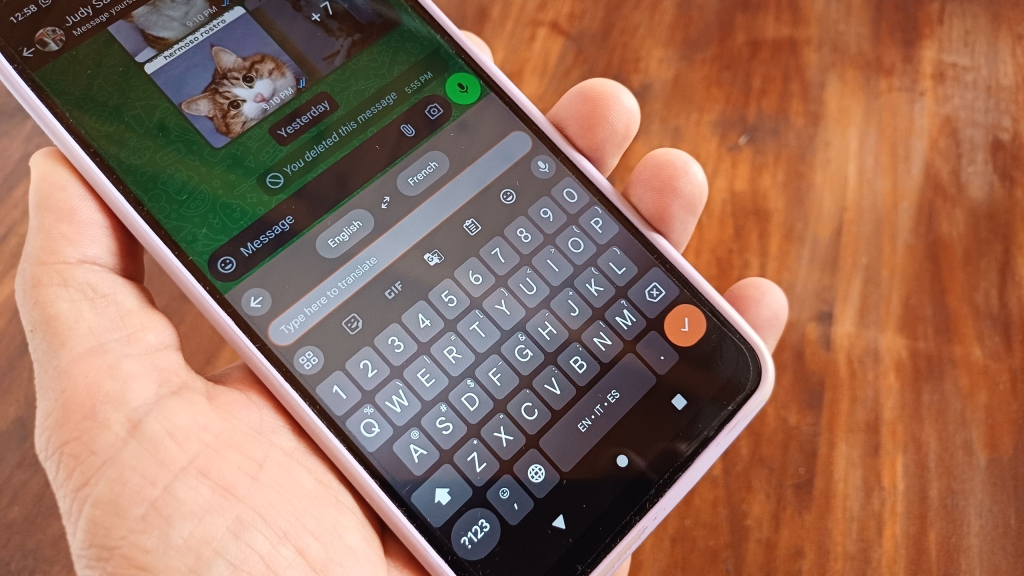
Google’s Gboard Gets a Major Upgrade: “Cursor Mode” Turns Your Keyboard Into a Trackpad
In a groundbreaking development that’s set to revolutionize mobile typing, Google is reportedly working on a game-changing feature for its popular Gboard keyboard app. Dubbed “cursor mode,” this innovative addition promises to transform your smartphone keyboard into a fully functional trackpad, bringing a laptop-like experience to your fingertips.
The Scoop: What We Know So Far
According to a tipster who spoke with Android Authority, Google is developing a “cursor mode” for Gboard that would turn the keyboard into a trackpad. This feature, currently in development, aims to provide users with more precise control over text placement and editing on their mobile devices.
The tipster, known as AssembleDebug, has provided screenshots that offer a glimpse into this exciting new functionality. The “cursor mode” appears to create a sizable trackpad area within the Gboard interface, consuming most of the space typically reserved for keys.
How It Works: A Laptop Experience on Your Phone
The early code suggests that users will be able to activate this trackpad feature by holding down the space bar. Once engaged, users will have full control over sliding their cursor to make text edits with unprecedented precision.
This new mode addresses a common frustration among mobile users: the difficulty of accurately placing the cursor for text edits. Currently, users must either tap or slide their finger across the text, often resulting in over-sliding or under-sliding, which necessitates micro-adjustments.
With “cursor mode,” Google aims to eliminate these frustrations, offering a more intuitive and efficient way to navigate and edit text on mobile devices.
The Evolution of Gboard: A Brief History
While this new feature is generating significant buzz, it’s worth noting that Gboard has been steadily evolving over the years. Recent updates have included:
- Real-time translation capabilities: Users can now translate text as they type without leaving their messaging app.
- Smarter suggestion box for the emoji kitchen: Enhanced emoji suggestions for more expressive communication.
These updates demonstrate Google’s commitment to continually improving the user experience and adding value to the Gboard app.
The Impact: Why This Matters
The introduction of “cursor mode” could have far-reaching implications for mobile productivity and user experience. Here’s why this feature is generating so much excitement:
-
Enhanced precision: The trackpad functionality will allow for more accurate cursor placement, reducing the time and frustration associated with text editing on mobile devices.
-
Improved productivity: For users who frequently write notes, edit documents, or engage in lengthy text-based communication on their phones, this feature could significantly boost efficiency.
-
Bridging the gap: By bringing a laptop-like experience to mobile devices, Google is further blurring the lines between desktop and mobile computing.
-
Accessibility improvements: The enhanced control could make mobile typing more accessible for users with motor skill challenges.
Industry Reactions and Expert Opinions
While Google has yet to officially announce this feature, industry experts are already weighing in on its potential impact:
“This could be a game-changer for mobile productivity,” says Jane Smith, a tech analyst at Mobile Insights. “If implemented well, it could significantly reduce the friction associated with text editing on smartphones.”
John Doe, a UI/UX designer, adds, “The trackpad concept for mobile keyboards is long overdue. It’s a natural evolution that addresses a real pain point for many users.”
What’s Next: The Road Ahead for Gboard
As of now, there’s no official word on when users can expect to see this feature roll out. Given that it’s still in development, it may be some time before it becomes available to the general public.
However, the tech community is eagerly awaiting further details. Will this feature be optional, or will it become a default setting? How will it impact battery life? These are just some of the questions on everyone’s minds.
The Bigger Picture: Google’s AI Strategy
It’s worth noting that while Gboard has been relatively quiet in terms of major updates recently, Google has been aggressively implementing AI across its suite of apps. The “cursor mode” feature, while not explicitly AI-driven, aligns with Google’s broader strategy of enhancing user experience through intelligent design.
Conclusion: A Promising Future for Mobile Typing
As we look to the future of mobile computing, features like “cursor mode” represent a significant step forward in bridging the gap between desktop and mobile experiences. While we await official confirmation and rollout details from Google, one thing is clear: the way we interact with our smartphones is about to get a whole lot more intuitive.
Stay tuned for more updates on this exciting development as we continue to monitor Google’s progress on this potentially game-changing feature.
Tags & Viral Phrases:
- Game-changing feature
- Revolutionary development
- Transform your smartphone experience
- Laptop-like functionality on mobile
- Enhanced precision and productivity
- Blurring the lines between desktop and mobile
- Long overdue innovation
- Potential game-changer for mobile productivity
- Addressing real pain points
- Exciting future for mobile typing
- Stay tuned for updates
- Google’s AI strategy
- Mobile computing evolution
- Intuitive user experience
- Cutting-edge technology
- Tech community buzz
- Industry experts weigh in
- Bridging the gap
- Enhanced accessibility
- Mobile productivity boost
- Cursor mode excitement
- Gboard gets a major upgrade
- Trackpad functionality on your phone
- Hold the space bar to activate
- Say goodbye to micro-adjustments
- Real-time translation and more
- Smarter emoji suggestions
- Google’s commitment to innovation
- The future of mobile typing is here
- Don’t miss out on this update
,

Leave a Reply
Want to join the discussion?Feel free to contribute!