
How to clear your Android phone cache – and why it makes a huge difference
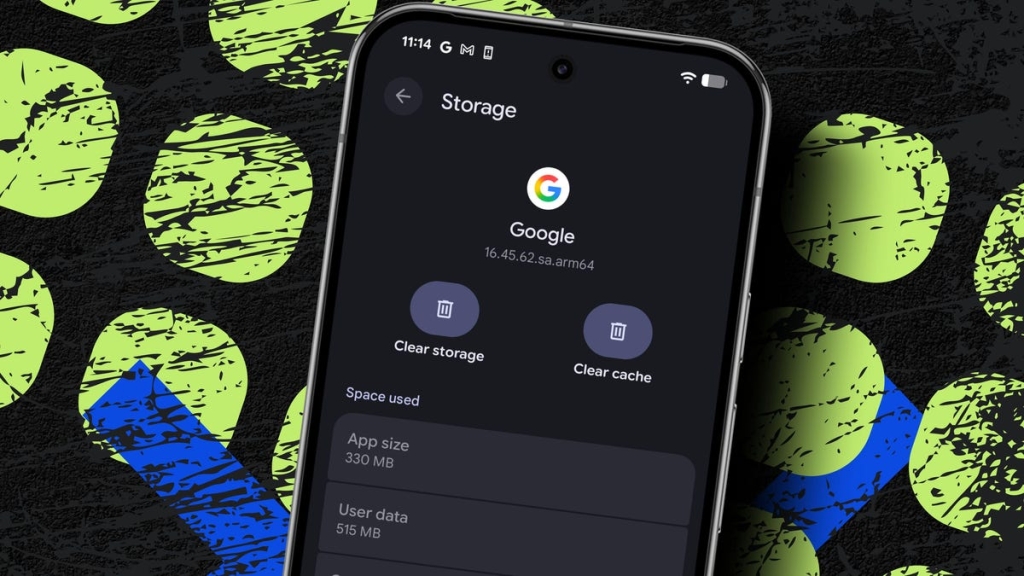
Understanding Cache: The Hidden Hero Behind Faster Apps and Websites
In the fast-paced world of digital technology, speed is everything. Whether you’re scrolling through social media, shopping online, or streaming your favorite show, you expect everything to load instantly. But have you ever wondered what makes your apps and websites load so quickly? The answer lies in a behind-the-scenes feature called cache.
Cache is essentially a collection of temporary files—such as images, scripts, and other resources—that apps and websites store on your device. These files act like shortcuts, allowing your device to access frequently used data without having to download it again from the internet. This not only speeds up loading times but also reduces the strain on your device’s resources.
What Happens When You Clear Cache?
Clearing cache is like giving your device a quick spring cleaning. It removes those temporary files from your device without affecting your personal app settings or login credentials. For example, in the Facebook app, cached data may include saved profile pictures, photos, and videos. Clearing the app’s cache removes those temporary files, but it does not log you out or delete your account information.
Will Clearing Cache Delete My App Data?
One of the most common concerns users have is whether clearing cache will delete their app data. The answer is a resounding no. Clearing cache only removes temporary files. Your accounts, settings, and app data remain intact. This means you can safely clear cache without worrying about losing important information.
Will Clearing Cache Make My Device Faster?
Absolutely! Clearing cache frees up storage space and removes potentially corrupted or outdated files, which can resolve slowdowns and glitches. Over time, cache files can accumulate and take up a significant amount of space on your device. By clearing them regularly, you can ensure that your device runs smoothly and efficiently.
How Often Should I Clear Cache?
The frequency with which you should clear cache depends on your usage patterns. If you notice your Android device acting sluggish, it might be time to clear the cache. For most users, clearing cache every few months is sufficient. However, if you use data-heavy apps like social media, streaming services, or gaming apps frequently, you might want to clear cache more often.
Which Apps Have Built-In Clear Cache Options?
Beyond the popular Chrome browser, many apps let you clear cache within their settings. For example, the Google Search app includes clear cache controls, allowing you to free up storage and fix issues. Even Snapchat has a clear cache button, so you can free up storage and fix issues. It’s worth checking the settings in your most frequently used apps to see what cache-clearing tools they offer.
The Bigger Picture: Why Cache Matters
Cache plays a crucial role in enhancing your digital experience. By storing temporary files, it reduces the time it takes for apps and websites to load, making your interactions with technology seamless and efficient. However, like any tool, cache needs to be managed properly. Over time, cached files can become outdated or corrupted, leading to performance issues. Regularly clearing cache ensures that your device remains in top shape, providing you with a smooth and enjoyable user experience.
In conclusion, understanding cache and how to manage it can significantly improve your device’s performance. By clearing cache regularly, you can free up storage, resolve slowdowns, and ensure that your apps and websites load quickly and efficiently. So, the next time your device feels sluggish, remember to give cache a little attention—it might just be the quick fix you need!
Tags: cache, temporary files, app performance, device speed, storage optimization, Android settings, Google Search, Snapchat, Facebook, Chrome browser, digital experience, technology tips, viral tech, tech news, device maintenance, app settings, storage space, performance issues, user experience, tech hacks.
Viral Sentences:
- “Cache: The unsung hero of faster apps and websites!”
- “Clear cache, speed up your life!”
- “Free up storage and fix glitches with this simple trick!”
- “Your Android feeling slow? Clear cache and watch it soar!”
- “Cache management: The secret to a seamless digital experience!”
- “Don’t let cache clutter slow you down—clear it today!”
- “Tech tip: Clearing cache is like a spa day for your device!”
- “Boost your device’s performance with this quick cache-clearing hack!”
- “Cache clearing: The easiest way to keep your device running smoothly!”
- “Unlock faster loading times with this simple cache-clearing guide!”
,


Leave a Reply
Want to join the discussion?Feel free to contribute!