
5 Bizarre Apple CarPlay Apps You Never Knew You Wanted
5 Bizarre Apple CarPlay Apps You Never Knew You Wanted
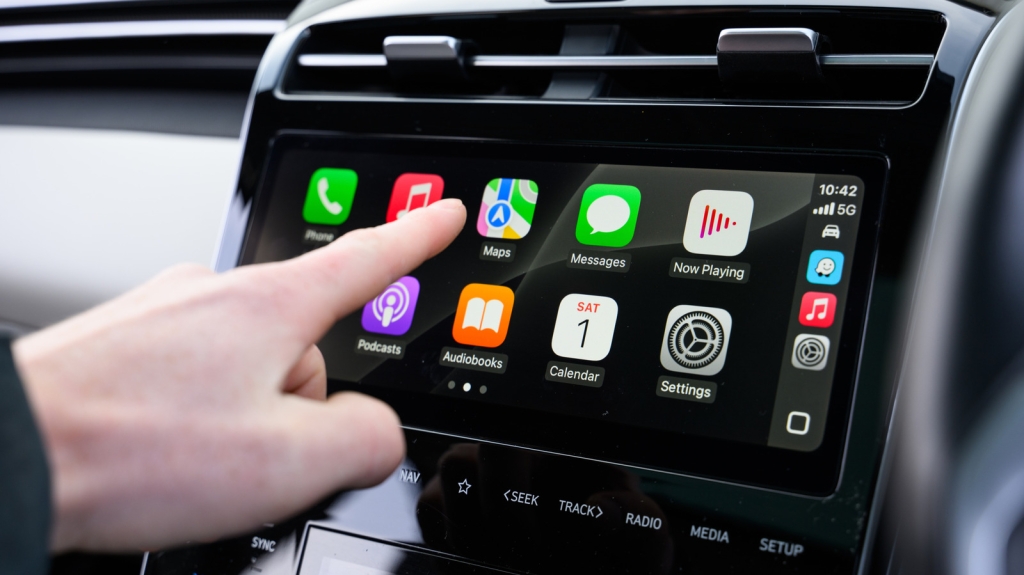
Apple CarPlay has evolved far beyond its original purpose of simply mirroring your iPhone’s interface onto your car’s infotainment screen. With the release of iOS 26, Apple has introduced several innovative features, including the ability to AirPlay video when your vehicle is parked. But beyond these mainstream enhancements lies a world of unconventional apps that push the boundaries of what you can do while driving. Whether you’re preparing for the rumored Apple CarPlay integration with Tesla vehicles or simply looking to maximize your in-car experience, these five bizarre apps will surprise you with their utility and creativity.
1. Chick-fil-A
Yes, you read that right—Chick-fil-A has an app for Apple CarPlay. Released at the end of 2024, this app allows you to order your favorite chicken sandwiches, waffle fries, and sauces without ever taking your hands off the wheel. To use it, you’ll need to have the iOS Chick-fil-A app updated, a logged-in account, and a saved payment method. The interface mimics the experience of ordering from a physical restaurant kiosk, making it intuitive and fast. If you don’t see the app on your home screen, it might be tucked away on the next page, as Apple prioritizes its own apps on the first display by default.
2. Zoom
For professionals with jam-packed schedules, Zoom on CarPlay is a game-changer. Imagine being able to join a meeting, call a colleague, or even mute yourself—all while driving. The app integrates seamlessly with iOS 26’s new call notification UI, which displays a small, non-intrusive notification instead of taking over your entire screen. While you can’t see video feeds or share your screen, you can still hear everyone on the call and contribute verbally. This hands-free experience ensures you stay productive without compromising safety.
3. Domino’s Pizza
Domino’s has been a pioneer in in-car ordering, and its CarPlay app is no exception. Available for nearly two years, the app lets you place orders for your favorite pizzas with just a few taps. You can either call your local Domino’s or use the “Tap to Order” feature to select from your saved Easy Orders or recent purchases. The app also provides updates on your order status, though it doesn’t yet support Live Activities, which would be a handy addition with iOS 26. Still, you’ll receive notifications when your pizza is ready, so you can skip the drive-thru line entirely.
4. MyRadar
Weather apps are common, but MyRadar takes things to a whole new level. Instead of just showing static forecasts, this app turns your infotainment screen into a live meteorological display. You can see real-time precipitation, snow, and storm intensity, as well as severe weather advisories issued by your local government. It’s like having an aviation weather tool at your fingertips, making it perfect for navigating through unpredictable weather conditions. While most features are free, a subscription unlocks additional capabilities.
5. Microsoft Teams
If Zoom is available on CarPlay, it’s no surprise that Microsoft Teams has joined the party. The app allows you to view your scheduled meetings for the day and join them with a single tap. A progress bar shows how much time is left in your call, and you can place calls using Siri, Speed Dial, or your recent call history. Like Zoom, Teams doesn’t support video or screen sharing on CarPlay, but you can still hear everyone and participate in discussions. This makes it ideal for joining meetings on the go or catching up on important calls during your commute.
Tags & Viral Phrases:
- Apple CarPlay hacks
- Bizarre apps for your car
- In-car productivity tools
- Fast food on the go
- Weather radar in your car
- Hands-free meetings
- iOS 26 CarPlay features
- Tesla CarPlay rumors
- Unique CarPlay apps
- Driving with Zoom
- Domino’s pizza delivery
- Chick-fil-A CarPlay app
- Microsoft Teams in your car
- MyRadar live weather
- CarPlay customization tips
,


Leave a Reply
Want to join the discussion?Feel free to contribute!