
Copilot is coming to your Windows taskbar and File Explorer
Microsoft’s Windows 11 AI Revolution: Your PC Just Got a Whole Lot Smarter
Microsoft is unleashing a wave of AI-powered updates to Windows 11 that fundamentally transform how you interact with your computer. The tech giant is embedding Copilot directly into the taskbar and File Explorer, creating what amounts to a digital assistant that lives right where you work.
The Taskbar Transformation: From Search Box to AI Command Center
Remember when the taskbar search was just a glorified file finder? Those days are officially over. Microsoft has completely reimagined this space as an intelligent interface that connects your local PC with your Microsoft 365 ecosystem.
Now, when you type “When is my performance review due?” into the search bar, Windows doesn’t just look for files with those words. Instead, it intelligently scours your calendar, emails, and local documents to deliver the actual answer. No more clicking through folders or launching multiple applications—the information comes to you.
But here’s where it gets really interesting: press the @ symbol in the taskbar search and you’ll discover a roster of AI agents ready to tackle complex tasks. These aren’t your typical background processes that disappear into browser tabs. These agents maintain a visible presence on your taskbar, showing their progress in real-time.
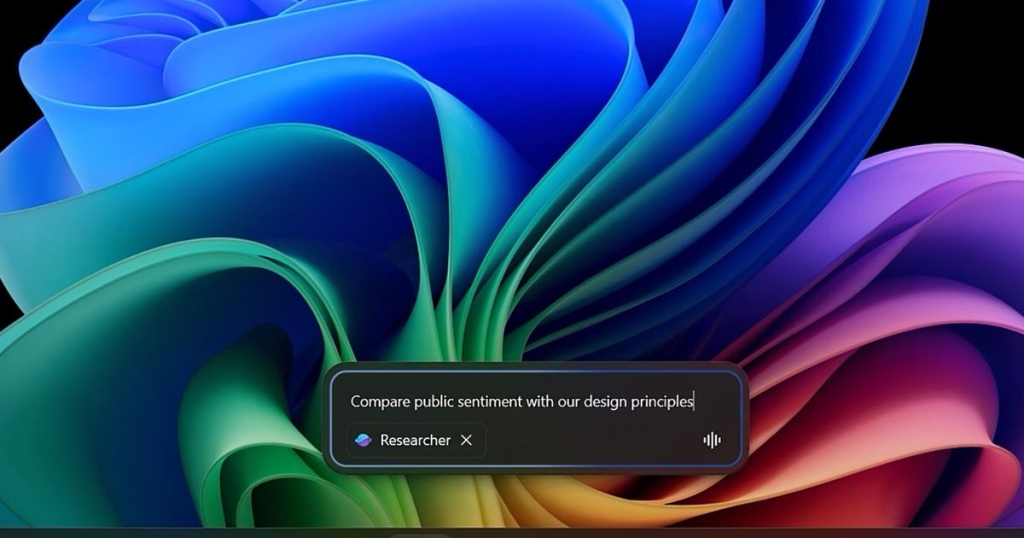
Picture this: you launch a research agent to analyze market sentiment against your company’s design guidelines. Instead of wondering if it’s still running, you watch a progress indicator on the taskbar icon—like a download bar for intelligence. When it’s complete, a green checkmark appears. Hover for a quick summary, click for the full report with sources cited.
Voice interaction adds another layer of convenience. Hold the dedicated Copilot key or press Windows key + C, then simply say “Find the file Robin shared.” The system cross-references your emails and meeting history to determine which Robin you mean, then retrieves the document instantly.
File Explorer Gets an AI Brain Transplant
File Explorer, that workhorse of Windows since the beginning, has received perhaps the most dramatic upgrade. Microsoft has integrated SharePoint and OneDrive files directly alongside your local documents, creating a unified view of all your content. Recent documents, shared files, and favorites now live together in harmony.
The game-changer is Copilot Control. This feature lets you interrogate files without ever opening them. Need a specific statistic buried in a lengthy design document? Just ask Copilot. It extracts relevant information like “over 70% of employees prefer sustainable materials” and displays it with proper context—all without leaving the File Explorer window.
This approach mirrors what Google is doing on Android with its Files app. When you open a PDF, Gemini automatically offers to analyze it, allowing you to ask questions about the document’s content without importing it into a separate AI tool. Microsoft’s implementation takes this concept further by embedding it directly into the file management system you already use hundreds of times a day.
Hardware Matters: Cloud vs. Local Processing
Not all Windows 11 machines will experience these features equally. Standard Windows 11 computers will handle the cloud-based functionality—the search enhancements, the cloud document integration, and the basic Copilot interactions.
However, Copilot+ PCs equipped with Neural Processing Units (NPUs) unlock the full potential of Microsoft’s AI vision. These specialized chips enable offline capabilities like Fluid Dictation (real-time transcription that works without an internet connection) and Click to Do (context-aware actions that understand what’s on your screen at any moment).
The Bottom Line: Less Searching, More Finding
Microsoft’s AI integration represents a fundamental shift in how we interact with computers. The taskbar evolves from a static launcher into an active assistant that remembers where everything lives. File Explorer transforms from a simple folder browser into an intelligent window that understands your documents’ contents.
These updates are rolling out now, with availability depending on your specific hardware configuration. The message is clear: Microsoft envisions a future where AI doesn’t replace your workflow but enhances it, reducing the friction between you and the information you need.
Keep an eye out for the Copilot icons appearing in your taskbar and File Explorer in the coming weeks. Your Windows PC is about to get a whole lot smarter—and hopefully, a whole lot more helpful.
AI #Windows11 #MicrosoftCopilot #TechNews #ArtificialIntelligence #Productivity #FileExplorer #Taskbar #DigitalTransformation #TechInnovation #CopilotPlus #NPUPowered #FutureOfWork #Microsoft365 #TechUpdate #AIRevolution #WindowsUpdate #TechTrends #DigitalTrends #ComputerTech
,

Leave a Reply
Want to join the discussion?Feel free to contribute!