
5 Unexpected Uses For Your Old Amazon Fire TV Stick
5 Unexpected Uses For Your Old Amazon Fire TV Stick
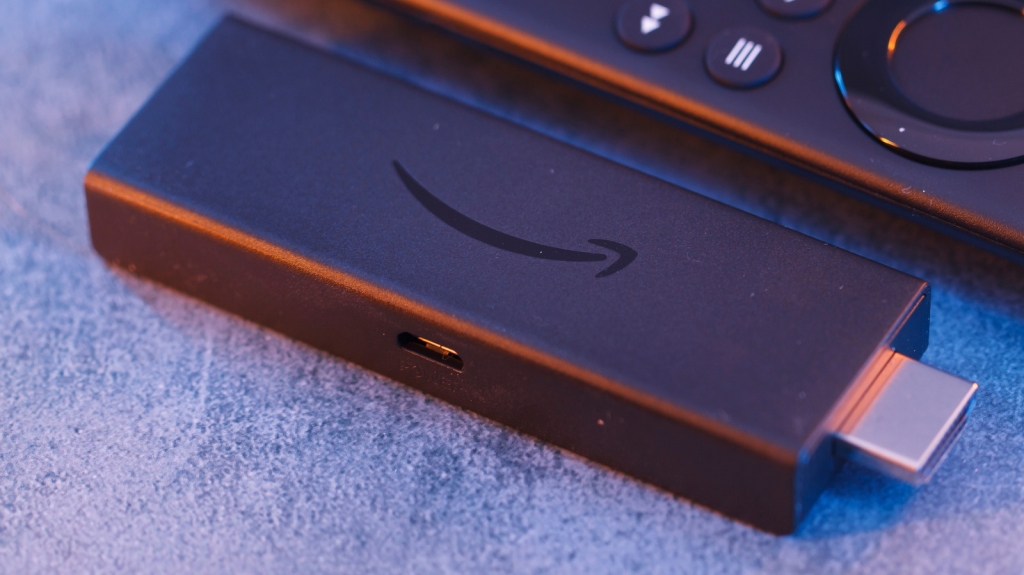
Got an old Amazon Fire TV Stick collecting dust in a drawer? Before you toss it out during your next tech cleanup, consider this: that little device still has plenty of life left in it. Streaming sticks have become so affordable that we often treat them like disposable tech—something to replace without a second thought. But your aging Fire TV Stick can actually solve real problems around your home, enhance your travel experiences, or even become a valuable tool for your small business.
The beauty of repurposing an old Fire TV Stick is that it doesn’t require any hardware tinkering, expensive accessories, or technical expertise. These creative solutions will help you breathe new life into your device while saving money and reducing electronic waste. Let’s explore five unexpected ways to put that forgotten streaming stick to work.
Use It as a Travel Companion
Hotel TVs have improved significantly over the years, but they still can’t match the convenience of your personal streaming setup. Many hotel televisions are slow, outdated, and frustratingly limited when it comes to logging into your favorite streaming services. Budget accommodations might even leave you stuck with basic cable and a handful of random channels.
Your old Fire TV Stick becomes your entertainment lifeline when traveling. Simply plug it into the hotel’s HDMI port, power it up, switch to the correct input, and connect to the hotel’s Wi-Fi. The setup process is straightforward, and most hotel networks with login portals are compatible with Fire TV Sticks. If the sign-in screen doesn’t appear immediately, try reconnecting to the network.
For frequent travelers, pack the original power adapter, an HDMI extender (if available), and the appropriate plug adapter alongside your Fire TV Stick. Even if your device has slowed down over time, it will still provide a significantly better streaming experience than most hotel setups. Your Netflix queue, Prime Video watchlist, and YouTube subscriptions are just a few clicks away, no matter where you’re staying.
Use It to Test Wi-Fi Signal Strength
When streaming issues arise on your Fire TV Stick, it’s tempting to blame the streaming service, your television, or the device itself. However, Wi-Fi signal strength is often the overlooked culprit. If your Fire TV Stick isn’t receiving a stable signal, you’ll experience buffering, dropped connections, or reduced video quality.
Fortunately, your Fire TV Stick includes built-in Developer Tools that let you quickly assess your Wi-Fi signal strength. Plug the device into the TV you want to test, then hold the “Center” and “Down” buttons simultaneously for five seconds. Release them and press the “Menu” button to access the Developer Tools Menu. Enable “System X-Ray” to display live parameters at the top of your screen, including display resolution, CPU usage, memory consumption, and network information.
The key metric to monitor is RSSI (Received Signal Strength Indicator). A reading around -50 dBm indicates excellent signal strength. However, if the value drops to -75 dBm or lower, your Fire TV Stick isn’t getting sufficient signal for reliable streaming. When this occurs, try removing obstacles between your router and television, moving the devices closer together, or investing in a Wi-Fi extender to boost coverage.
While you could use network analysis tools on other devices to check Wi-Fi strength, using your Fire TV Stick is more practical since it directly relates to your streaming issues. You can also identify other Wi-Fi dead zones throughout your home and optimize your network setup accordingly.
Turn It Into a Mini Gaming Console
If you have children and a spare television, your Amazon Fire TV Stick can transform into an entertaining mini gaming console for casual gameplay. This setup works best for lightweight games like puzzles, educational titles, or trivia games—content that doesn’t demand significant processing power or complex gameplay mechanics. Many of these games are available for free through the built-in Amazon Appstore and can be played using the standard Fire TV remote.
For users with newer Fire TV Stick models seeking more gaming options, Xbox Cloud Gaming offers an excellent alternative. This requires a fast internet connection and a Bluetooth controller. Simply install the Xbox app on your Fire TV Stick, sign in to your Microsoft account (or create one), and subscribe to Xbox Game Pass. User reviews suggest the experience is quite good, offering access to a vast library of games without the need for expensive hardware.
Your Fire TV Stick can also serve as a portable gaming console for vacations. Just plug it into any television’s HDMI port and start playing immediately, eliminating the need to carry a dedicated gaming console. Keep in mind that game availability may vary depending on your geographic region.
Turn Your TV Into a Karaoke Setup
Transform any television into an instant karaoke machine with your old Fire TV Stick. The process is remarkably simple and requires minimal setup. Press the “Mic” button on your remote and say, “Alexa, play Karaoke Night.” You don’t need a dedicated karaoke application—on supported devices, this command automatically pulls up a karaoke-style playlist with on-screen lyrics for your selected songs.
For a more sophisticated karaoke experience, explore dedicated karaoke applications available through the Amazon Appstore. Stingray Karaoke is a popular premium option requiring a subscription, while YouTube remains the best free alternative. Simply search for your desired song followed by “karaoke,” and you’ll find numerous videos with lyrics displayed on screen.
If you encounter audio volume issues, pairing a Bluetooth speaker will enhance the experience significantly. The beauty of this setup lies in its simplicity—you’re not investing in expensive karaoke equipment or dealing with complicated installations. You’re simply repurposing a device that might otherwise end up in a landfill.
Set Up a Digital Signage Player
Your old Amazon Fire TV Stick can serve as an affordable digital signage solution for small businesses. Whether you operate a salon, café, retail shop, or any customer-facing establishment, this streaming stick can display promotions, menus, announcements, operating hours, and other important information to your customers.
Setting up digital signage is straightforward. You can keep things simple by creating a slideshow or looping video content, or you can utilize dedicated signage applications available through the Amazon Appstore. The entire configuration process typically takes no more than an hour or two. Ensure you use legible font sizes and styles, and disable any power-saving features that might interrupt your display.
This application is particularly well-suited for older Fire TV Stick models since digital signage doesn’t require cutting-edge performance. Even aging devices can reliably play content for extended periods. Using your Fire TV Stick for digital signage also allows you to test whether investing in a more robust signage system makes sense for your business before committing to expensive hardware.
Tags: Amazon Fire TV Stick hacks, repurpose old tech, streaming stick uses, travel entertainment, Wi-Fi signal testing, mini gaming console, karaoke machine, digital signage player, reduce e-waste, budget tech solutions, hotel TV streaming, Xbox Cloud Gaming, Stingray Karaoke, small business tech, HDMI streaming, tech recycling ideas, portable entertainment, smart TV alternatives
Viral Phrases: “Don’t throw away that old Fire Stick!”, “Your forgotten streaming device is more useful than you think”, “Turn trash into treasure with these Fire TV hacks”, “The streaming stick that keeps on giving”, “From drawer to hero: give your old Fire Stick a second life”, “Why buy new when your old Fire Stick can do it all?”, “The ultimate guide to Fire Stick repurposing”, “Tech that pays for itself (again and again)”, “The streaming secret hotels don’t want you to know”, “Gaming, karaoke, and more—all from one tiny stick”
,


Leave a Reply
Want to join the discussion?Feel free to contribute!