
How to install Stardew Valley mods
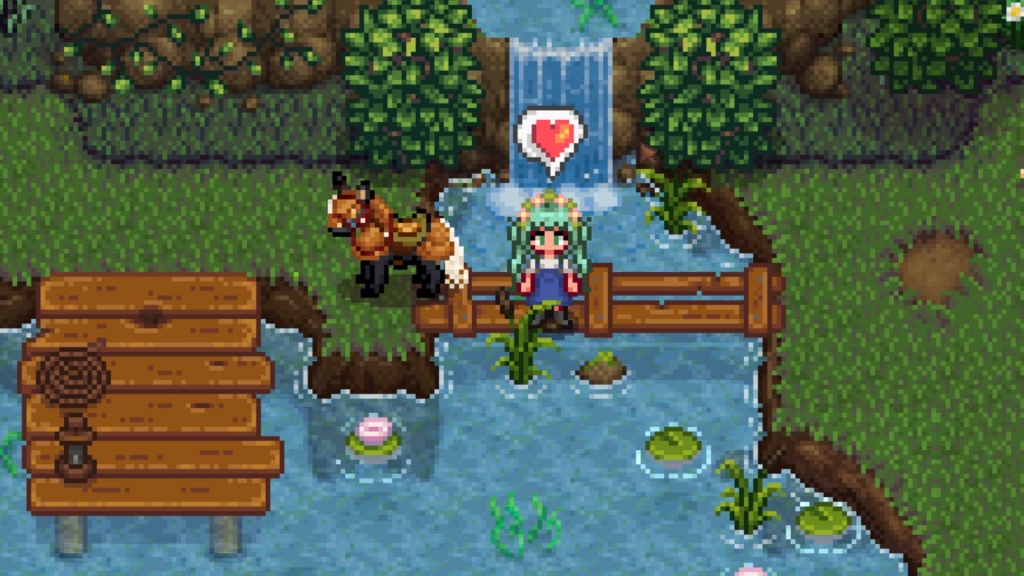
The Ultimate Guide to Installing Stardew Valley Mods: Unlock a Whole New Farming Experience
Stardew Valley is a beloved farming simulation game that offers endless hours of relaxing gameplay in its vanilla form. But once you discover the vibrant modding community, you’ll realize that the sky’s the limit for customizing your farming adventure. Whether you want to overhaul the entire game with new mechanics, add hundreds of items, or simply change your character’s appearance, mods can transform your Stardew experience in incredible ways.
Why Mod Stardew Valley?
The modding scene for ConcernedApe’s masterpiece is one of the most active and creative in gaming. With thousands of mods available ranging from quality-of-life improvements to complete gameplay overhauls, there’s something for every type of player. The beauty of Stardew Valley modding lies in its accessibility – even complete beginners can dive in and start enhancing their game with just a few simple steps.
What You’ll Need to Get Started
Before diving into the wonderful world of Stardew Valley mods, you’ll need to set up a few essential tools. Don’t worry – the process is straightforward, and I’ll walk you through each step.
Essential Downloads
SMAPI (Stardew Modding API) – This is the backbone of Stardew Valley modding. SMAPI is a mod loader that patches the game’s executable to allow mods to work seamlessly. Without SMAPI, you simply can’t use most mods. It’s the first thing you should download and install.
Stardrop Mod Manager – While not strictly required, Stardrop is an invaluable tool that makes managing your mods incredibly easy. It handles the organization, installation, and updates of your mods, saving you from the hassle of manually sorting through files. Think of it as your personal modding assistant.
Content Patcher – This framework allows modders to change game assets and data without replacing the original files. It’s become the standard for most visual and content mods, making it essential for accessing the majority of available modifications.
Finding Your Mod Folder
Your Stardew Valley mod folder is located within your game directory. The exact location depends on how you installed the game:
- Steam Windows:
C:\Program Files (x86)\Steam\steamapps\common\Stardew Valley\Mods - GOG Windows:
C:\Program Files (x86)\GOG Galaxy\Games\Stardew Valley\Mods - Linux Steam:
~/.local/share/Steam/steamapps/common/Stardew Valley/Mods - Linux GOG:
~/GOGGames/StardewValley/game/Mods
Once you’ve launched Stardew Valley at least once and installed SMAPI, you can simply place mod files directly into this folder. Remember that each mod should be in its own subfolder within the Mods folder.
Installing SMAPI: The Foundation of Modding
Installing SMAPI is a crucial first step. Here’s how to do it:
- Download SMAPI from the official website and extract the files to any location on your computer
- Run the appropriate installer for your operating system (Install on Windows.bat for Windows users)
- Follow the on-screen instructions to install SMAPI to your Stardew Valley directory
- Configure your game launcher to use SMAPI instead of the vanilla executable
For Steam users, you’ll need to add a launch option: "C:\Program Files (x86)\Steam\steamapps\common\Stardew Valley\StardewModdingAPI.exe" %command%
GOG users can set SMAPI as the default executable through the game’s configuration settings.
Setting Up Stardrop Mod Manager
Once you’ve extracted Stardrop to your preferred location, launch the executable. You’ll be prompted to associate the NXM protocol with Stardrop, which allows for one-click installations from Nexus Mods. This is optional but highly convenient.
Next, configure Stardrop’s settings by pointing it to:
- Your SMAPI installation directory
- Your Stardew Valley Mods folder
- A new Stardrop Installed Mods folder (where it will manage your downloads)
With everything set up, you can now easily install mods by dragging and dropping zip files into Stardrop’s interface or using the File > Add Mods option.
Content Patcher vs Alternative Textures
When it comes to visual modifications, you’ll encounter two main frameworks: Content Patcher and Alternative Textures. Understanding the difference is important for choosing the right mods for your needs.
Content Patcher is the more popular option and works by allowing multiple mods to modify the same game assets without conflict. However, only one Content Patcher mod can be active per asset at any given time.
Alternative Textures takes a different approach by providing in-game items like paint buckets or scissors that let you switch between different texture options on the fly. This means you can have multiple texture mods installed and swap between them whenever you want.
Many players use both frameworks, as they serve different purposes and can complement each other nicely.
Where to Find Stardew Valley Mods
The primary hub for Stardew Valley mods is Nexus Mods, which hosts thousands of user-created modifications. Other popular sources include:
- Chucklefish Forums – The official forums where many modders share their work
- Stardew Valley Wiki – Contains lists of popular mods and modding resources
- GitHub – Many modders host their projects here, especially for more technical mods
When downloading mods, pay attention to compatibility notes and requirements. Some mods depend on others, and certain combinations might conflict with each other.
Installing Your First Mods
With all the tools set up, you’re ready to start modding! Here are some popular beginner-friendly mods to get you started:
UI Info Suite – Adds helpful information to the game’s interface, showing crop growth times, villager gift preferences, and more.
Lookup Anything – Lets you examine anything in the game to learn detailed information about it.
Chests Anywhere – Allows you to access your chests from anywhere in the game, perfect for organizing your farm.
Automate – Connects chests to machines, automatically processing items without manual input.
Better Ranching – Improves animal care mechanics, making ranching more profitable and enjoyable.
Tips for a Smooth Modding Experience
Start small and gradually build up your mod collection. Install a few mods at a time and test them thoroughly before adding more. This makes it much easier to identify any conflicts or issues that arise.
Always read the mod description and installation instructions carefully. Some mods require specific settings or additional dependencies to work properly.
Keep your mods updated. Mod authors frequently release updates to fix bugs, improve compatibility, and add new features. Stardrop can help automate this process.
Create backups of your save files before installing major mod collections or updates. While most mods are safe, it’s always better to be cautious with your precious farm progress.
Consider using a mod management profile if you like to switch between different mod setups. Stardrop supports multiple profiles, allowing you to have different configurations for different playstyles.
Troubleshooting Common Issues
If your game won’t launch with mods, double-check that SMAPI is properly installed and configured as your launch option. Make sure all required dependencies are installed and that mod files are placed in the correct folders.
For crashes or visual glitches, try disabling mods one by one to identify the culprit. Check the mod page for known issues or compatibility problems with other popular mods.
Performance issues can often be resolved by adjusting graphics settings or disabling resource-intensive mods. Some visual overhaul mods can be demanding on older hardware.
The Joy of Modding Stardew Valley
Once you’ve mastered the basics of mod installation, a whole new world of possibilities opens up. You can transform Stardew Valley into a completely different game, adding new characters, locations, mechanics, and storylines. The creativity of the modding community is truly impressive, with everything from simple cosmetic changes to massive content expansions.
Whether you’re looking to make the game more challenging, add quality-of-life improvements, or simply freshen up the visuals, mods can breathe new life into a game you thought you knew inside and out. The best part is that you can customize your experience exactly how you want it – there’s no right or wrong way to mod Stardew Valley.
So what are you waiting for? Dive into the wonderful world of Stardew Valley modding and discover why this community has become one of the most beloved in gaming. Your perfect farm awaits, limited only by your imagination and the incredible work of talented modders from around the world.
Tags & Viral Phrases:
- Game-changing mods
- Transform your farming experience
- Ultimate modding guide
- Beginner-friendly modding
- SMAPI setup made easy
- Stardrop mod manager
- Content Patcher explained
- Alternative Textures tutorial
- Nexus Mods Stardew Valley
- Best Stardew Valley mods
- Modding for beginners
- Customize your farm
- Unlimited possibilities
- Community creativity unleashed
- Fresh take on classic game
- Quality-of-life improvements
- Visual overhaul mods
- New characters and locations
- Enhanced gameplay mechanics
- Storyline expansions
- Perfect farm customization
- Mod management made simple
- Troubleshooting guide
- Performance optimization
- Save file protection
- Multiple mod profiles
- Gradual mod installation
- Dependency management
- Compatibility checking
- Visual glitches fixed
- Crashes resolved
- Hardware requirements
- Graphics settings adjustment
- Resource-intensive mods
- Creative community showcase
- Imagination is the limit
- Beloved gaming community
- New gaming experience
- Fresh life for classic game
- Your perfect farm awaits
- Limited only by imagination
- Talented modders worldwide
- Dive into modding world
- Discover why it’s beloved
- Transform completely different game
- Simple cosmetic changes
- Massive content expansions
- Make game more challenging
- Add quality-of-life improvements
- Freshen up visuals
- Customize exactly how you want
- No right or wrong way
- Master basics of mod installation
- Whole new world of possibilities
- Incredible work of talented modders
- Your perfect farm awaits
,


Leave a Reply
Want to join the discussion?Feel free to contribute!