
Why There’s Simply No Need For A Password Manager Anymore
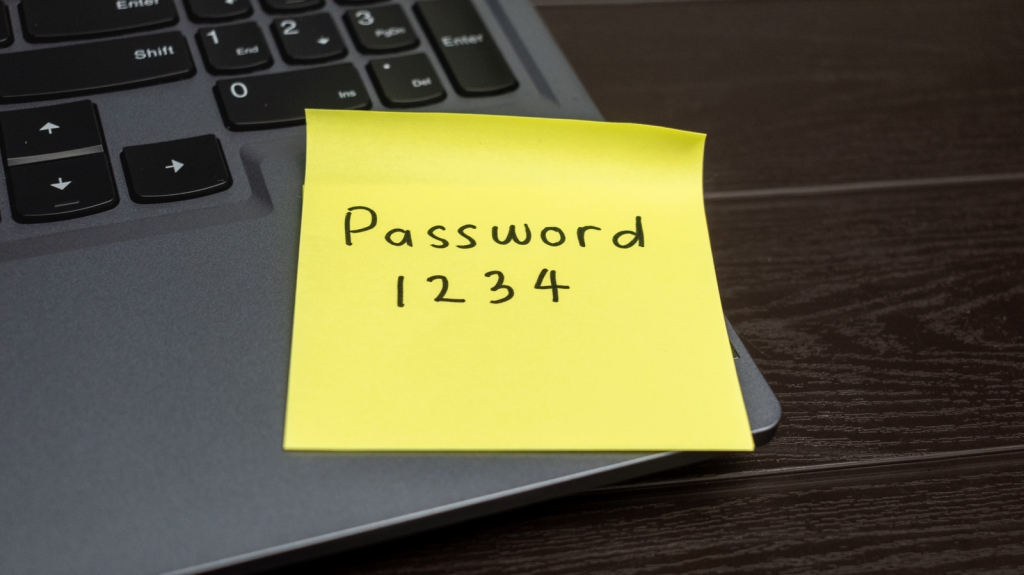
The End of Password Managers? Why Built-In Tools Are All You Need
In today’s digital landscape, the average person juggles dozens—if not hundreds—of online accounts. From streaming services to banking apps, social media platforms to online shopping sites, each one demands its own unique password. The conventional wisdom has long been to use a dedicated password manager to keep track of this ever-growing list of credentials. But what if I told you that the era of third-party password managers might be coming to an end?
The truth is, modern operating systems and devices have evolved to include robust, built-in password management solutions that rival—and in some cases, surpass—standalone services. Whether you’re team Apple, Google, or Microsoft, there’s a good chance you already have everything you need to manage your passwords securely and efficiently.
Why Third-Party Password Managers Are Becoming Obsolete
For years, password managers like LastPass, 1Password, and Dashlane dominated the market, offering users a centralized vault for their credentials. These services promised convenience, security, and peace of mind. However, as technology has advanced, the need for these third-party solutions has diminished significantly.
The Rise of Built-In Password Managers
Apple’s iCloud Keychain, Windows’ Credential Manager, and Google’s Password Manager have all matured into powerful tools that integrate seamlessly with their respective ecosystems. These built-in solutions offer many of the same features as their paid counterparts—automatic password generation, secure storage, and cross-device synchronization—without the need for additional subscriptions or apps.
For instance, iCloud Keychain not only stores your passwords but also syncs them across all your Apple devices. It can auto-fill login credentials, credit card information, and even Wi-Fi passwords. Similarly, Google’s Password Manager ties directly into your Google account, making it accessible on Chrome browsers, Android devices, and any platform that supports Google services.
The Convenience Factor
One of the biggest advantages of using built-in password managers is their seamless integration with your device’s operating system. There’s no need to install additional software or remember yet another master password. Your credentials are just a few taps or clicks away, and they work effortlessly with the apps and websites you use every day.
Cost-Effectiveness
Let’s face it: subscription fatigue is real. By using the password manager that comes with your device, you can save money while still enjoying top-tier security. Why pay for a service you already have access to?
Beyond Passwords: The Future of Authentication
While built-in password managers are a game-changer, the future of authentication goes even further. Biometric authentication—using your fingerprint, face, or even voice to verify your identity—is becoming increasingly common. Many modern smartphones and laptops come equipped with biometric sensors that can replace traditional passwords altogether.
The Power of Passkeys
Passkeys represent the next evolution in secure authentication. Instead of relying on a password, passkeys use cryptographic keys that are unique to your device. When you log in to a service that supports passkeys, your device proves your identity without ever transmitting a password over the internet. This makes passkeys virtually immune to phishing attacks and other common security threats.
AI-Driven Identity Management
Emerging technologies like IBM Verify are leveraging artificial intelligence to revolutionize identity and access management. These systems use machine learning to detect unusual login patterns, block suspicious activity, and even predict potential security threats before they occur. While still in its early stages, AI-driven authentication could soon become the gold standard for online security.
The Verdict: Do You Really Need a Password Manager?
For most users, the answer is no. The built-in password managers on modern devices are more than capable of handling your authentication needs. They’re secure, convenient, and cost-effective. And with the rise of biometrics and passkeys, the traditional password may soon become a thing of the past.
That said, there are still some scenarios where a third-party password manager might be worth considering. If you frequently switch between different operating systems or need advanced features like secure file storage, a dedicated service could still be a good fit. But for the average user, the tools you already have are more than sufficient.
The Bottom Line
The days of juggling multiple passwords and relying on third-party managers are numbered. With built-in solutions, biometrics, and passkeys, managing your online security has never been easier. So before you shell out for another subscription, take a closer look at the tools you already have—they might be all you need.
Tags: password managers, built-in password tools, iCloud Keychain, Google Password Manager, Windows Credential Manager, biometrics, passkeys, AI-driven authentication, online security, digital identity, cybersecurity, tech trends, passwordless future, subscription fatigue, device ecosystems, authentication methods, secure login, phishing protection, identity management, modern technology.
Viral Sentences:
- “The era of third-party password managers is coming to an end.”
- “Your device already has everything you need to manage your passwords securely.”
- “Biometrics and passkeys are making traditional passwords obsolete.”
- “Why pay for a password manager when you already have one built into your device?”
- “The future of authentication is passwordless, and it’s already here.”
- “AI-driven identity management is the next frontier in online security.”
- “Built-in password managers are the unsung heroes of modern tech.”
- “Say goodbye to subscription fatigue with built-in password solutions.”
- “Passkeys are the ultimate defense against phishing attacks.”
- “Your fingerprint or face could soon replace every password you’ve ever used.”
,

Leave a Reply
Want to join the discussion?Feel free to contribute!