
macOS Tahoe 26.4 will add iPhone-style charging limit to MacBooks
macOS Tahoe 26.4 Finally Brings iPhone-Style Battery Charge Limiting to MacBooks
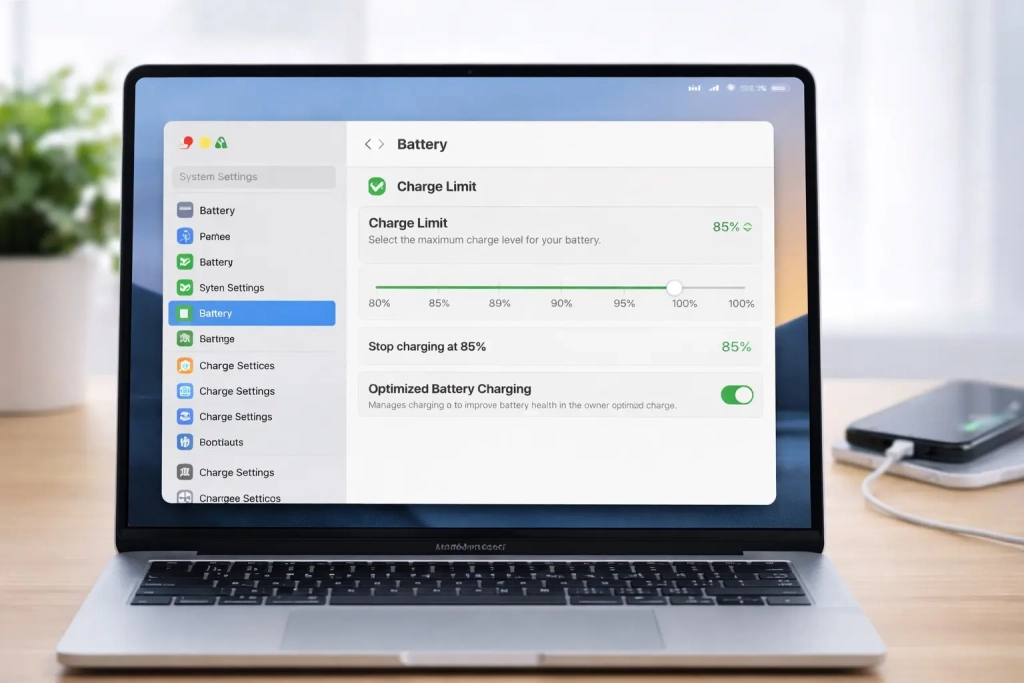
Apple is set to introduce a long-awaited battery management feature in macOS Tahoe 26.4, bringing iPhone-style charging limits to MacBooks for the first time. The new “Charge Limit” option will allow users to cap their MacBook’s maximum battery charge between 80% and 100%, in 5% increments.
Apple Closes the Battery Management Gap Between iPhone and Mac
For years, iPhone users have enjoyed the ability to limit their device’s maximum charge to preserve battery health, while MacBook owners have been left without this crucial feature. This discrepancy has been particularly noticeable given that MacBooks are often used as desktop replacements, remaining plugged in for extended periods—a scenario that can degrade battery health over time.
The upcoming macOS Tahoe 26.4 beta reveals that Apple is finally addressing this gap. Users will find the new Charge Limit option nested within System Settings > Battery, accessible by tapping the information button next to the Charging section.
How the New Charge Limit Feature Works
The Charge Limit feature builds upon macOS’s existing Optimized Battery Charging capability, which already intelligently manages when your MacBook charges based on your usage patterns and schedule. However, the new feature provides users with direct control over their maximum charge threshold.
Here’s how it will work:
- Users can select any charge limit between 80% and 100%
- Adjustments can be made in 5% increments
- Once set, the MacBook will stop charging once it reaches the specified percentage
For example, if you set your limit to 85%, your MacBook will charge up to that point and then stop, preventing the battery from reaching a full 100% charge.
The Science Behind Battery Charge Limiting
The rationale for this feature is rooted in lithium-ion battery chemistry. These batteries experience increased stress when maintained at or near 100% charge for prolonged periods. By capping the charge at 80% or 85%, users who primarily keep their MacBook plugged in can significantly reduce long-term battery wear.
This approach follows what battery experts call the “40-80 rule” or maintaining batteries between 40% and 80% charge for optimal longevity. The new macOS feature essentially automates this practice, making it accessible to everyday users without requiring third-party solutions.
Filling the Gap Left by Third-Party Apps
The introduction of native charge limiting in macOS effectively eliminates the need for popular third-party applications like AlDente, which gained significant traction by offering this exact functionality. AlDente and similar apps allowed users to manually control their MacBook’s charging behavior, but required additional software installation and system permissions.
By building this feature directly into macOS, Apple is not only simplifying the user experience but also ensuring better system integration and reliability. The native implementation will likely be more power-efficient and seamlessly integrated with other macOS battery management features.
Potential Limitations and Device Compatibility
According to reports, Apple may restrict this feature to Apple silicon MacBooks, potentially excluding older Intel-based models. This limitation would align with Apple’s strategy of reserving certain advanced features for its newer hardware, which offers better power management capabilities and more precise battery monitoring.
The decision to limit availability could be disappointing for owners of recent Intel MacBooks, though it reflects the tighter integration between Apple’s hardware and software that enables more sophisticated battery management.
Implications for MacBook Users
For the millions of MacBook users who rely on their devices as desktop replacements, this feature represents a significant improvement in battery management. Many users keep their MacBooks plugged in continuously, which can lead to battery degradation over time as the battery remains at full charge.
The Charge Limit feature offers several practical benefits:
- Extended battery lifespan for devices that remain plugged in
- Reduced need for battery replacements over the device’s lifetime
- Better alignment between MacBook and iPhone battery management practices
- Improved environmental sustainability through longer device longevity
Bringing macOS Battery Management Up to Speed
This update marks an important step in harmonizing Apple’s ecosystem when it comes to battery management. iPhones have led the way with sophisticated charging algorithms and user controls, while MacBooks have lagged behind despite often being used in more demanding scenarios.
The addition of charge limiting to macOS brings Apple’s desktop and mobile operating systems closer together in terms of battery care features. This consistency across the ecosystem demonstrates Apple’s commitment to providing comprehensive battery management solutions across all its devices.
What This Means for the Future of MacBook Battery Health
As laptops continue to serve as primary computing devices for many users, battery health management becomes increasingly important. The introduction of charge limiting in macOS Tahoe 26.4 suggests that Apple recognizes this trend and is investing in features that extend device longevity.
For users who have been manually managing their MacBook’s charging or relying on third-party solutions, this native feature will provide a more integrated and reliable experience. It also signals Apple’s acknowledgment that MacBooks, like iPhones, benefit from proactive battery health management rather than reactive maintenance.
The Charge Limit feature in macOS Tahoe 26.4 represents a significant enhancement to MacBook battery management, finally bringing parity with iPhone capabilities and addressing a long-standing user request. As battery health continues to be a critical factor in device longevity and user satisfaction, this feature positions Apple’s laptops for better long-term performance and reliability.
Tags
MacBook battery charge limit, macOS Tahoe 26.4, iPhone battery health, lithium-ion battery management, charge limiting feature, Apple silicon MacBooks, Optimized Battery Charging, AlDente alternative, battery lifespan extension, 80% charging limit, MacBook battery health, Apple ecosystem battery management, macOS battery features, charge threshold control, battery wear reduction
Viral Phrases
Finally! MacBook gets iPhone-style battery charging limits, Apple closes the battery gap between iPhone and Mac, Say goodbye to third-party battery apps like AlDente, MacBook users rejoice: native charge limiting is coming, The science behind why 80% is better than 100% for your battery, macOS Tahoe 26.4 brings the feature Mac users have been begging for, Your MacBook battery will thank you for this new Apple feature, Apple’s smartest battery move yet: native charge limiting, The 40-80 rule just got built into macOS, MacBook battery health revolution is here, Apple silicon owners get exclusive access to this game-changing feature, No more battery anxiety with macOS Tahoe’s new charge limit, The feature that will make your MacBook last years longer, Apple finally listens to MacBook users’ biggest battery complaint, This one setting could double your MacBook battery’s lifespan
,


Leave a Reply
Want to join the discussion?Feel free to contribute!