
Google Photos for Android rolls out sticker creation
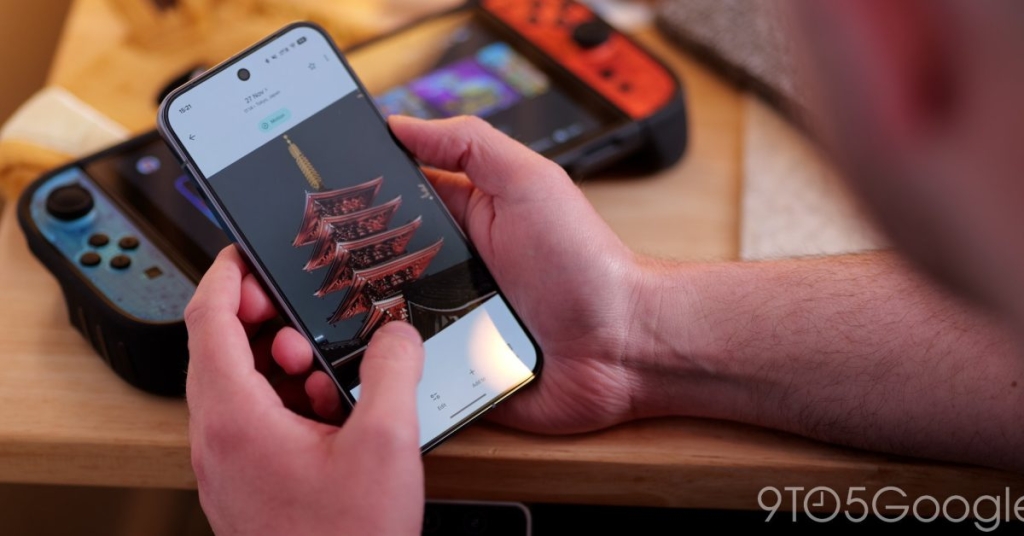
Google Photos Unleashes Sticker Magic on Android: Your Photos Just Got a Whole Lot More Fun!
In a move that’s set to revolutionize how we express ourselves in digital conversations, Google Photos has officially launched its highly anticipated sticker creation feature for Android users. After making waves on iOS back in August, this game-changing update is finally rolling out to the vast Android ecosystem, bringing a new dimension of creativity and personalization to your messaging game.
The Sticker Revolution Has Arrived
Imagine being able to transform that perfect snapshot of your furry friend, your child’s adorable smile, or that stunning sunset into a custom sticker that you can share across all your favorite messaging platforms. Google Photos is making this dream a reality with its seamless sticker creation tool that requires zero special skills or additional apps.
This launch comes at a particularly interesting time, coinciding with Google’s decision to wind down Pixel Studio, the company’s dedicated AI image generation app. It seems Google is consolidating its creative tools directly within Photos, making it the ultimate hub for all your visual content needs.
How It Works: Sticker Creation Made Effortless
The process is so intuitive that even your technophobic aunt could master it in seconds. Here’s the magic formula:
- Open Google Photos on your Android device
- Select any photo from your collection
- Watch the shimmer effect automatically outline the main subject
- Press and hold the highlighted area to create your sticker
- Choose your action: Copy it to clipboard or share it directly
The shimmer effect is particularly clever – it uses Google’s advanced AI to intelligently detect and outline subjects, whether it’s a person, pet, or object. No more tedious manual tracing or complicated editing software required!
Where Can You Use These Awesome Stickers?
Once you’ve created your masterpiece, the sharing possibilities are endless. Google Photos stickers are compatible with major messaging platforms including WhatsApp, Instagram, Messenger, and pretty much any app that supports image sharing. This means your custom creations can enhance conversations across your entire digital social life.
Technical Requirements: Is Your Device Ready?
Good news for most Android users! The sticker feature is available on devices with at least 4GB of RAM and running the latest version of Google Photos. Version 7.64 is widely rolling out through the Google Play Store, so chances are you already have access to this feature.
Pro Tips for Sticker Success
Google recommends using photos where the subject is clearly defined in the foreground for optimal results. Think portraits, close-ups of pets, or well-composed shots where the main subject stands out from the background. The cleaner the separation between subject and background, the better your sticker will look.
What’s Coming Next?
The innovation doesn’t stop here! Google has already teased an upcoming feature that will add a sticker history to your Collections folder. This means you’ll be able to quickly reuse your favorite creations without having to recreate them each time. It’s the kind of thoughtful detail that shows Google is really thinking about user experience.
Why This Matters: The Bigger Picture
This update represents more than just a fun new feature – it’s part of Google’s broader strategy to make Photos the central hub for all your visual content creation and sharing needs. By integrating advanced AI capabilities directly into the app, Google is eliminating the need for multiple specialized apps and creating a more streamlined user experience.
The timing is also significant, coming as Google consolidates its creative tools. With Pixel Studio winding down, Photos is stepping up to become the go-to app for both storage and creative expression.
The Viral Potential
This feature has all the makings of a viral sensation. Imagine the flood of custom pet stickers, personalized reaction images, and creative expressions that will soon populate our messaging apps. It taps into the universal desire for personalization and self-expression while being incredibly accessible.
Social media is already buzzing with early adopters sharing their creations, and the hashtag #GooglePhotosStickers is beginning to trend as users discover the joy of turning their memories into shareable art.
Final Thoughts
Google Photos’ new sticker feature is a perfect example of how technology can enhance our daily communication in delightful ways. It’s simple enough for anyone to use, powerful enough to create genuinely impressive results, and integrated seamlessly into an app that millions of people already use every day.
Whether you’re a social media enthusiast, a messaging addict, or just someone who loves to add a personal touch to your digital conversations, this update is definitely worth exploring. Your photos have never been more fun, more shareable, or more expressive.
#Tags and Viral Phrases:
- Google Photos Stickers
- Custom Sticker Creation
- AI-Powered Photo Editing
- Android Sticker Magic
- Personalized Messaging
- Google Photos Update
- Sticker Revolution
- Photo to Sticker Converter
- WhatsApp Stickers
- Instagram Stickers
- Google AI Features
- Mobile Photography
- Digital Expression
- Social Media Trends
- Tech Innovation 2025
- Android Features
- Google Ecosystem
- Creative Tools
- Photo Sharing
- Messaging Enhancement
- Viral Tech Features
- Digital Communication
- User Experience
- App Integration
- Pixel Studio Alternative
- AI Technology
- Mobile Apps
- Social Media Marketing
- Content Creation
- Digital Trends
,

Leave a Reply
Want to join the discussion?Feel free to contribute!