
Best Laser Printers I’ve Tried (2026): Brother, HP, and More
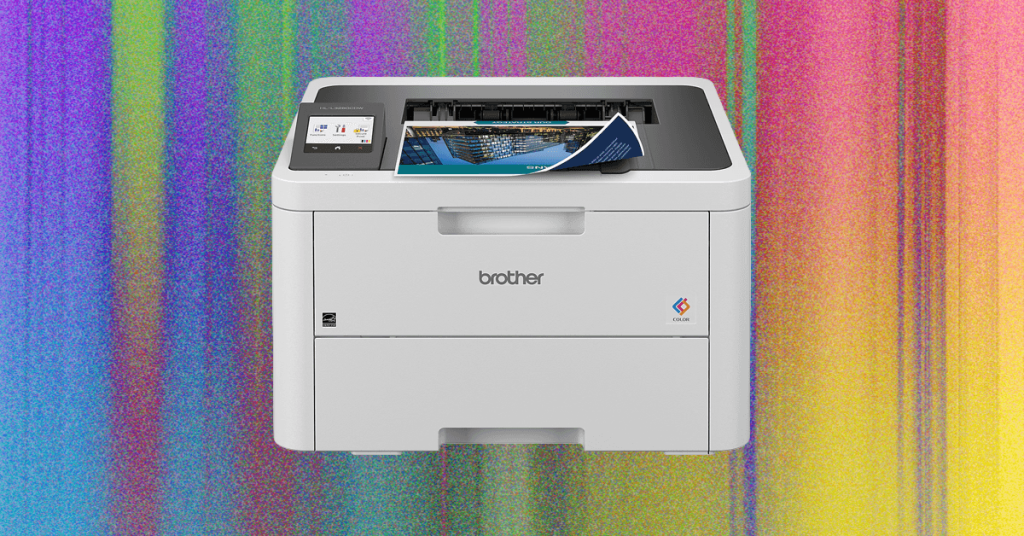
Laser Printers vs. Inkjet: Why Speed and Cost Efficiency Might Win You Over
For the average home user, inkjet printers have long been the default choice—but if your printing volume exceeds the occasional document or photo, it might be time to reconsider. Laser printers, once confined to office environments, are increasingly finding their way into homes, and for good reason.
Speed That Leaves Inkjet in the Dust
The most immediate advantage of laser printing technology is raw speed. Unlike inkjet printers, which spray liquid ink onto paper and require time for each droplet to dry, laser printers use a dry toner powder fused to the page with heat. This means no waiting for ink to dry, no smudging, and dramatically faster output—especially noticeable when printing multi-page documents. If you regularly churn out reports, school assignments, or lengthy manuscripts, the time savings add up quickly.
Cost Per Page: The Hidden Savings
While laser printers typically have a higher upfront cost and toner cartridges are more expensive than ink cartridges initially, the economics shift dramatically over time. A single toner cartridge can print thousands of pages—sometimes three to five times more than an ink cartridge—before needing replacement. This translates to a lower cost per page, making laser printers more economical for high-volume users.
That said, if your primary concern is minimizing costs and you print infrequently, modern ink tank printers (which use refillable reservoirs instead of cartridges) might still edge out laser printers in terms of total cost of ownership. These printers offer excellent value for casual users who want both affordability and the occasional photo print.
The Trade-Offs: Detail and Paper Limitations
Laser printers aren’t perfect for every task. Because they use heat to bond toner to paper, they struggle with fine detail, especially when blending colors. This makes them less ideal for printing vibrant, full-color photographs where subtle gradients and color accuracy matter. If your printing needs include high-quality photo reproduction, an inkjet printer remains the better choice.
Additionally, the heat-based fusing process means laser printers can’t handle certain specialty papers. Materials with plastic components—like windowed envelopes, sticker sheets, or glossy photo paper—may melt or warp in a laser printer. Stick to standard matte paper and cardstock to avoid issues.
Who Should Make the Switch?
Laser printers shine for users who prioritize speed, reliability, and cost efficiency over photo quality and paper versatility. If you’re printing mostly text documents, spreadsheets, or basic graphics in large quantities, a laser printer could be a game-changer for your home office setup.
For most casual home users, however, the versatility of modern ink tank printers—offering lower upfront costs, cheaper refills, and the ability to print crisp photos on various paper types—still makes them the more practical choice. As always, your specific needs should guide your decision.
Tags & Viral Phrases
laser printer vs inkjet, fastest home printer, cost per page comparison, toner vs ink cartridges, laser printer for home office, high-volume printing solutions, best printer for documents, printer speed test, heat-based printing technology, toner cartridge longevity, inkjet printer alternatives, laser printer photo quality limitations, specialty paper compatibility, printer cost efficiency analysis, home printing guide 2024, office printer upgrade, dry toner printing benefits, printer technology explained, choosing between laser and inkjet, printer buying advice for home users
,


Leave a Reply
Want to join the discussion?Feel free to contribute!