
NebiOS turns your Linux desktop into a Google Workspace alternative – with one caveat
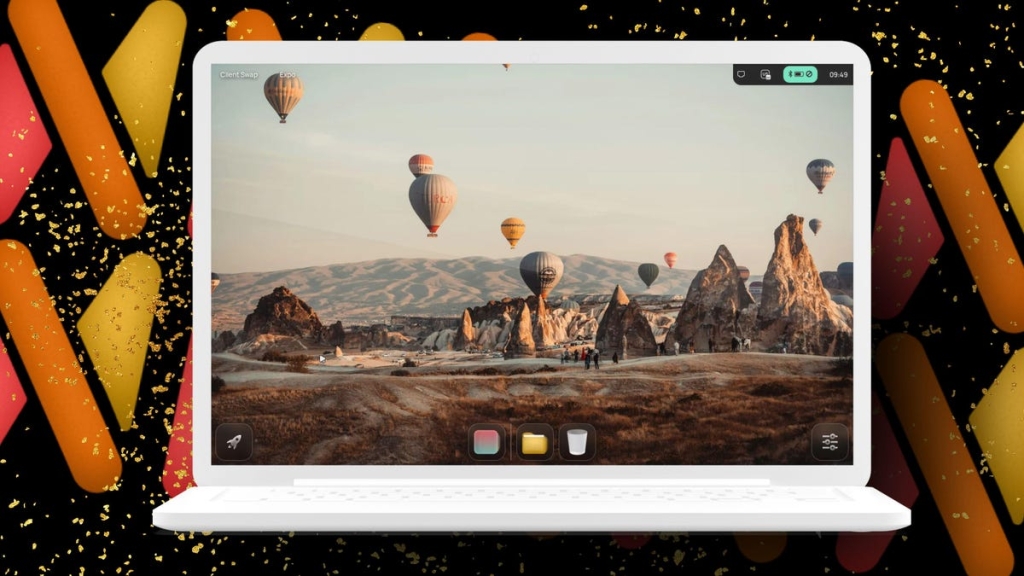
NebiOS: A Linux Distribution That Could Redefine the Desktop Experience
In the ever-evolving world of Linux distributions, NebiOS stands out as a bold experiment that pushes the boundaries of what a desktop operating system can be. Built on Ubuntu 24.04 LTS and featuring the NebiDE desktop environment, this distribution offers a glimpse into the future of Linux computing—one that’s both beautiful and slightly rough around the edges.
The Heart of NebiOS: NebiDE and Wayfire
At the core of NebiOS lies NebiDE, a desktop environment that’s as ambitious as it is attractive. What makes NebiDE truly unique is its choice of the Wayfire compositor, which is based on Wayland rather than the traditional X11. This decision positions NebiOS at the forefront of Linux’s graphical evolution, embracing the modern display server protocol that’s gradually replacing X11.
The developers have clearly put significant thought into NebiDE’s design. The desktop feels like a sophisticated blend of several popular environments—there’s a hint of Hyprland’s minimalism, KDE Plasma’s polish, and GNOME’s usability. The result is a desktop that newcomers can navigate intuitively while still offering enough customization options to satisfy power users.
The Cloud Ambition: NebiCloud
NebiOS comes with built-in integration for NebiCloud, the developers’ attempt to create a Google Workspace alternative. Using Nextcloud as its foundation, NebiCloud offers a comprehensive suite of productivity tools including file storage, calendar, contacts, task management, and even media streaming capabilities.
However, this is where NebiOS reveals its first significant vulnerability. The NebiCloud service, while conceptually brilliant, appears to have stagnated. The most recent activity on its GitLab repository dates back to 2024, and information about current pricing or development status is scarce. This raises legitimate security concerns—connecting any operating system to an outdated cloud service can expose users to potential vulnerabilities.
First Impressions: Beauty Meets Bugginess
My initial experience with NebiOS was a rollercoaster of impressions. The desktop environment is undeniably beautiful, with smooth animations and a modern aesthetic that rivals commercial operating systems. The app launcher, reminiscent of GNOME’s approach, provides quick access to applications, while the expandable panel at the bottom center offers convenient access to system functions.
Yet, beneath this polished surface, the telltale signs of early development are evident. During installation, I encountered erratic behavior with drop-down menus and buttons—some were missing entirely, while others didn’t respond consistently. Once installed, the system stabilized considerably, but these early hiccups are worth noting.
The Oddities That Make It Interesting
NebiOS has several quirks that make it memorable. The most immediately noticeable is the reversed window control buttons—the close button appears on the left side of the title bar, while minimize sits on the right. This arrangement, opposite to what most users expect, takes considerable adjustment and, as far as I could determine, cannot be changed through the settings interface.
Another peculiarity involves display resolution. I struggled to find any option to adjust the screen resolution, resulting in comically oversized icons that consumed excessive screen real estate. This limitation significantly impacts usability, especially on modern high-resolution displays.
Package Management: The Best of Both Worlds
NebiOS offers a thoughtful approach to software installation through its Bundle Store, which defaults to Flatpak packages. This choice aligns with modern Linux distribution trends, as Flatpak provides sandboxed applications with better security and easier updates. However, the developers haven’t abandoned traditional package management—users retain access to Ubuntu’s extensive Apt repositories through the command line.
The Bundle Store itself is functional but limited, offering primarily Flatpak applications. While this ensures security and compatibility, it may frustrate users who prefer the broader selection available through traditional repositories.
Performance and Stability
Despite its early development status, NebiOS performs admirably on modern hardware. The Wayfire compositor delivers smooth animations and responsive window management, even on systems with modest specifications. The desktop environment feels lightweight yet capable, striking a balance that many heavier distributions struggle to achieve.
However, the overall experience still feels incomplete. Various settings panels lack options that users might expect, and some interface elements behave unpredictably. These issues suggest that while the foundation is solid, considerable refinement is needed before NebiOS can compete with more established distributions.
Who Should Try NebiOS?
NebiOS occupies an interesting niche in the Linux ecosystem. It’s not yet ready to replace your daily driver operating system, but it offers something genuinely valuable for specific audiences:
For the Curious Developer: If you’re interested in the evolution of Linux desktop environments, NebiOS provides a fascinating case study. The integration of Wayfire with a modern desktop shell demonstrates what’s possible when developers think beyond traditional paradigms.
For the Linux Enthusiast: Users who enjoy experimenting with cutting-edge distributions will find plenty to explore in NebiOS. The unique combination of technologies and the visible development progress make it an engaging platform for testing and feedback.
For the Cloud-Conscious User: While NebiCloud’s current state is concerning, the concept of integrated cloud services within a Linux distribution is compelling. Users interested in self-hosted solutions might find inspiration in NebiOS’s approach.
The Verdict: Potential Worth Watching
After extensive testing, my assessment of NebiOS is nuanced. The desktop environment, NebiDE, is genuinely impressive—beautiful, responsive, and thoughtfully designed. It represents the kind of innovation that keeps the Linux ecosystem vibrant and competitive.
However, the distribution as a whole suffers from the typical challenges of early-stage development. The installation process needs refinement, certain features are incomplete or missing, and the cloud integration, while ambitious, currently poses security concerns.
Would I use NebiOS as my primary operating system? Not yet. But I’m genuinely excited about its potential. The developers have created something special that, with continued development and community support, could become a significant player in the Linux distribution landscape.
NebiOS reminds us that the Linux desktop is far from stagnant. It continues to evolve, with distributions like this pushing boundaries and exploring new possibilities. While NebiOS may not be ready for prime time, it offers a compelling vision of what the future might hold—a future where Linux desktops are more beautiful, more integrated, and more user-friendly than ever before.
The journey from experimental distribution to mainstream contender is long and challenging, but NebiOS has taken promising first steps. For anyone interested in the cutting edge of Linux desktop development, this distribution is absolutely worth exploring.
linux #nebios #nebide #wayfire #wayland #linuxdesktop #opensource #nebicloud #nextcloud #ubuntubased #experimentalos #desktopenvironment #linuxdistribution #techinnovation #futuristicos #modulardesktop #linuxdevelopment #cloudintegration #waylandcompositor #linuxgaming #opensourcecommunity #techreview #operatingsystem #linuxnews #developerpreview #desktopcustomization #linuxfuture #softwareinnovation #techcuriosity #digitaltransformation
,


Leave a Reply
Want to join the discussion?Feel free to contribute!