
Xournal++ adds tablet-friendly toolbar mode
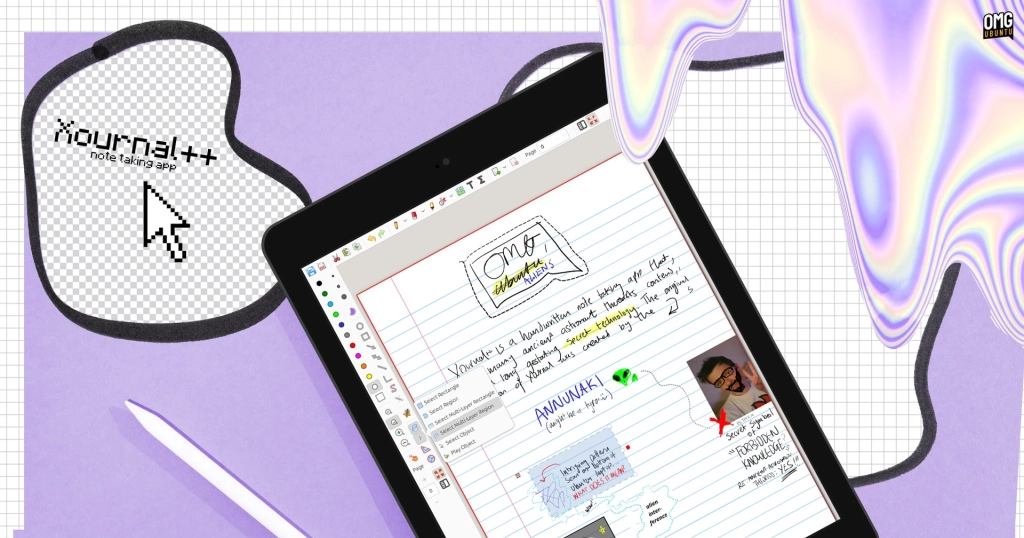
Xournal++ Gets a Major Makeover with New Tablet Mode for Linux Users
For Linux tablet users and digital note-takers, Xournal++ has long been the go-to application for handwritten notes, PDF annotations, and diagram sketching. Its robust stylus support and touchscreen compatibility have made it a favorite among those who prefer the tactile experience of writing over typing. However, one persistent criticism has been its interface—cluttered with menus, buttons, and tiny toolbar targets that, while functional, aren’t ideal for tablet use.
That’s all about to change. A newly merged tablet mode in Xournal++’s development builds aims to streamline the user experience, making it more intuitive and touch-friendly for Linux tablets and convertible devices.
A Fresh Take on the UI
Linux developer Archisman Panigrahi recognized that Xournal++’s default interface didn’t align with the clean, minimalist design of modern tablet note-taking apps. To address this, Panigrahi contributed code for an optional tablet mode that simplifies the interface, hiding non-essential features and consolidating tools for a more focused experience.
The new mode removes distractions like the Print button and the Open option, which can be accessed through the file manager or the in-app main menu. Essential notation tools remain easily accessible, while selection tools are consolidated, and the page preview column can be toggled on or off with a single tap. Even better, touch drawing remains toggleable, so you don’t need a stylus to enjoy the benefits of the new layout.
Testing the New Mode
In testing the new tablet mode on a 2-in-1 device, the experience was seamless. The toolbars work well in both landscape and portrait orientations, and the UI remains consistent when rotating the device. This is a significant improvement for users who prefer to use note-taking apps in portrait mode, as it eliminates the need for constant UI adjustments.
How to Try Xournal++ Tablet Mode
If you’re eager to try out the new tablet mode, you can download nightly builds of Xournal++ from the project’s GitHub page. These builds are available as AppImages or DEB installers and can be installed on Ubuntu and other Linux distributions. Alternatively, you can add the dedicated nightly builds PPA to your system for automatic updates.
To activate the new mode, open Xournal++ and navigate to Edit > Toolbars > Tablet mode in the main app menu. For the best experience, it’s recommended to use the mode in fullscreen, as it maximizes the available canvas space.
Important Note
As with any nightly build, stability is not guaranteed. It’s advised not to use these builds for critical tasks like work meetings, college seminars, or other important note-taking sessions. If you prefer to wait for a stable release, the new tablet mode will be included in Xournal++ 1.4.0, expected later this year.
Why This Matters
The addition of tablet mode to Xournal++ is a significant step forward for Linux users who rely on digital note-taking. By addressing one of the app’s most common criticisms, the developers have made Xournal++ even more appealing to a broader audience. Whether you’re a student, professional, or creative, the new mode promises a more streamlined and enjoyable experience.
So, if you’re ready to take your note-taking to the next level, give the new tablet mode a try. With its cleaner interface and improved usability, Xournal++ is poised to remain a top choice for Linux users everywhere.
Tags: Xournal++, Linux tablet, note-taking, digital handwriting, stylus support, touchscreen, tablet mode, Archisman Panigrahi, UI redesign, PDF annotation, development builds, nightly builds, Ubuntu, convertible devices, portrait mode, fullscreen mode, minimalist design, Linux apps, open-source, GitHub, PPA, stable release, Xournal++ 1.4.0.
Viral Sentences:
- “Xournal++ just got a major facelift—tablet mode is here, and it’s a game-changer!”
- “Say goodbye to cluttered interfaces—Xournal++’s new tablet mode is all about focus and simplicity.”
- “Linux users, rejoice! Your favorite note-taking app just got a whole lot better.”
- “Handwritten notes on Linux tablets? Xournal++ makes it better than ever.”
- “The future of note-taking is here, and it’s called Xournal++ tablet mode.”
- “Why type when you can write? Xournal++’s new mode is perfect for stylus lovers.”
- “Xournal++ proves that Linux apps can be just as sleek and user-friendly as their mobile counterparts.”
- “Ready to revolutionize your note-taking? Xournal++’s tablet mode is the upgrade you’ve been waiting for.”
- “From cluttered to clean—Xournal++’s new interface is a breath of fresh air.”
- “Linux tablets, meet your new best friend: Xournal++ with tablet mode.”
,

Leave a Reply
Want to join the discussion?Feel free to contribute!