
5 Cool New Gadgets That Can Use Your Monitor’s USB Port
5 Cool New Gadgets That Can Use Your Monitor’s USB Port
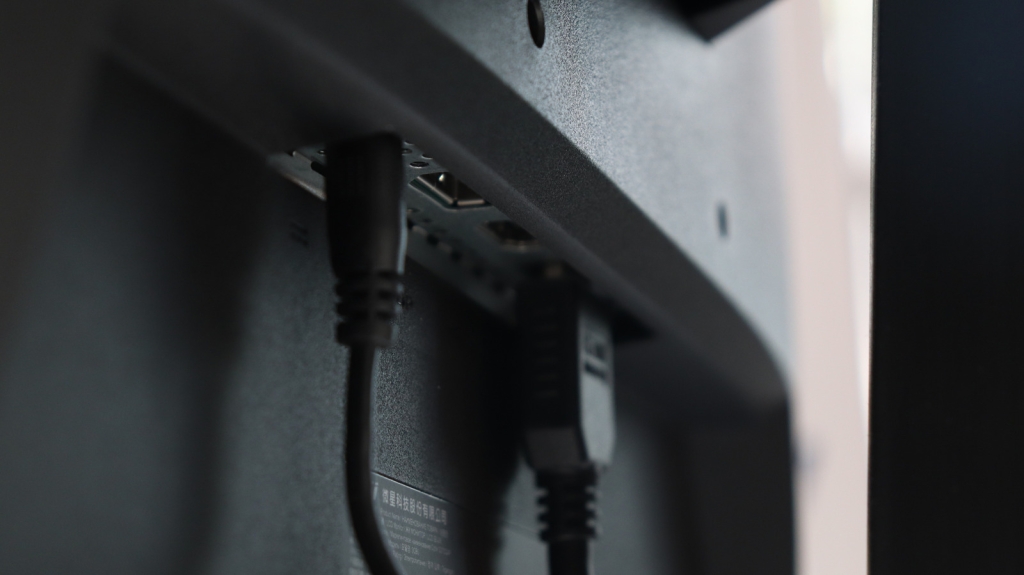
In today’s tech-driven world, maximizing the functionality of your workspace is essential. One often-overlooked feature is the USB port on your monitor. While most people use these ports for basic tasks like charging devices or connecting peripherals, there are a variety of innovative gadgets that can take your setup to the next level. Here’s a detailed look at five cool new gadgets that can use your monitor’s USB port, along with their benefits and why they’re worth considering.
1. Creative Pebble Desktop Speakers
If you’re looking to enhance your audio experience without cluttering your desk, the Creative Pebble Desktop Speakers are a fantastic choice. These compact, USB-powered speakers connect directly to your monitor’s USB hub, eliminating the need for a separate power outlet. Priced at just $25, they’ve earned a 4.5-star rating on Amazon after over 67,000 reviews, making them a popular option for budget-conscious users.
The Pebble speakers feature a sleek, pebble-like design that’s both minimalist and eye-catching. They’re available in black and white, so you can choose a color that matches your setup. Despite their small size, these speakers deliver impressive audio quality, with strong bass and clear sound. They’re perfect for music, movies, meetings, or even gaming. Plus, their 45-degree angled drivers ensure sound is directed straight at you for an immersive experience.
2. ASUS ProArt Professional Monitor
For those who need more screen real estate, the ASUS ProArt Professional Monitor is a game-changer. This 4K monitor supports daisy-chaining, allowing you to connect a second monitor directly to it via its USB ports. This setup is ideal for multitaskers, content creators, or anyone who needs to run multiple applications simultaneously.
Priced at $395, the ASUS ProArt offers a vibrant 4K IPS display with HDR support, making it perfect for photo and video editing. It also features a ±90-degree pivot, allowing you to switch to a vertical orientation for tasks like coding or document editing. If you’re on a tighter budget, the BenQ GW2486TC is a great alternative, offering a Full HD display with similar features for just $170.
3. Gaiatop USB Desk Fan
Staying cool while working is crucial, especially during long hours at your desk. The Gaiatop USB Desk Fan is a compact, USB-powered fan that connects directly to your monitor’s USB port. Priced at just $8, it’s an affordable way to keep your workspace comfortable.
This fan offers three speed settings and can be adjusted up to 30 degrees on either side, allowing you to direct airflow where you need it most. It’s easy to set up and use, with a simple one-button control. While it’s not completely silent, its noise level (around 50 decibels) is manageable for most users. Plus, its stable base and rubber pads ensure it won’t slide or scratch your desk.
4. Logitech C920 Webcams
For remote workers, streamers, or anyone who needs high-quality video, the Logitech C920 Webcam is a top choice. This USB-powered webcam connects directly to your monitor’s USB hub, saving you a port on your PC and keeping your setup tidy.
Priced at $70, the Logitech C920 offers 1080p resolution and excellent performance in low-light conditions. It’s compatible with a wide range of operating systems, including Windows, macOS, and ChromeOS. The webcam also comes with Logitech Capture software, allowing you to adjust settings like brightness, saturation, and contrast. With over 32,000 reviews and a 4.6-star rating on Amazon, it’s a reliable and versatile option.
5. Pwrowithlin Desktop USB Vacuum Cleaner
Keeping your workspace clean is easier than ever with the Pwrowithlin Desktop USB Vacuum Cleaner. This compact, USB-powered vacuum connects to your monitor’s USB port for charging and is perfect for cleaning keyboards, desks, and other hard-to-reach areas.
Priced at $12.99, this vacuum is surprisingly powerful for its size. It can pick up dust, crumbs, hair, and even small debris like plastic pieces. Its unique elephant-like design adds a fun touch to your desk, and its lightweight build makes it easy to handle. The only downside is that it charges via a micro-USB cable, which is less common than USB-C.
How We Selected These Products
To create this guide, we focused on gadgets that aren’t as commonly known to use your monitor’s USB ports. We researched Amazon reviews, customer ratings, and expert testing results to ensure each product offers good value for money and works as advertised. Our goal was to provide a variety of options that cater to different needs, from productivity to aesthetics.
Tags:
USB #Monitors #Gadgets #Tech #Productivity #Setup #Workspace #Audio #Displays #Cooling #Webcams #Cleaning #Innovation #Efficiency #Design #Affordable #HighTech #SmartDevices #USBHub #TechTips
Viral Phrases:
“Transform your workspace with these USB-powered gadgets!”
“Maximize your monitor’s potential with these innovative devices.”
“Stay cool, stay productive with this USB desk fan!”
“Upgrade your audio experience without breaking the bank.”
“Clean your desk effortlessly with this compact USB vacuum.”
“Boost your productivity with a dual-monitor setup.”
“Experience crystal-clear video calls with this top-rated webcam.”
“Discover the hidden potential of your monitor’s USB ports.”
“Tech meets convenience: These gadgets are a must-have!”
“Revolutionize your desk setup with these cool gadgets!”
,

Leave a Reply
Want to join the discussion?Feel free to contribute!