
ZimaBoard 2: An Interesting Intel-Powered Linux Home Mini Server Review
ZimaBoard 2: The Compact Linux Server Revolutionizing Home Office Computing
In the ever-evolving landscape of home office and small office technology, a new contender has emerged that’s turning heads and challenging the status quo. The ZimaBoard 2, a compact yet powerful single-board computer (SBC) housed in a sleek aluminum chassis, is redefining what we can expect from a low-power, versatile Linux server. With its Intel N150 processor at the helm and a plethora of connectivity options, this little powerhouse is poised to become the go-to solution for tech enthusiasts and professionals alike.
A Closer Look at the Hardware
At the heart of the ZimaBoard 2 lies the Intel N150 Twin Lake processor, a quad-core marvel that may lack simultaneous multithreading (SMT/HT) but more than makes up for it with its impressive clock speeds of up to 3.6GHz. With a base power rating of just 6 Watts and a limit of 10 Watts, this processor ensures that the ZimaBoard 2 remains energy-efficient without compromising on performance.
The ZimaBoard 2 comes in two models: the 832 and the 1664. The former boasts 8GB of LPDDR5-4800 memory and 32GB of eMMC storage, while the latter, which is the focus of our review, features 16GB of LPDDR5-4800 memory and 64GB of eMMC storage. This ample memory and storage configuration ensures smooth multitasking and provides plenty of space for your operating system and applications.
Connectivity Options Galore
One of the standout features of the ZimaBoard 2 is its impressive array of connectivity options. The device sports dual 2.5 Gigabit Ethernet ports, ensuring lightning-fast network speeds for your home office or small business needs. Additionally, USB 3.1 Type-A ports provide ample connectivity for peripherals, while a mini DisplayPort output allows for headed server configurations or alternative uses of the board.
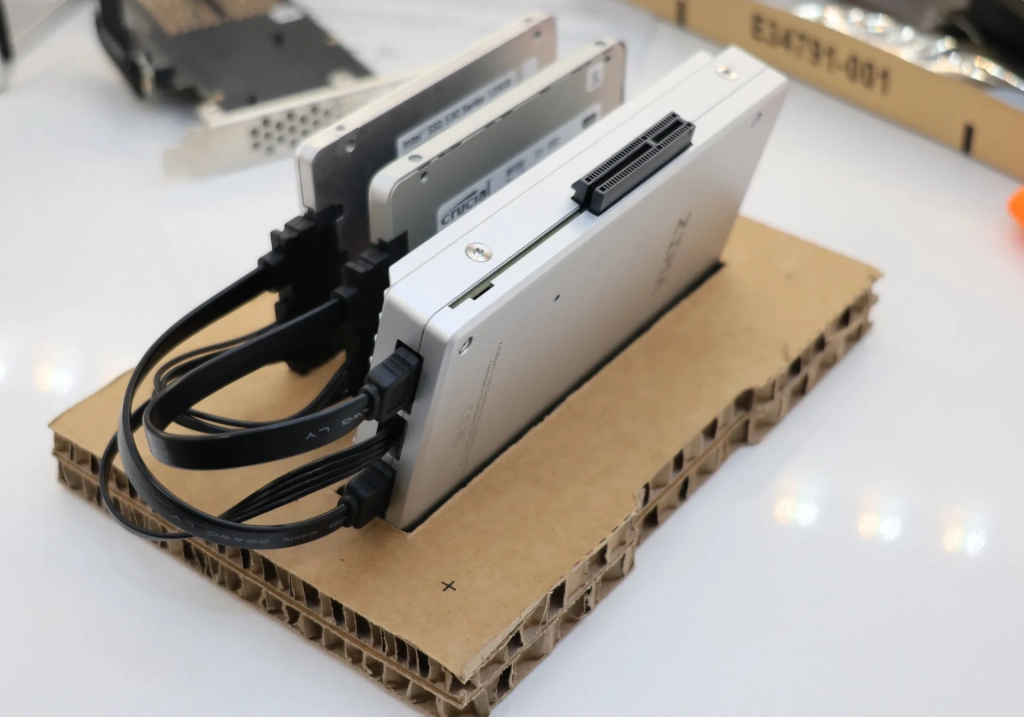
For those looking to use the ZimaBoard 2 as a network-attached storage (NAS) device or for other storage-intensive applications, the board offers two SATA 3.0 ports with power for external hard drives or SSDs. Furthermore, a PCIe 3.0 x4 connector on the side of the server opens up a world of possibilities. Users can attach adapters or use a PCIe extension cable to connect to external enclosures for PCIe M.2 NVMe SSDs or similar devices. Alternatively, this interface can accommodate higher-end network adapters, graphics cards, accelerators, or other hardware, making the ZimaBoard 2 incredibly versatile.
ZimaOS: The Personal Cloud OS
To round out the offering, Zima has preloaded the ZimaBoard 2 with ZimaOS, a Linux-based “personal cloud OS.” This user-friendly operating system makes it incredibly easy to set up and manage your own small office/home office (SOHO) server, providing a seamless experience for both novice users and seasoned IT professionals.
Design and Build Quality
The ZimaBoard 2’s design is as impressive as its internals. Housed in a passively-cooled aluminum chassis, the device not only looks sleek but also ensures efficient heat dissipation without the need for active cooling. However, for those who wish to enhance cooling further, a 4-pin fan connector is available on the SBC.
Performance and Benchmarks
During our extensive testing period, the ZimaBoard 2 proved to be a reliable and capable performer. The Intel N150 processor handled a variety of workloads with ease, from basic office tasks to more demanding applications. The dual 2.5 Gigabit Ethernet ports delivered on their promise of fast network speeds, making file transfers and network operations a breeze.
While the PCIe 3.0 connectivity may not be as fast as newer PCIe 4.0 or 5.0 options, it still provides ample bandwidth for most use cases. We did notice that having M.2 NVMe slots directly on the board would have been a convenient addition, but the current setup with SATA ports and the PCIe connector still offers plenty of flexibility for storage expansion.
Conclusion
The ZimaBoard 2 is a compelling option for anyone in need of a low-power, well-built SOHO Linux server with a wide range of connectivity options. Its combination of the Intel N150 processor, ample memory and storage, and versatile I/O ports make it a standout choice in the crowded SBC market.
Whether you’re looking to set up a home media server, a network-attached storage device, or a compact development workstation, the ZimaBoard 2 has you covered. Its preloaded ZimaOS provides a user-friendly experience, while the hardware’s expandability ensures that you can tailor the device to your specific needs.
At a time when remote work and home offices are more prevalent than ever, the ZimaBoard 2 offers a powerful, energy-efficient, and cost-effective solution for those seeking to enhance their home computing setup. With its impressive feature set and solid performance, the ZimaBoard 2 is undoubtedly a game-changer in the world of compact Linux servers.
Tags: #ZimaBoard2 #LinuxServer #IntelN150 #SingleBoardComputer #SOHO #HomeOffice #TechReview #CompactServer #ZimaOS #PCIe3.0 #DualGigabitEthernet #LowPowerComputing
Viral Phrases:
- “Revolutionizing home office computing”
- “Compact yet powerful single-board computer”
- “Game-changer in the world of compact Linux servers”
- “Energy-efficient without compromising on performance”
- “Versatile I/O ports make it a standout choice”
- “User-friendly experience with ZimaOS”
- “Powerful, energy-efficient, and cost-effective solution”
- “Impressive feature set and solid performance”
- “Redefining what we can expect from a low-power, versatile Linux server”
- “Turning heads and challenging the status quo”
,


Leave a Reply
Want to join the discussion?Feel free to contribute!