
HandBrake 1.11 Video Transcoder Released With ProRes, DNxHR, and AV1 Encoding
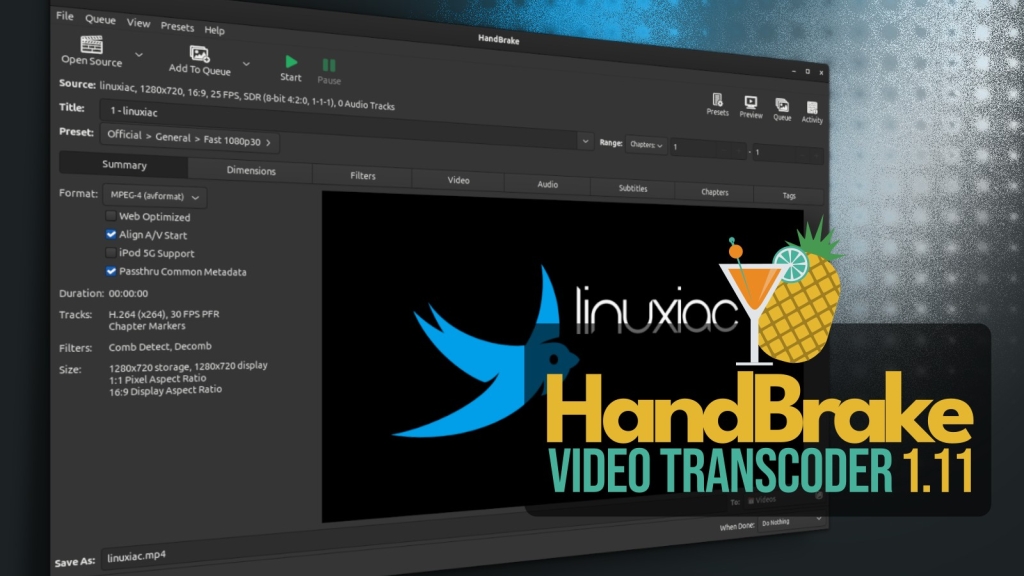
HandBrake 1.11 Drops: MOV Support, ProRes, DNxHR, and AV1 Boost for Pros and Hobbyists Alike
The legendary open-source video transcoder HandBrake just leveled up in a major way with the release of version 1.11, packing in a slew of professional-grade features and under-the-hood upgrades that make it more powerful than ever. Whether you’re a casual user looking to rip a DVD or a seasoned video editor working with high-end production formats, this update is a game-changer.
MOV Container Support: A Long-Awaited Addition
One of the most notable additions in HandBrake 1.11 is the long-requested support for the MOV container format. This is a big deal for anyone working in video production, as MOV is widely used in professional workflows, especially on macOS. Now, users can encode directly to MOV, making HandBrake a more versatile tool for a broader range of use cases.
ProRes and DNxHR: Professional Codecs, Now Built-In
HandBrake 1.11 introduces native encoders for two of the most respected codecs in the industry: ProRes and DNxHR.
-
DNxHR presets now support any resolution using HQX and SQ encoder profiles. For those needing lower-resolution proxies, there are dedicated presets for 2160p, 1080p, and 540p using the LB (lightweight) profile. These are perfect for offline editing or quick previews without sacrificing too much quality.
-
ProRes presets offer standard, HQ (high quality), and LT (light) encoding profiles, each with proxy variants for multiple resolutions. Like DNxHR, these support 24-bit PCM multi-channel audio with passthrough capability, ensuring your audio stays pristine.
These additions make HandBrake a serious contender for professional video production, especially for those who need a free, open-source alternative to expensive commercial tools.
AV1 Gets a Major Boost
AV1, the open, royalty-free video codec, continues to gain traction, and HandBrake 1.11 embraces it with open arms. The update adds a new AV1 VCN 2160p 4K preset for AMD GPUs starting with the Radeon RX 9000 series, as well as an AMD VCN AV1 10-bit encoder. This means faster, higher-quality AV1 encoding on supported hardware, which is a huge win for anyone working with 4K or HDR content.
Enhanced Video Pipeline
The video pipeline in HandBrake 1.11 sees several improvements:
- MPEG-2 profile and level selection is now available, giving users more control over encoding settings.
- FFV1 video streams can now be muxed into MP4 containers, expanding format compatibility.
- AV1 seeking behavior inside MP4 containers has been improved when used with Apple software, making playback smoother and more reliable.
Audio Subsystem Upgrades
Audio gets some love too, with the addition of PCM encoding and passthrough support. Users can now define custom channel ordering, offering more flexibility for advanced audio workflows. Whether you’re working with surround sound, multi-channel audio, or just want more control over your audio tracks, HandBrake 1.11 has you covered.
Linux, macOS, and Windows: Platform-Specific Enhancements
Linux
Linux users will appreciate several interface and usability improvements:
- GtkFileLauncher is now used when opening files in sandboxed environments, improving compatibility with Flatpak and other sandboxed distributions.
- New buttons allow users to cycle through previews on the summary page.
- An option to change the UI display language has been added.
- File size display and disk space detection have been improved.
macOS
macOS users get a few nice touches:
- A notification sound plays when encoding finishes while the app is in the foreground.
- File names in the queue are now truncated in the middle, matching Finder’s behavior.
- Minor fixes and localization updates round out the improvements.
Windows
Windows users should note an important runtime change: the HandBrake UI now requires Microsoft .NET Desktop Runtime 10.0.x, replacing the previously required .NET 8 runtime. Additionally, support for Intel HyperEncode has been removed, as it has been deprecated upstream.
Under the Hood: Updated Libraries and Toolchains
HandBrake 1.11 updates a wide range of third-party libraries, including:
- FFmpeg 8.0.1
- SVT-AV1 4.0.1
- libdav1d 1.5.3
- libvpx 1.16.0
- x265 r13309
- oneVPL 2.16.0 for Intel QSV support
The build system has also been updated, including newer mingw-w64 and macOS toolchain components, ensuring better performance and compatibility.
Upgrade Advice
As with previous releases, users are advised to ensure there are no pending encoding jobs before upgrading. It’s also recommended to back up custom presets and application preferences, as they may not always remain compatible between major versions.
Get It Now
HandBrake 1.11 is available now for Linux, macOS, and Windows. For more information, you can refer to the official changelog on GitHub.
Tags: HandBrake, video transcoder, MOV support, ProRes, DNxHR, AV1, 4K, Linux, macOS, Windows, open source, video editing, codec, audio, multimedia
Viral Phrases: “HandBrake just leveled up,” “game-changer for video pros,” “free, open-source alternative,” “faster, higher-quality AV1 encoding,” “professional-grade features,” “legendary open-source tool,” “big win for 4K content creators,” “under-the-hood upgrades,” “compatibility with Flatpak,” “notification sound when encoding finishes,” “deprecated upstream,” “backup your presets,” “get it now,” “major way,” “slew of features,” “serious contender,” “huge win,” “perfect for offline editing,” “pristine audio,” “smooth and reliable playback,” “matching Finder’s behavior,” “better performance and compatibility.”
,

Leave a Reply
Want to join the discussion?Feel free to contribute!