
5 Clever Uses For Your Old Smartwatch
5 Clever Uses For Your Old Smartwatch: Breathe New Life Into Your Wrist Tech
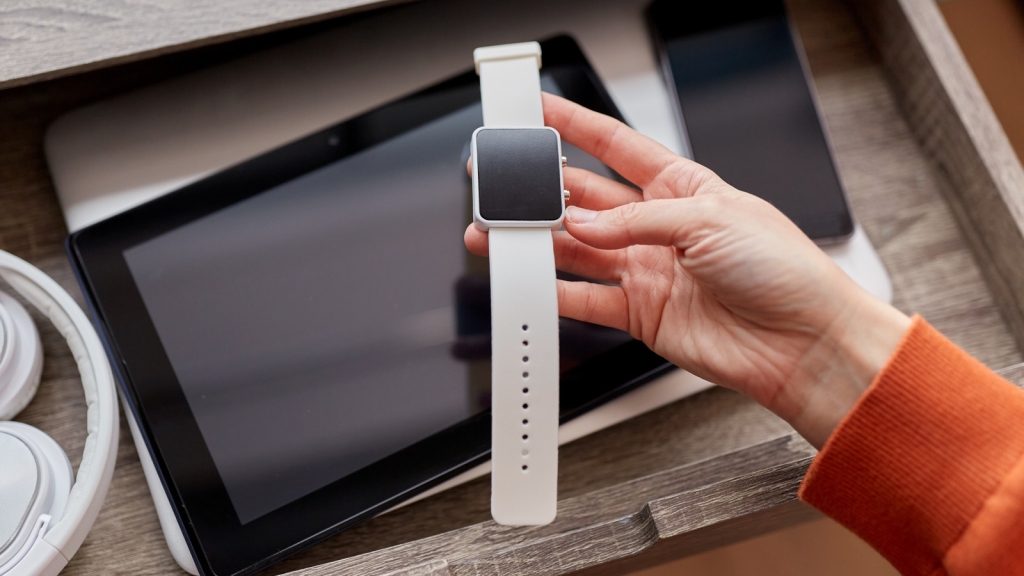
Tech waste is real, especially for enthusiasts who regularly upgrade their gear. I personally have a bunch of old phones, and to avoid them collecting dust in a drawer, I converted one into a dashcam, and another into a security cam. The same can’t be said of my old smartwatches, but must that be case?
While big companies like Samsung and Apple are still removing chargers from their in-box contents in the name of protecting the environment (and selling them separately, sigh!), there is something else we can all do. While we cannot directly recycle our tech gadgets, sometimes the best form of recycling is simply repurposing.
When you strip away the notifications and the pressure of health metrics from a smartwatch, you are left with a powerful, compact computer that can serve multiple purposes. If your smartwatch still has a decent processor, Wi-Fi, Bluetooth, and a display you can work with, you can put it to good use. In this guide, we have compiled a list of five clever ways give your old smartwatch a new lease on life.
Create a Tiny and Aesthetic Desk Clock
Ever since phones became “smart,” a lot of things have been replaced. Cameras, music players, and even alarm clocks, no longer need to be separate devices. However, if you like having a little separation, try converting the old smartwatch lying in your drawer into an aesthetic desk clock.
To go about our task, first you’ll need to buy a cheap stand (or make one) to dock the watch in a way you like. Then you can permanently keep it plugged in 24/7, which makes potential battery degradation irrelevant. If your device supports always-on mode, you can customize the watch face to show the clock just how you like it. There are a gazillion looks available on the Play Store and App Store to help match the vibe of your space.
If you are looking for a clock that does nothing but show you the time, then Pomodoro Timer is the best app, especially for Wear OS watches. If you have an Apple Watch, the Nightstand mode works surprisingly well, and will display the time when you tap the surface of the table it’s sitting on.
A Dedicated Baby or Child Monitor
Dedicated baby monitors are shockingly expensive. For a price similar to a budget smartphone, you often get a low-resolution camera and bland features. If it’s got Bluetooth, Wi-Fi, and a microphone, your old smartwatch can serve that purpose just as well, when paired with the right app. For instance, we used the Cloud Baby Monitor app to convert an Apple Watch into a baby monitor, unlocking a live feed over Wi-Fi, mobile data, or Bluetooth and automatic alerts if motion or sound is detected.
You can leave the watch on a shelf or strap it securely to a safe mount and easily use it to listen to or calm down your baby. You won’t be able to watch your baby, since smartwatches don’t come with a camera, but they make for excellent audio monitors. With this setup, you can continue mowing your lawn or watering the plants while your baby is asleep. As soon as they wake up, the smartwatch will detect the noise and send you a notification via the baby monitor app.
You can also hand your old smartwatch over to your kid and let them play freely in the neighborhood if they’re not yet ready for their own full-blown smartphone. This way, you will be able to locate them through the Find My app via GPS. If the watch supports LTE, you can communicate with each other to know each other’s whereabouts.
An Emergency Dialer for Seniors
One of the best ways to put your old Apple Watch or Samsung Galaxy Watch with LTE/4G to good use is by giving it a senior in your life to work as an emergency dialer. To get it set up, uninstall all the apps from the phone, leaving the dialer app on the main face, with emergency contacts just a swipe away. If using such a small touch screen is a problem, you also can set up Siri or Gemini voice assistant so the older person in your life can easily say “Hey Siri, call my grandson.”
Most modern wearables also come with a fall detection feature. On my Samsung Galaxy Watch4, this feature is called Hard fall detection and can be turned on by heading over to the Galaxy Wearable app > Watch settings > Safety and emergencies > Hard fall detection. This feature is named differently on different brands’ smartwatches — it is simply called Fall Detection on Apple Watch — but they all alert emergency services and emergency contacts when the wearer takes a hard fall and doesn’t move.
The best part is that you don’t need to buy a full expensive data plan for this to work. Many network providers offer wearable-only plans that are more than sufficient. On top of this, a smartwatch with capable sensors can also act as a smart health device, monitoring continuous heartbeat, ECG, sleep cycle, and sometimes even blood pressure — as long the senior using it is comfortable with that.
Use It as a Cycle Speedometer
If you love cycling, you probably know the best bicycle gadgets, especially dedicated bike computers from Garmin and other brands, are quite expensive. If you have an old smartwatch, then you can put it to good use serving many of the same functions. There are several cycle mounts available for smartwatches, where all you have to do is detach the watch from the straps and fix it on the mount. Alternatively, you could also use the strap to fasten the watch to your cycle’s handles.
To use a smartwatch as a heads-up display for speed, distance, and health metrics, you’ll need a dedicated app. You can run apps like Strava or Speedometer for smartwatches directly on the smartwatch. The heart rate monitor won’t work without wearing the watch on your wrist, but you can connect it to a cheap chest strap using Bluetooth if you really care about that data. The GPS is as accurate as on a phone, and you can use it for navigation. With AOD mode turned on, you can simply give a quick glance at your smartwatch on your handle and get details about your speed, time, and map data.
Battery life is the only real concern with this use, but even an old smartwatch with a degraded battery should last for a couple of hours, which is enough for a Sunday ride. If you want more juice for an extra-long ride, plug in a powerbank.
A Touchscreen Car Audio Remote
While modern cars with steering-mounted controls, Apple CarPlay, and Android Auto make controlling music while driving easier to manage, an older vehicle with basic Bluetooth connectivity or a 3.5mm auxiliary jack presents more of a struggle. Fumbling through your phone to change tracks or to accept calls can be dangerous and illegal in many places. However, you can also open Spotify on your old smartwatch and connect it to your car.
From there, just strap the watch to your steering wheel, and you can keep the ability to play, pause, skip tracks, and even adjust the volume within easy reach. If you have a Samsung Galaxy Watch, the rotating bezel can even act like a volume knob. On top of this, if you receive a call on your phone, you can pick up, talk, or cancel it right from the smartwatch itself, since it will be connected to your phone.
This setup eliminates the need to navigate through menus or unlock the phone screen and get distracted during the whole process. You can also set a simple routine that will keep the watch always on whenever it detects that it is charging.
Tags: smartwatch reuse, old tech repurpose, smartwatch hacks, tech recycling, smart home gadgets, DIY tech projects, wearable tech, smart devices, sustainable tech, tech upcycling
Viral Phrases: “Don’t throw it away!”, “Give your old smartwatch a second life”, “One person’s trash is another person’s treasure”, “Tech that keeps on giving”, “Smartwatch transformation”, “From drawer to display”, “Eco-friendly tech solutions”, “Hidden potential in old gadgets”, “Smartwatch superpowers”, “Tech that ages like wine”
,

Leave a Reply
Want to join the discussion?Feel free to contribute!