
OBS Studio 32.1 Released With New Audio Mixer and WebRTC Simulcast Support
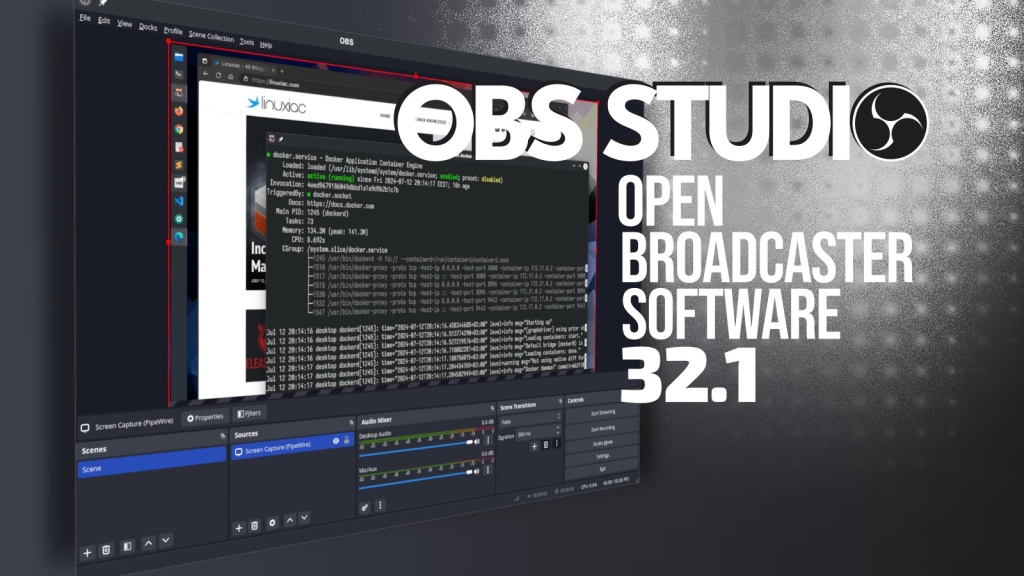
OBS Studio 32.1: A Game-Changing Update for Creators
OBS Studio, the world’s most popular open-source broadcasting software, has just dropped its latest update, version 32.1, and it’s packed with features that will make content creators everywhere rejoice. Whether you’re a seasoned streamer, a budding YouTuber, or just someone who loves tinkering with tech, this update is a must-know. Let’s dive into the details of what makes this release so exciting.
A Sleek New Look for the Audio Mixer
First up, OBS Studio 32.1 introduces a redesigned audio mixer that’s not just functional but also visually stunning. The new design integrates seamlessly with the interface, offering enhanced visual consistency. For those who prefer the Light theme, the mixer now supports palette customization, making it easier than ever to match your OBS setup to your personal style. This might seem like a small change, but for creators who spend hours tweaking their setups, it’s a welcome improvement.
WebRTC Simulcast: Streaming Like Never Before
One of the standout features in this update is the addition of WebRTC simulcast support. For the uninitiated, simulcast allows the simultaneous transmission of multiple video stream qualities. This is a game-changer for adaptive streaming workflows, ensuring that viewers receive the best possible stream quality based on their network conditions. Whether someone is watching on a high-speed connection or struggling with slower internet, simulcast ensures a smooth and uninterrupted viewing experience. This feature alone makes OBS Studio 32.1 a must-have for anyone serious about streaming.
Undo and Redo Actions: Editing Made Easy
Editing scenes in OBS just got a whole lot easier with the addition of undo and redo actions for scene items. This update includes support for settings like scale filtering, blending modes, deinterlacing configuration, and field order. These enhancements give creators unprecedented flexibility when editing scenes, making it easier to experiment and perfect their setups without the fear of making irreversible mistakes.
Usability Improvements: A Smoother Experience
OBS Studio 32.1 isn’t just about flashy new features; it’s also about making the software more user-friendly. The plugin manager has been revamped, making it easier to enable or disable missing plugins. The Edit Transform dialog has been updated, and default dock positions have been rearranged for better organization. The transition preview button has been moved to the button box, and dock animations have been disabled to minimize distractions. These changes might seem minor, but they add up to a significantly smoother user experience.
Behavioral Changes: Smarter and More Efficient
This update also brings several behavioral changes that streamline the workflow. For instance, copying a scene item now duplicates all properties, saving creators valuable time. By default, source names no longer include the word “Source,” which might seem like a small tweak but reduces clutter and makes the interface cleaner. The media source playback slider now updates more frequently, and the default streaming bitrate has been increased to 6000 kbps, ensuring higher-quality streams right out of the box.
Bug Fixes: Stability and Performance
No update would be complete without addressing bugs, and OBS Studio 32.1 delivers on this front as well. Multiple crashes have been fixed, including one that affected Linux users when switching profiles or shutting down the application. Other fixes address issues like HDR video playback appearing darker than expected, incorrect projector resolutions, and video scaling problems in multi-video encoder setups. Linux users also benefit from platform-specific fixes, such as improved PipeWire device capture and corrected camera framerate reporting.
Additional Fixes: Polishing the Experience
The update also tackles a range of smaller but important issues. Black recording thumbnails are now a thing of the past, and incorrect chapter marker timestamps when splitting recordings have been resolved. Locked transitions and visual artifacts in NVIDIA blur and background blur effects have also been addressed, ensuring a more polished and professional output.
What’s Next for OBS Studio?
With version 32.1, OBS Studio continues to solidify its position as the go-to broadcasting software for creators worldwide. The combination of new features, usability improvements, and bug fixes makes this update a significant step forward. Whether you’re a professional streamer or just getting started, OBS Studio 32.1 has something for everyone.
For more information, you can check out the official changelog on GitHub.
Tags: OBS Studio, streaming software, WebRTC simulcast, audio mixer, undo redo, plugin manager, bug fixes, Linux support, content creation, adaptive streaming, open-source software, video editing, scene items, HDR video, NVIDIA blur, streaming bitrate, media source, PipeWire, projector resolutions, chapter markers, transitions, background blur, dock positions, interface design, Light theme, palette support, scale filtering, blending modes, deinterlacing, field order, recording thumbnails, multi-video encoder, framerate reporting, streaming workflows, professional streaming, broadcasting software, tech update, software release, creator tools, streaming quality, network conditions, user experience, usability improvements, behavioral changes, stability, performance, visual consistency, Edit Transform dialog, streaming setup, YouTube streaming, live streaming, video quality, software development, open-source community, tech news, viral update, game-changing features, must-have software, seamless streaming, smooth experience, polished output, professional tools, beginner-friendly, advanced features, creative freedom, tech enthusiasts, digital creators, online content, streaming revolution, next-level streaming, cutting-edge technology, innovative features, streamlined workflow, enhanced flexibility, creative control, high-quality streams, uninterrupted viewing, network optimization, adaptive bitrate, multi-quality streaming, simulcast technology, WebRTC advancements, streaming innovation, broadcasting excellence, OBS evolution, software perfection, tech breakthroughs, creator empowerment, digital storytelling, online broadcasting, streaming mastery, OBS mastery, tech evolution, software excellence, creative solutions, streaming success, OBS Studio 32.1, latest OBS update, OBS Studio changelog, OBS Studio features, OBS Studio improvements, OBS Studio bug fixes, OBS Studio Linux, OBS Studio streaming, OBS Studio creators, OBS Studio tools, OBS Studio interface, OBS Studio usability, OBS Studio performance, OBS Studio stability, OBS Studio quality, OBS Studio innovation, OBS Studio advancements, OBS Studio technology, OBS Studio updates, OBS Studio news, OBS Studio release, OBS Studio download, OBS Studio installation, OBS Studio tutorial, OBS Studio guide, OBS Studio tips, OBS Studio tricks, OBS Studio best practices, OBS Studio recommendations, OBS Studio review, OBS Studio feedback, OBS Studio community, OBS Studio support, OBS Studio help, OBS Studio documentation, OBS Studio resources, OBS Studio forum, OBS Studio discussion, OBS Studio trends, OBS Studio future, OBS Studio roadmap, OBS Studio development, OBS Studio contributors, OBS Studio contributors, OBS Studio contributors, OBS Studio contributors, OBS Studio contributors.,


Leave a Reply
Want to join the discussion?Feel free to contribute!