
Your Pixel Phone Is Hiding One Of Its Most Useful Features In The Settings
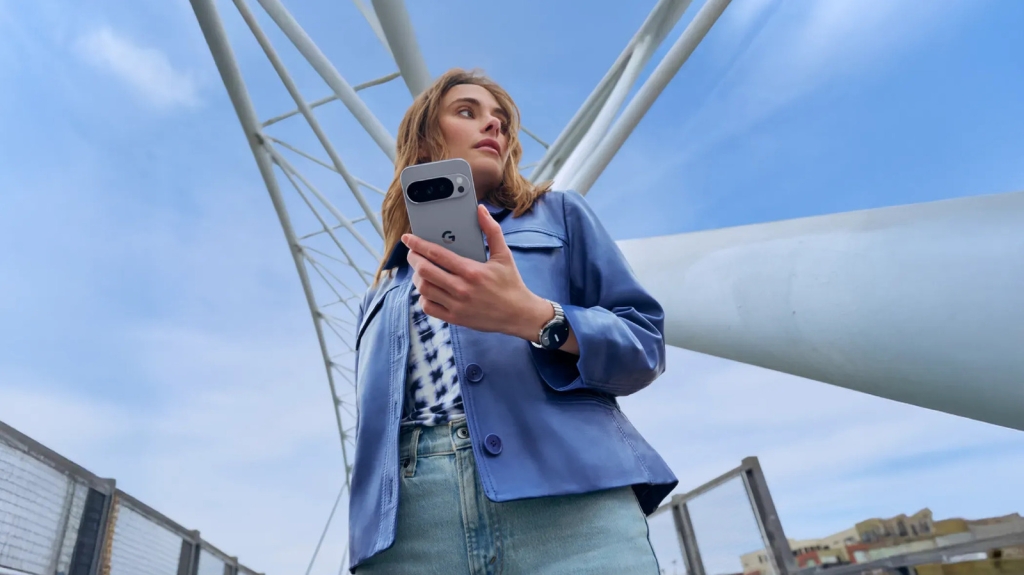
Hidden Pixel Feature: Unlock the Secret Back-Tap Gesture for Lightning-Fast Shortcuts
If you think your Google Pixel phone is only as smart as its touchscreen and three physical buttons, think again. Buried deep within Android’s gesture system lies a stealthy, underappreciated shortcut that can make navigating your device faster than ever — and it’s hiding right on the back of your phone.
We’re talking about the back-tap gesture, a feature quietly baked into Pixel devices since Android 11. This clever functionality lets you double-tap the back of your phone to instantly trigger actions like taking screenshots, launching apps, or even toggling your flashlight. It’s a shortcut so subtle you’d never know it existed unless someone told you — and that’s exactly what we’re here to do.
Why the Back-Tap Gesture is a Game-Changer
Modern smartphones are packed with features, but not all of them are obvious. While most users are familiar with tapping the power button twice to launch the camera or holding it to summon Google Assistant (soon to be fully replaced by Gemini in 2026), few realize there’s an entire world of shortcuts just a double-tap away.
The back-tap gesture leverages your phone’s built-in motion sensors to detect quick taps on the rear glass. This means you can trigger actions without even looking at your screen — a huge advantage for multitaskers, photographers on the go, or anyone who wants to shave seconds off their daily routines.
What Can You Do With Back-Tap?
Once enabled, the back-tap gesture can perform a variety of actions, depending on your preferences:
- Take a screenshot — Instantly capture what’s on your screen without fumbling for buttons.
- Access your digital assistant — Activate Gemini or Google Assistant hands-free.
- Play or pause media — Control music, podcasts, or videos with a quick tap.
- See recent apps — Jump straight to your multitasking menu.
- Show notifications — Peek at your alerts without unlocking your phone.
- Toggle flashlight — Turn your LED flash on or off in a flash (pun intended).
- Open an app — Launch any app of your choice, with some offering additional actions like taking a selfie or recording a video.
How to Enable the Back-Tap Gesture on Your Pixel
Setting up this hidden gem is surprisingly simple. Here’s how to get started:
- Open the Settings app on your Google Pixel.
- Navigate to “System” and tap on it.
- Select “Gestures” from the menu.
- Tap on “Quick Tap to start actions.”
- Toggle on “Use Quick Tap.”
- Choose your preferred action from the list above.
If you select “Open app,” you can further customize by tapping the gear icon to pick a specific app. Some apps, like the Camera, even let you choose sub-actions — for example, taking a selfie or starting a video instead of just opening the app.
Once configured, simply double-tap the middle of your phone’s back to activate the shortcut. If you’re worried about accidental triggers — say, while holding your phone or when it’s in your pocket — you can enable “Require stronger taps” in the Quick Tap settings for added precision.
Why This Feature Deserves More Attention
The back-tap gesture is one of those features that makes you wonder why it isn’t more widely advertised. It’s intuitive, customizable, and incredibly useful once you get the hang of it. Whether you’re a productivity junkie looking to streamline your workflow or just someone who loves discovering hidden tech tricks, this is one Pixel feature you’ll want to try ASAP.
And with Google’s ongoing push to integrate Gemini deeper into its ecosystem, expect even more powerful voice and gesture-based interactions in the near future. For now, though, the back-tap gesture remains a delightfully low-key way to supercharge your Pixel experience.
Tags:
Google Pixel, back-tap gesture, Android shortcuts, hidden features, Pixel tips, Quick Tap, smartphone gestures, tech hacks, Pixel tricks, Android 11, Google Assistant, Gemini AI
Viral Phrases:
“Game-changing Pixel shortcut,” “hidden in plain sight,” “double-tap magic,” “Pixel’s best-kept secret,” “shortcut of the future,” “tap your way to productivity,” “Android’s stealthiest feature,” “unlock your phone’s potential,” “tech trick you’ll wish you knew sooner,” “the gesture that changes everything.”
,


Leave a Reply
Want to join the discussion?Feel free to contribute!