
What The USB Port On A Soundbar Is Really For
What Your Soundbar’s USB Port Is Really For: The Hidden Features You Never Knew Existed
TL;DR: Most soundbar USB ports aren’t just for firmware updates—they can actually play music directly from flash drives, support dual-function capabilities, and even power PC audio systems. Here’s everything you need to know about unlocking your soundbar’s full potential.
The USB Port Mystery: More Than Meets the Eye
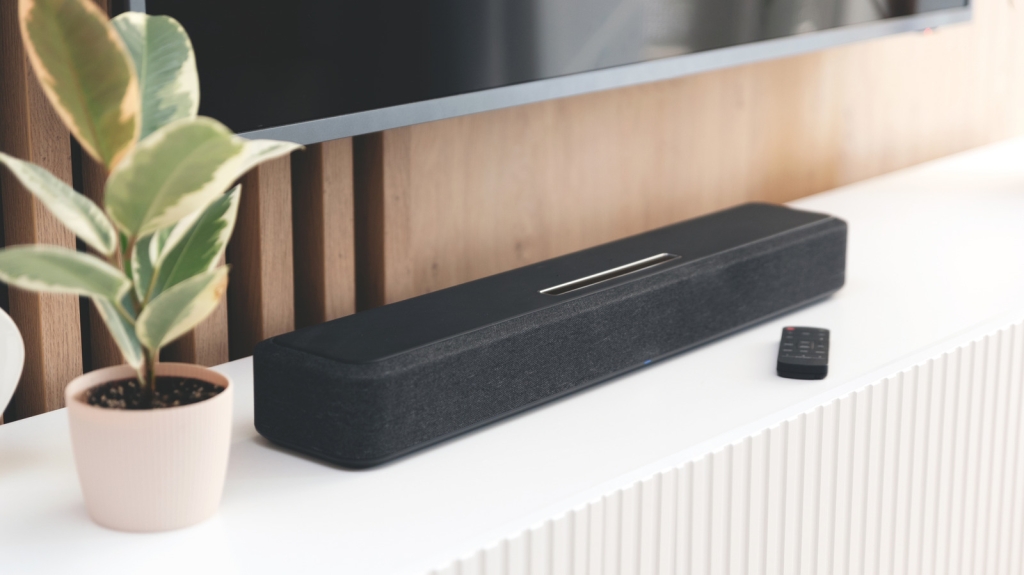
Walk into any modern living room, and you’ll likely spot a sleek soundbar sitting beneath a wall-mounted TV. These compact audio powerhouses have revolutionized home theater experiences, but one feature often leaves users scratching their heads: that mysterious USB port.
Is it just for tech support? A relic from the past? Or something more?
The truth is far more fascinating than most people realize. That unassuming USB port could be your gateway to a whole new world of audio possibilities.
The Two Main Functions (And Why It Matters)
1. Direct Audio Playback: Your Personal Soundbar DJ
Forget about streaming services for a moment. Many modern soundbars can actually read and play audio files directly from a USB flash drive. Imagine plugging in a thumb drive filled with your favorite MP3s, WAVs, or WMAs and having your soundbar transform into a standalone music player.
The technical sweet spot: Most soundbars prefer FAT32 or exFAT formatted drives, with 32GB being the sweet spot for compatibility. Anything larger might cause issues with certain models, and deeply nested folder structures can confuse the system.
Pro tip: Keep your audio files in the root directory or just one folder deep for optimal performance. Your soundbar isn’t trying to navigate your entire music library—it just wants to play your tunes.
2. The Service Port: Firmware Updates Made Simple
Remember when your smartphone used to get those annoying update notifications? Your soundbar needs them too, and that USB port is often the delivery mechanism.
Here’s where it gets interesting: Some brands like Samsung and LG offer dual update methods—you can use their companion apps (SmartThings and ThinQ) or go the traditional USB route. Others are more restrictive, using the USB port exclusively for service updates and labeling it accordingly as “Service Port Only.”
The Game-Changing Third Option: PC Integration
Now we’re getting to the really cool stuff.
Some PC-oriented soundbars, like the Razer Leviathan V2, use their USB ports for something revolutionary: simultaneous power and audio delivery. Plug this beast into your computer, and it draws power while receiving audio signals—no separate power brick required.
But wait, there’s more: Even these advanced models often include traditional power ports, giving you the flexibility to choose between USB connectivity and Bluetooth streaming. It’s like having three soundbars in one.
How to Unlock Your Soundbar’s Full Potential
Step 1: Know Your Model
Before you start experimenting, check your user manual or look up your soundbar’s specifications online. The “Inputs” or “Connections” section will reveal exactly what your USB port can do.
Step 2: Format Smart
If you’re planning to use your USB port for audio playback:
- Format your drive as FAT32 or exFAT
- Keep file sizes reasonable (under 32GB is safest)
- Organize your music simply—think “less is more”
Step 3: Test and Experiment
Don’t be afraid to try different file formats. While MP3 is the universal standard, many soundbars support WAV for higher quality and WMA for Windows users.
The Future of Soundbar Connectivity
As we look ahead, the humble USB port on your soundbar represents something bigger: the convergence of traditional audio hardware with modern digital flexibility.
Imagine this scenario: You walk into your living room, plug in a USB drive filled with vacation photos, and your soundbar not only plays a curated playlist but also displays a slideshow on your TV. While this specific feature isn’t widespread yet, the infrastructure is there.
Why This Matters for Your Entertainment Experience
Understanding your soundbar’s USB capabilities isn’t just about technical knowledge—it’s about maximizing your investment and enhancing your daily entertainment.
Think about it: That $300 soundbar you bought could be doing so much more than just amplifying your TV’s audio. It could be your personal jukebox, your firmware update hub, or your PC audio solution.
The Bottom Line
That USB port on your soundbar isn’t an afterthought—it’s a feature-packed gateway to expanded functionality. Whether you’re using it for direct audio playback, keeping your firmware current, or integrating with your PC setup, understanding this single port can dramatically enhance your audio experience.
So next time you glance at that USB port, don’t just see a connector. See potential. See versatility. See the future of home audio in a single, powerful port.
Viral Tags & Trending Phrases
-
SoundbarHacks
-
USBPortSecrets
-
HomeTheaterUpgrade
-
AudioTechTips
-
SmartSoundbar
- “Did you know your soundbar could do this?”
- “The USB port everyone ignores but shouldn’t”
- “Soundbar features that will blow your mind”
- “Tech secrets hiding in plain sight”
- “Upgrade your audio game instantly”
- “The one feature your soundbar has that changes everything”
- “From basic to brilliant: soundbar edition”
- “Why your soundbar’s USB port is secretly amazing”
- “The hidden potential of home audio”
- “Tech life hacks that actually work”
- “Soundbar capabilities you never knew existed”
- “The future of home entertainment is already here”
- “How to get more from your audio investment”
- “The USB port revolution in home audio”
- “Soundbar secrets the manufacturers don’t tell you”
,

Leave a Reply
Want to join the discussion?Feel free to contribute!