
Everything new Android Canary 2603: App lock, Bubble, more
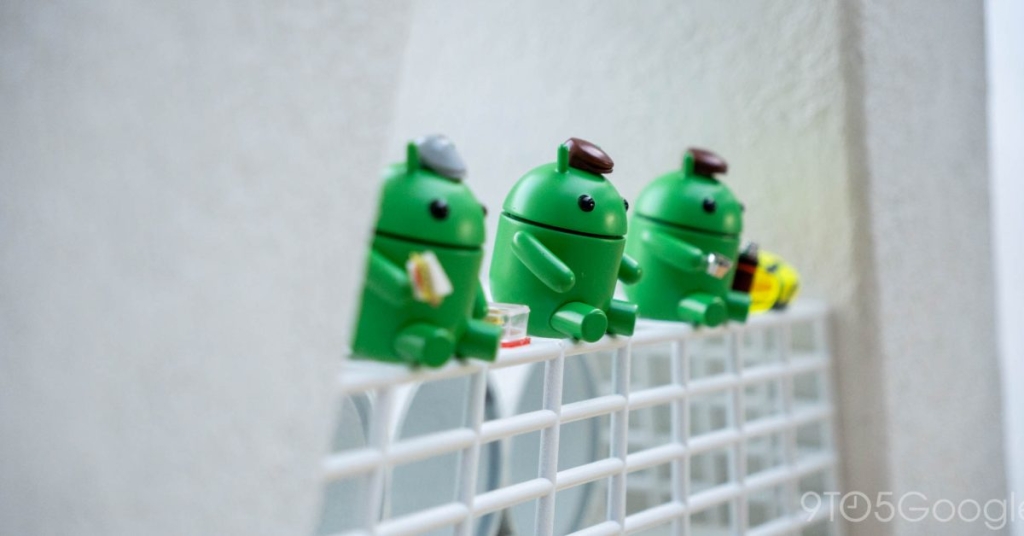
Google Rolls Out Android Canary 2603 with Major UI Overhaul and New Features
In a bold move that’s sending shockwaves through the developer community, Google has unleashed Android Canary 2603, the latest bleeding-edge preview of the mobile operating system. This release, codenamed “ZP11.260220.007,” is available for an extensive range of Pixel devices, from the Pixel 10a all the way back to the Pixel 6 series, including the Pixel Fold and Pixel Tablet.
What is Android Canary?
For those unfamiliar, Android Canary represents Google’s most experimental development channel. It’s specifically designed for developers who want to explore and test the newest Android APIs, but Google explicitly warns that it’s “unsuitable for everyday use.” Features introduced in Canary may not always make it into stable Android releases, though several innovations from previous Canary builds have successfully transitioned to the latest Android Beta channel.
You can install Android Canary using the Android Flash Tool, with future updates coming as convenient over-the-air (OTA) updates. The March 2026 security patch accompanies this release, ensuring that even in this experimental state, your device maintains basic security protections.
Screen Recording Gets a Complete Makeover
One of the most significant changes in Android Canary 2603 is the complete redesign of the screen recording feature. After tapping the Quick Settings tile, users now encounter a floating pill interface that offers a more intuitive and streamlined experience.
The new interface presents two primary recording modes: “Entire screen” and “Single app.” For entire screen recording, you can now simultaneously record device audio, microphone input, and even show touch interactions—perfect for creating tutorials or gameplay videos. The single app mode allows you to select a specific application to record, maintaining the same audio options.
Once recording begins, a status bar indicator appears, which you can tap to bring up the floating UI. This interface includes a settings gear for quick adjustments and a prominent “Stop” button. When you finish recording, you’re taken to a new dedicated interface where you can preview the clip, edit it, delete it, or share it directly. The “New” button conveniently returns you to the recording tool, creating a seamless workflow.
Visual Refresh: More Blur Effects Throughout the System
Android Canary 2603 introduces more blur effects throughout the system UI, creating a more cohesive and visually appealing experience. The Widgets pane, in particular, receives this treatment, with a subtle blur effect that helps content stand out while maintaining visual depth.
This enhancement represents Google’s continued refinement of Material You, the design language that’s become increasingly sophisticated with each Android iteration. The blur effects help create a sense of hierarchy and focus, drawing attention to the most important elements while providing a modern, polished aesthetic.
Wi-Fi and Mobile Data Get Separate Quick Settings Tiles
In a move that will delight power users, Android Canary 2603 separates the Wi-Fi and Mobile data Quick Settings tiles. Previously combined into a single “Internet” tile, these now have dedicated toggles, allowing for more precise control over your device’s connectivity.
If you had the Internet tile set, it will automatically become the Wi-Fi tile, and you can manually add the Mobile data tile to your Quick Settings panel. This change provides immediate visual feedback about your current connection status and makes it easier to toggle between different network types without diving into settings menus.
App Lock and Bubbles Arrive with Enhanced Long-Press Menu
Android Canary 2603 brings two highly anticipated features: App lock and Bubbles. App lock allows you to secure individual applications with additional authentication, adding an extra layer of privacy for sensitive apps like banking or messaging services.
Bubbles, which were officially announced as part of Android 17 Beta 2, are now fully functional in this Canary release. This feature allows you to float app windows over your current screen, similar to Facebook’s chat heads but system-wide. It’s particularly useful for multitasking, letting you keep conversations or media playback visible while using other apps.
The long-press menu on app icons has also been redesigned to accommodate these new features. If an application has 2-4 app shortcuts, they’re now hidden inside a new “Shortcuts” menu, which you can expand by tapping a dedicated button. This reorganization declutters the menu while maintaining easy access to shortcuts. Apps with just one shortcut are spared this reorganization, keeping the interface clean and intuitive.
Developer-Focused Features and API Updates
While the user-facing changes are substantial, Android Canary 2603 also includes numerous developer-focused improvements and API updates. These enhancements are designed to help developers create more sophisticated applications that can take full advantage of Android’s capabilities.
The release includes updates to background processing limits, improved notification handling, and enhanced support for foldable and large-screen devices. Google continues to refine the development tools and documentation, making it easier for developers to create high-quality applications that work seamlessly across the diverse Android ecosystem.
Installation and Compatibility
Installing Android Canary 2603 requires using the Android Flash Tool, which guides you through the process of flashing the experimental build onto your compatible Pixel device. The release supports an impressive range of devices, demonstrating Google’s commitment to providing early access to new features across its hardware lineup.
However, Google strongly advises against using Canary builds as your daily driver. The experimental nature of these releases means they may contain bugs, stability issues, or features that don’t work as intended. Developers and enthusiasts who choose to install Canary should be prepared for potential issues and should always back up their data before proceeding.
The Road to Android 17
Android Canary 2603 represents another step in Google’s journey toward the next stable Android release. While it’s impossible to predict exactly which features will make it to the final version, the innovations in this build provide valuable insights into Google’s vision for Android’s future.
The focus on user experience improvements, enhanced privacy features, and developer tools suggests that Android 17 will continue to build on the foundation established by previous releases while introducing meaningful new capabilities that address user needs and technological trends.
Community Reaction and Developer Feedback
Early reactions from the developer community have been largely positive, with many praising the thoughtful redesign of core features like screen recording and the long-press menu. The separation of Wi-Fi and mobile data tiles has been particularly well-received by power users who appreciate having more granular control over their device’s connectivity.
However, some developers have noted that the experimental nature of Canary builds means they need to approach testing with caution, particularly when working on production applications. The rapid pace of changes in the Canary channel requires developers to stay vigilant and adaptable as they prepare their apps for future Android versions.
Looking Ahead
As Android continues to evolve, releases like Canary 2603 provide a glimpse into the future of mobile operating systems. The emphasis on user experience refinement, privacy enhancements, and developer empowerment suggests that Google is focused on creating a platform that’s both powerful and accessible.
Whether you’re a developer eager to test the latest APIs, a power user interested in bleeding-edge features, or simply curious about Android’s direction, Android Canary 2603 offers something intriguing. Just remember: this is experimental software, and while it’s exciting to explore, it’s best left to those who understand the risks and rewards of running pre-release software.
The Android ecosystem continues to mature, and with each Canary release, Google moves closer to delivering another major update that will shape the mobile experience for millions of users worldwide.
Tags: #AndroidCanary #Android17 #Google #MobileOS #TechNews #DeveloperPreview #MaterialYou #ScreenRecording #AppLock #Bubbles #PixelDevices #MobileTechnology #SoftwareUpdate #BetaTesting #TechInnovation
Viral Phrases: “Game-changing Android update,” “Google drops bombshell,” “Android just got a major glow-up,” “Developers are freaking out,” “This changes everything,” “Android Canary is here and it’s wild,” “Google’s secret weapon revealed,” “The future of Android is now,” “Tech enthusiasts rejoice,” “Prepare for a revolution”
,


Leave a Reply
Want to join the discussion?Feel free to contribute!