
Microsoft Teams Phone System review
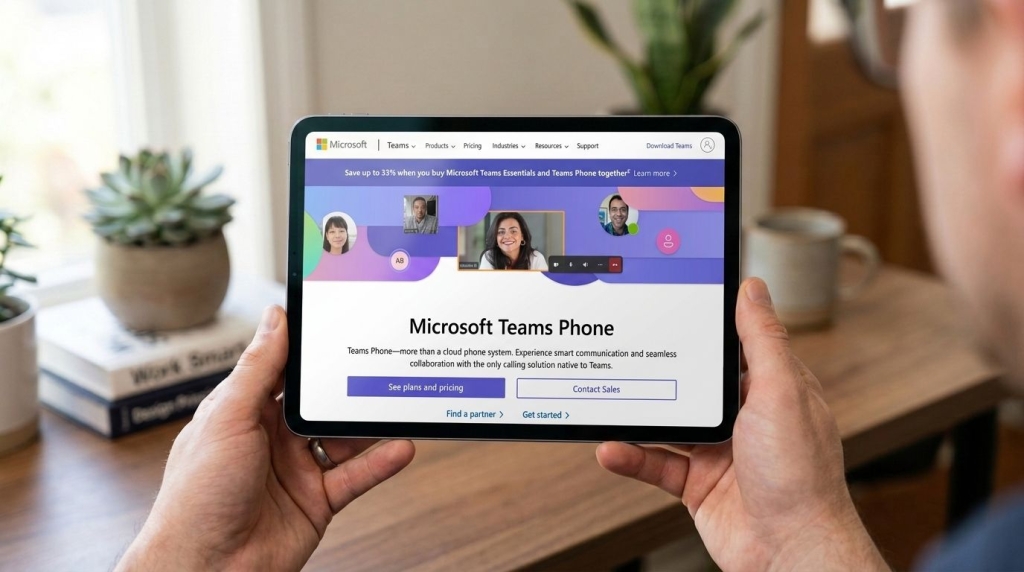
Microsoft Teams Phone: The Future of Business Communication
In today’s fast-paced business environment, seamless communication is not just a luxury—it’s a necessity. Enter Microsoft Teams Phone, a revolutionary VoIP solution that’s transforming how organizations connect, collaborate, and conquer their goals. But is it the right choice for your business? Let’s dive deep into this comprehensive review and find out.
Why Microsoft Teams Phone is Making Waves
Microsoft Teams Phone isn’t just another VoIP system—it’s a game-changer for businesses already invested in the Microsoft 365 ecosystem. By extending the familiar Teams interface into a full-fledged business phone system, Microsoft has created a solution that feels intuitive from day one.
The integration is seamless, the scalability is impressive, and the potential for growth is enormous. But as with any technology, it’s not without its challenges.
Pricing That Packs a Punch
Let’s talk numbers. Microsoft Teams Phone requires a Microsoft 365 enterprise plan (E1, E3, or E5) as its foundation. The E1 plan starts at $10 per user per month, but you’ll need to add a Teams Phone license for approximately $8-$10. The E3 plan, at $23 per user per month (increasing to $26 in July 2026), includes desktop apps but still requires the additional phone license.
For those seeking the complete package, the E5 plan at $57 per user per month (rising to $60 in July 2026) includes Teams Phone functionality outright. Additional calling plans range from $12 for domestic calling with 3,000 minutes to $24 for combined domestic and international plans with 3,000 domestic and 600 international minutes.
Conference rooms and shared devices require separate licenses at $8-$15 per month, or $40 for Teams Rooms Pro. While these prices may seem steep, especially with the upcoming increases, the value proposition is compelling when you consider the entire Microsoft 365 ecosystem you’re accessing.
Features That Fuel Productivity
Microsoft Teams Phone comes loaded with features that businesses expect from premium VoIP solutions. Call queues, forwarding, voicemail, auto-attendants, and customized call routing based on business hours or holidays are all standard fare.
The system also includes call parking, delegation, transfer functions, and real-time presence indicators that make day-to-day communication more efficient. However, it’s worth noting that Teams Phone isn’t designed for complex call center operations. Advanced routing options and detailed ring group configurations are limited, and there’s no native support for call recording.
The lack of direct CRM integration with Microsoft Dynamics or other leading platforms is another limitation, preventing automatic logging of call data. Reporting tools exist but focus primarily on network and call quality rather than performance indicators like response times or call-handling efficiency.
Setup That’s Surprisingly Simple
Setting up Microsoft Teams Phone is remarkably intuitive, especially for companies already using Teams. Administrators can plan user roles and call routing in the Teams admin center, and provisioning new accounts takes only minutes. The system integrates seamlessly with existing Microsoft services like Azure Active Directory, making it easy to sync users and permissions.
Businesses migrating from older phone systems can port numbers directly, though this process may take extra time depending on network complexity. The key to a smooth setup lies in preparation. By auditing teams, departments, and workflows before launch, administrators can efficiently configure user groups and call distribution methods.
Teams Phone is highly scalable, allowing organizations to add new users or branch offices with minimal disruption as they grow.
User Experience That Wins Hearts
The user experience is arguably Teams Phone’s strongest asset. The interface mirrors the Microsoft Teams environment, making it instantly recognizable for employees who already rely on Teams for chat and meetings. For new users, the layout is intuitive and consistent across devices, including Windows, macOS, iOS, and Android.
Microsoft supports device flexibility, allowing calls to be transferred seamlessly between desktop and mobile devices. Integration with Apple CarPlay makes it easier for mobile workers to manage calls safely while traveling. Importantly, users don’t necessarily need to install the Teams mobile app to receive forwarded calls, which can simplify deployment for organizations that prefer minimal device management.
However, new adopters should plan training sessions to help staff get comfortable with call routing, queue management, and group settings.
Support That Could Use Some Work
Microsoft offers an extensive library of help resources, including tutorials, troubleshooting guides, and community forums within the Microsoft 365 support portal. Unfortunately, not all service tiers receive access to live 24/7 technical support. Most users must log tickets through the online portal and then wait for a response, which can vary from a few hours to longer, depending on the issue.
The inconsistency in response time and quality is one of the platform’s weakest points, especially for businesses that depend on uninterrupted communication. For faster help, companies can subscribe to Microsoft’s premium support tiers or work with certified partners that provide managed services and real-time assistance. While these options add cost, they can significantly reduce downtime.
Security That Stands Tall
Security has long been a strength of Microsoft’s enterprise offerings, and Teams Phone benefits from the same protections. All data is encrypted with SSL both in transit and at rest, while audio and video traffic use SRTP protocols to safeguard media streams.
Businesses that subscribe to E3 or E5 plans also gain access to Microsoft Advanced Threat Analytics, which includes behavioral monitoring and compliance enforcement tools. Although Microsoft has experienced several security vulnerabilities in the past, the company has maintained a consistent record of addressing them quickly.
Teams Phone’s security infrastructure evolves with regular patches and updates. However, some industries may find Microsoft’s layered licensing model challenging when aiming for full compliance with specific regulations such as HIPAA or GDPR, since additional add-ons may be required.
The Competition: How Teams Phone Stacks Up
The VoIP space is full of strong competitors, and several alternatives offer capabilities that Microsoft Teams Phone lacks. RingCentral MVP provides a robust feature set, including built-in call recording, CRM integrations with platforms such as Salesforce and Zendesk, and reliable 24/7 customer support. It also integrates directly with Microsoft Teams, offering the best of both ecosystems.
GoTo Connect stands out for its straightforward pricing model and comprehensive feature suite, which includes SMS messaging, fax capabilities, and geolocation-based call routing. Zoom Phone has become increasingly popular among small and medium-sized businesses for its simplicity, pay-as-you-go pricing, and seamless integration with the broader Zoom platform.
Other noteworthy options include 8×8 and Vonage Business Communications, both of which deliver advanced analytics, broad global coverage, and a variety of third-party integrations. While these competitors outperform Microsoft in some areas, none match the native integration that Teams Phone delivers within the Microsoft 365 environment.
The Final Verdict: Is Teams Phone Right for You?
For those who already use Microsoft Teams, the ease of moving over to the VoIP offering is a big plus, and it’s also ideal for businesses that are looking to scale up in the future, as purchasing additional user licenses can be completed in minutes.
The system does come with its flaws, though, and is not a good fit for businesses that require more complex phone configurations. In addition, the cost of purchasing the licenses and call plans can quickly add up if your business has heavy telephone usage, or if you want to use different solutions for other aspects of your business operations which means paying for multiple subscriptions.
The lack of 24/7 support from Microsoft is also a concern when it comes to troubleshooting and potential downtime. Businesses that want 24/7 support with the system can however get this through a third-party supplier.
Finally, unlike some of its rivals, Microsoft is an incredibly well-established company, and so if you go to the effort of setting up Teams Phone – and buying into the Microsoft ecosystem more generally – the service won’t disappear one fine day.
Tags: Microsoft Teams Phone, VoIP, business communication, Microsoft 365, cloud phone system, remote work, digital transformation, enterprise communication, unified communications, business technology
Viral Sentences:
– “Microsoft Teams Phone is revolutionizing how businesses communicate in the digital age”
– “The future of business communication is here, and it’s called Microsoft Teams Phone”
– “Why pay for multiple subscriptions when Teams Phone gives you everything in one place?”
– “Security, scalability, and seamless integration—Teams Phone delivers on all fronts”
– “Transform your Microsoft Teams experience with enterprise-grade phone capabilities”
– “The VoIP solution that grows with your business—Microsoft Teams Phone”
– “Say goodbye to communication silos with Microsoft Teams Phone integration”
– “Microsoft’s answer to modern business communication challenges”
– “Teams Phone: Where productivity meets simplicity in the cloud”
– “The business phone system that feels like it was made for Teams users”,


Leave a Reply
Want to join the discussion?Feel free to contribute!