
Lepow TriScreen Pro 4K triple-screen monitor review
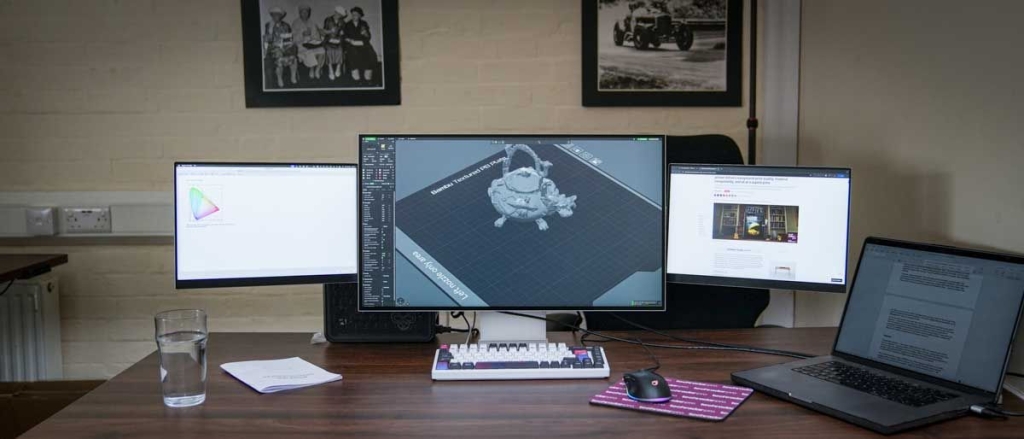
Lepow TriScreen Pro Review: A Modular Triple-Monitor Setup That Redefines Productivity
The Lepow TriScreen Pro is not just another monitor—it’s a revolutionary approach to workspace efficiency that transforms how we think about multi-screen productivity. This innovative system combines a stunning 27-inch 4K main display with two 16-inch side panels, creating a seamless triple-monitor experience that’s both space-saving and incredibly versatile.
Design and Build Quality
Right out of the box, the TriScreen Pro impresses with its premium CNC aluminum construction. The main 27-inch display features a sleek, minimalist design with a thin metal bezel and a matte anti-glare finish that immediately elevates any workspace aesthetic. The build quality is solid and professional, making it suitable for both home offices and design studios.
What truly sets this monitor apart is its modular design. The two 16-inch side panels can be attached to either side of the main display using Lepow’s proprietary connector system. This isn’t just a clever mounting solution—these connectors also handle power and data transmission, eliminating the need for additional cables once the panels are attached.
Assembly and Setup
Setting up the TriScreen Pro requires some patience. The assembly process takes about 10-15 minutes and involves carefully attaching the side panels to the main display. The connector mechanism uses a dual-system approach: magnetic alignment for initial positioning followed by physical clips for secure attachment.
On the software side, things get a bit more complex, especially on Mac. The USBDisplay application is required for the side panels to function properly. This software needs specific system permissions that aren’t immediately obvious in the manual, which can cause some initial frustration. Once properly configured, however, the system works seamlessly.
Display Performance
The 27-inch main display is impressive, offering 4K resolution (3840×2160) with an IPS panel, 10-bit color depth, and excellent color coverage at 98% DCI-P3 and 100% sRGB. The brightness is rated at 500 nits with HDR capability, making it suitable for content creation and general office work.
The side panels, while not color-critical displays, are perfectly adequate for productivity tasks. At 1920×1200 resolution with 100% sRGB coverage, they’re ideal for email, chat applications, reference materials, and terminal windows.
Calibration Results
Using the Spyder X2 Ultra calibration tool, the main display achieved an overall rating of 4.5/5, with excellent scores in gamut, contrast, and color accuracy. The side panels scored 4.0/5 overall, with the main difference being color temperature consistency, which can be easily adjusted through calibration.
Real-World Performance
After a month of daily use, the TriScreen Pro has proven to be a genuine productivity booster. The ability to have multiple applications visible simultaneously—editing video on the main screen while monitoring audio processing on one side panel and keeping email visible on the other—has significantly streamlined workflow.
The system performs admirably across different devices, from MacBook Pro to various mini PCs and Windows desktops. The USBDisplay software runs quietly in the background without causing any performance issues or distractions.
Pros and Cons
Pros:
- Innovative modular design saves significant desk space
- Premium aluminum construction
- Excellent main display quality with 4K resolution and wide color gamut
- Versatile configuration options (landscape/portrait orientation)
- Solid performance across multiple operating systems
Cons:
- Initial setup can be challenging, especially on Mac
- Connector mechanism requires careful attention to ensure proper attachment
- Side panels have noticeable color temperature differences out of the box
- Software installation process could be more streamlined
Should You Buy It?
Buy it if:
- You need multiple screens but have limited desk space
- You’re a content creator who needs a main color-accurate display with additional productivity screens
- You value premium build quality and innovative design
- You work across multiple applications simultaneously and need to see everything at once
Don’t buy it if:
- You need color-critical displays for professional photography or videography (Adobe RGB coverage is limited)
- You prefer simple plug-and-play setups
- You’re on a tight budget (at $1059, it’s a significant investment)
- You need higher refresh rates for gaming
Final Verdict
The Lepow TriScreen Pro represents a genuine innovation in monitor design. While it has some rough edges in terms of setup and the connector mechanism could be more refined, the core concept is sound and the execution is largely successful. The space-saving design, premium build quality, and productivity benefits make it a compelling option for professionals who need multiple screens but want to maintain a clean, organized workspace.
At $1059, it’s not an impulse purchase, but when you consider that it effectively replaces three separate monitors with one integrated system, the value proposition becomes clearer. The TriScreen Pro is particularly well-suited for content creators, office professionals, and anyone who values both functionality and aesthetics in their workspace setup.
Tags & Viral Phrases:
- Game-changing triple monitor setup
- Space-saving productivity powerhouse
- Modular monitor revolution
- CNC aluminum premium build
- 4K main display with dual side monitors
- Content creator’s dream setup
- Multi-screen productivity hack
- Innovative connector technology
- Desk space optimization
- Professional workspace upgrade
- Seamless multi-monitor experience
- Color-accurate content creation
- Mac and PC compatible
- Easy calibration with Spyder X2
- Future of workspace design
- Triple screen productivity boost
- Premium monitor system
- Innovative workspace solution
- Multi-display efficiency
- Professional productivity tool
,


Leave a Reply
Want to join the discussion?Feel free to contribute!