
Google Photos could soon let you choose a cleaner look for your library, and here’s your first look
Google Photos Tests Immersive Mode: A Cleaner, Distraction-Free Gallery Experience
In a move that’s sure to delight photography enthusiasts and casual users alike, Google Photos is testing a new immersive mode that hides date labels in the primary gallery view. This subtle yet impactful change aims to provide a more streamlined, visually appealing experience for users who want to focus on their photos without the clutter of metadata.
The Big Reveal: What’s Changing?
For years, Google Photos has displayed date labels prominently in the gallery view, helping users organize and navigate their vast collections of memories. However, with the latest Google Photos v7.62.0.865122296 update, Google is experimenting with a toggle that allows users to hide these date labels for a cleaner, more immersive look.
Before and After: The Visual Difference
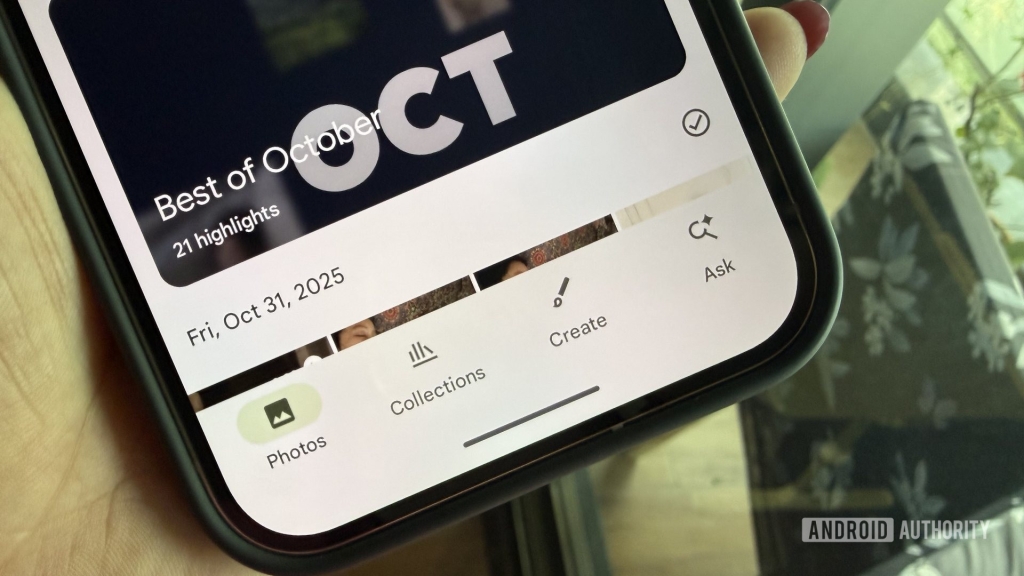
The difference is striking. With date labels enabled, the gallery view includes a date pill at the top of each day’s photos, along with a checkmark for batch selection. When the date labels are hidden, the gallery transforms into a seamless grid of photos, free from distractions.
Here’s a quick comparison:
- With Date Labels: Photos are grouped by date, with a visible date pill and checkmark for easy selection.
- Without Date Labels: A clean, uninterrupted grid of photos, perfect for those who prefer a minimalist aesthetic.
How It Works: The Nitty-Gritty Details
The toggle for this feature is currently not live, but our testing reveals how it will function once rolled out. When users opt to hide date labels, the checkmark for batch selection also disappears. However, Google hasn’t completely removed the ability to select photos by date. Instead, users can tap on a date pill that appears at the top when scrolling, allowing them to select all photos from a specific date.
This design choice ensures that users who rely on date-based organization can still access this functionality without cluttering the gallery view for those who don’t.
Why This Matters: The User Experience Angle
Google’s decision to test this feature reflects a growing trend in app design: minimalism and user customization. By giving users the option to hide date labels, Google is acknowledging that not everyone wants or needs the same level of information in their gallery view.
For photographers and content creators, this immersive mode could be a game-changer. It allows them to focus on the visual content without distractions, making it easier to curate and edit their collections. For casual users, it’s a simple way to enjoy their photos in a more aesthetically pleasing format.
The Bigger Picture: Google’s Vision for Photos
This update is part of Google’s broader strategy to enhance the Photos app with features that prioritize user experience. In recent months, Google has introduced several updates, including a playback speed option for videos and improved search functionality. The immersive mode is just the latest in a series of thoughtful additions that make Google Photos one of the most versatile and user-friendly photo management tools available.
What’s Next? The Future of Google Photos
While the date label toggle is still in testing, it’s clear that Google is committed to refining the Photos app based on user feedback. As the feature moves closer to a public release, we can expect more customization options that cater to a wide range of user preferences.
For now, users can keep an eye out for the update and prepare to enjoy a cleaner, more immersive gallery experience. Whether you’re a professional photographer or someone who just loves capturing life’s moments, this update is sure to make your Google Photos experience even better.
Tags & Viral Phrases:
- Google Photos immersive mode
- Hide date labels Google Photos
- Cleaner gallery view
- Minimalist photo gallery
- Google Photos update 2026
- Date label toggle
- Batch selection Google Photos
- Visual content focus
- User customization Google Photos
- Photography app design
- Google Photos features
- Gallery view enhancement
- Distraction-free photo browsing
- Google Photos testing
- Photo management tools
- Aesthetic photo gallery
- Google Photos v7.62.0
- Immersive photo experience
- Date pill Google Photos
- Google Photos APK teardown
,


Leave a Reply
Want to join the discussion?Feel free to contribute!