
You Can Speed Up Any Old Computer With Your Spare USB Ports
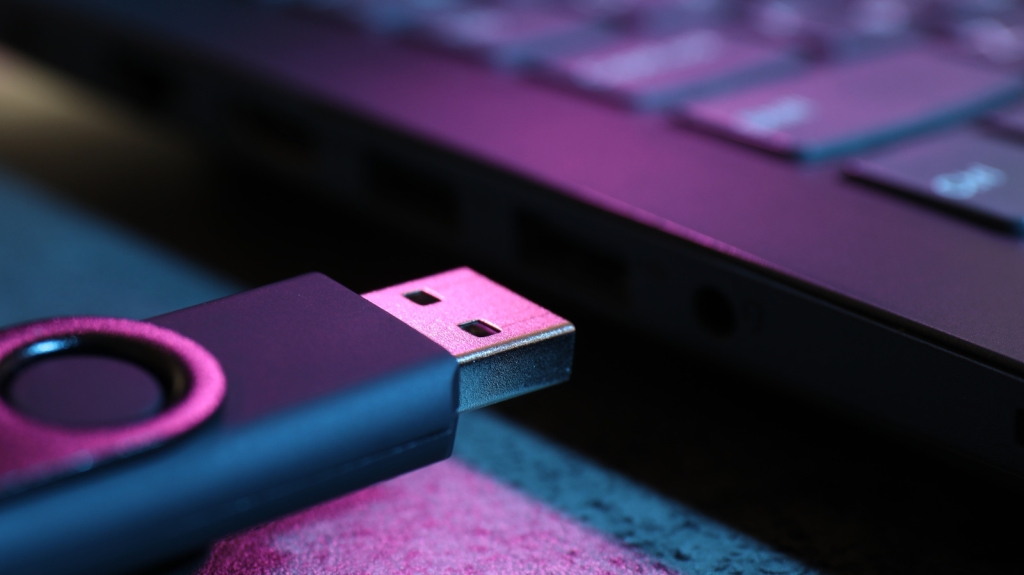
Unlock Lightning-Fast Speeds on Your Aging PC with This Simple USB Trick
If your computer is starting to feel sluggish, you’re not alone. Over time, even the most reliable Windows PCs can slow down due to software bloat, outdated hardware, and years of use. But before you consider replacing your machine or spending money on expensive upgrades, there’s a hidden Windows feature that could breathe new life into your old system—and it only requires a spare USB port.
What Is ReadyBoost and How Does It Work?
ReadyBoost is a built-in Windows feature that allows you to use a USB flash drive as a cache to supplement your computer’s RAM. Instead of loading frequently accessed files directly from your slow mechanical hard drive, Windows can pull them from the much faster USB drive, resulting in a noticeable performance boost.
It’s important to note that ReadyBoost isn’t a replacement for RAM—it’s a supplement. RAM is still significantly faster than a USB flash drive, but on older computers with limited memory (2-4GB), ReadyBoost can make a world of difference. If your system is struggling to keep up with basic tasks, this simple trick could extend its life by months or even years.
How to Set Up ReadyBoost in Minutes
Getting started with ReadyBoost is surprisingly easy. Here’s what you’ll need:
- A fast USB flash drive with at least 4GB of storage
- A free USB port on your computer
- A PC running Windows 10 or earlier (Windows 11 22H2 or older may also work)
Once you have your USB drive ready, follow these steps:
- Plug the USB drive into an available port.
- Press Windows + E to open File Explorer.
- Right-click on the flash drive and select “Properties.”
- Navigate to the “ReadyBoost” tab.
- Select “Use this device” and adjust the slider to allocate space for ReadyBoost.
- Click “Apply” and “OK” to save your settings.
Windows will automatically create a file called “ReadyBoost.sfcache” on the drive, which it will use to store frequently accessed data. For optimal performance, it’s recommended to reserve 1-3 times the amount of your installed RAM. So if your computer has 2GB of RAM, dedicating 2-6GB to ReadyBoost is ideal.
Why ReadyBoost Doesn’t Work on Modern PCs
While ReadyBoost is a game-changer for older systems, it’s not as useful on modern computers. If you’re running Windows 11, you might not even see the ReadyBoost tab in your USB drive’s properties. That’s because newer versions of Windows have phased out the feature, recognizing that it offers little to no benefit on modern hardware.
Most modern PCs come equipped with SSDs and 8-16GB of RAM, making them fast enough to handle everyday tasks and even light multitasking without any additional help. Since SSDs are already much faster than traditional hard drives, using a USB drive as a cache won’t provide a significant performance boost.
Is ReadyBoost Worth It?
If you’re working with an older computer that’s starting to show its age, ReadyBoost is absolutely worth trying. It’s a free, easy-to-implement solution that can make your system feel snappier and more responsive. However, if you’re using a modern PC with an SSD and plenty of RAM, you’re better off focusing on other optimization techniques.
Final Thoughts
ReadyBoost is a hidden gem for anyone looking to extend the life of an older computer. While it’s not a magic bullet, it can provide a noticeable performance boost on systems that are struggling to keep up. So before you shell out for a new machine, give ReadyBoost a try—you might be surprised at how much life it can bring back to your aging PC.
Tags: #ReadyBoost #WindowsTips #ComputerSpeed #USBFlashDrive #PCUpgrade #TechHacks #OldComputer #Windows10 #Windows11 #PerformanceBoost #TechTips #ComputerMaintenance #SSDvsHDD #RAMUpgrade #TechLifeHack
Viral Phrases: “Breathe new life into your old PC,” “Unlock lightning-fast speeds,” “The secret Windows feature you didn’t know about,” “Extend your computer’s life for free,” “Make your old computer feel brand new,” “The ultimate tech hack for aging systems,” “Why your USB drive is the key to faster performance,” “The hidden gem of Windows optimization,” “Say goodbye to sluggish performance,” “The easiest way to speed up your computer.”
,


Leave a Reply
Want to join the discussion?Feel free to contribute!