
I stopped using a dedicated e-reader when I found out my tablet could do this instead
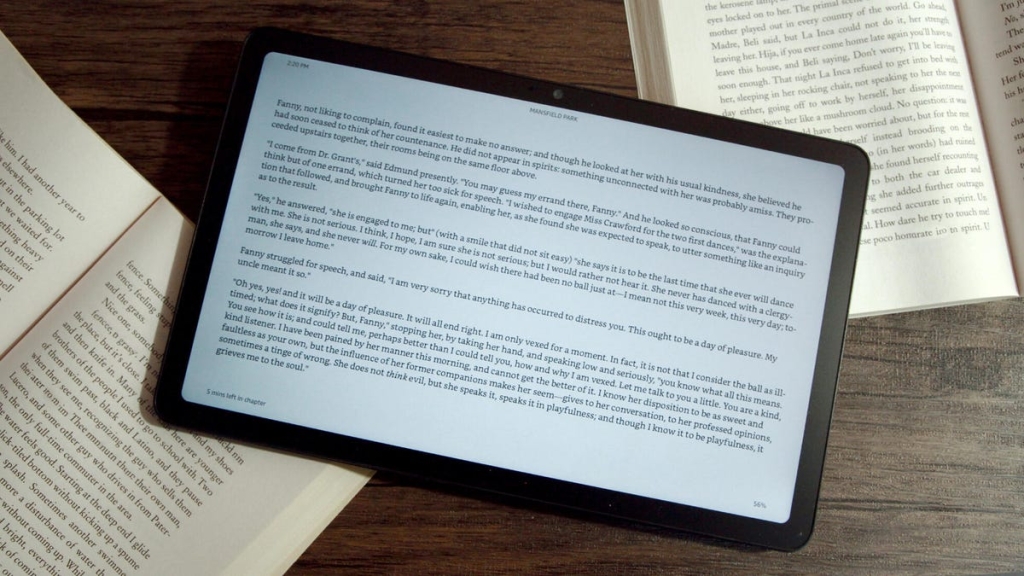
How to Turn Any Tablet into an E-Reader: A Complete Guide
At CES 2026, TCL unveiled its latest innovation in reading technology with the A1 Nxtpaper tablet, showcasing how modern tablets are blurring the lines between traditional e-readers and full-featured tablets. But you don’t need to buy a new device to get the e-reader experience—your existing tablet can be transformed into a dedicated reading machine with just a few adjustments.
Why Use a Tablet as an E-Reader?
While dedicated e-readers like the Kindle have their advantages, tablets offer compelling benefits that make them worth considering for your reading needs. Tablets typically offer more storage space, allowing you to carry thousands of books simultaneously. They also provide access to multiple reading platforms, from Kindle and Apple Books to public library apps like Libby. Plus, you can read various file formats including EPUB, MOBI, and PDF without conversion.
Step 1: Declutter Your Tablet
The first step in transforming your tablet into an e-reader is removing distractions. Go through your apps and uninstall or hide anything that might tempt you away from reading—social media, games, and entertainment apps should be the first to go. On iPads, you can create a dedicated “Reading Focus” mode that silences notifications and only allows reading-related apps. Android devices offer similar “Do Not Disturb” settings that can be customized for reading sessions.
Step 2: Install Your Reading Apps
Next, populate your tablet with reading applications. The Kindle app is essential for Amazon book lovers and Kindle Unlimited subscribers, giving you access to your entire digital library across devices. Libby connects you to your local library’s digital collection for free borrowing. Apple Books and Google Play Books provide built-in stores for purchasing new titles. Don’t forget to add news apps, RSS readers, and any personal documents or PDFs you want to access.
Step 3: Protect Your Eyes
Eye strain is the primary concern when using tablets for extended reading sessions. Unlike e-ink displays that mimic paper, tablet screens emit blue light and can cause glare. The solution? Invest in a matte screen protector, which reduces glare and creates a paper-like texture. These protectors start around $5 for a two-pack and are available for most popular tablet models.
Step 4: Optimize Display Settings
Most modern tablets include eye comfort features that can significantly improve your reading experience. Enable blue light filters to reduce harsh light emissions, switch to dark mode for nighttime reading, and adjust screen brightness to match your environment. Some tablets offer automatic eye comfort modes that adjust these settings based on ambient lighting conditions.
Step 5: Make It Comfortable to Hold
One advantage e-readers have over tablets is their lightweight, handheld design. You can replicate this experience with accessories like hand straps. While Strapsicle is famous for Kindle accessories, they’re expanding to iPad cases. Other brands like CoBak offer universal tablet hand straps that make one-handed reading comfortable, even on larger devices like the TCL Nxtpaper 11.
Additional Accessories to Enhance Your Reading Experience
To complete your tablet-to-e-reader transformation, consider these accessories:
• Tablet stands: Desk stands, lap desks, and floor stands keep your tablet at the perfect reading angle, reducing neck strain during long reading sessions.
• Distraction-blocking apps: Applications that lock you into reading mode, similar to how Brick devices work for smartphones, can help maintain focus.
• Page turner remotes: These Bluetooth devices let you turn pages without touching the screen—perfect for reading in bed or when your tablet is on a stand.
• Bluetooth page turner remotes: Devices like the PageFlip allow hands-free page turning, making reading more comfortable during extended sessions.
The TCL Nxtpaper Advantage
While this guide focuses on transforming existing tablets, it’s worth noting innovations like TCL’s Nxtpaper technology, which bridges the gap between tablets and e-readers. Nxtpaper displays offer paper-like reading experiences with reduced blue light and glare, while maintaining the versatility of a full tablet. The TCL A1 Nxtpaper tablet showcased at CES 2026 demonstrates how manufacturers are addressing the eye strain concerns that have traditionally limited tablet use for reading.
The Verdict
With the right setup, your tablet can become a powerful, versatile e-reader that surpasses dedicated devices in many ways. The combination of ample storage, multiple reading platforms, and the ability to handle various file formats makes tablets an attractive option for serious readers. By following these steps to minimize distractions, protect your eyes, and optimize comfort, you can create a reading experience that’s both enjoyable and sustainable for long-term use.
Whether you’re using an iPad, Android tablet, or a specialized device like the TCL Nxtpaper, the transformation from tablet to e-reader is within reach—and your eyes (and bookshelf) will thank you.
Tags & Viral Phrases:
- Turn tablet into e-reader
- Best tablet for reading 2026
- Reduce eye strain while reading
- Tablet vs e-reader comparison
- Kindle alternatives that work better
- How to read books on iPad comfortably
- Best screen protectors for reading
- Reading apps that block distractions
- TCL Nxtpaper review
- Make your tablet feel like paper
- Reading mode for tablets
- Best accessories for tablet reading
- How to read all day without eye fatigue
- iPad reading setup
- Android tablet reading guide
- Library apps for tablets
- Matte screen protector benefits
- Page turner remote for tablets
- Eye comfort settings for reading
- Transform any tablet into Kindle
,

Leave a Reply
Want to join the discussion?Feel free to contribute!