
This One Apple TV Setting Can Completely Fix Quiet Dialogue
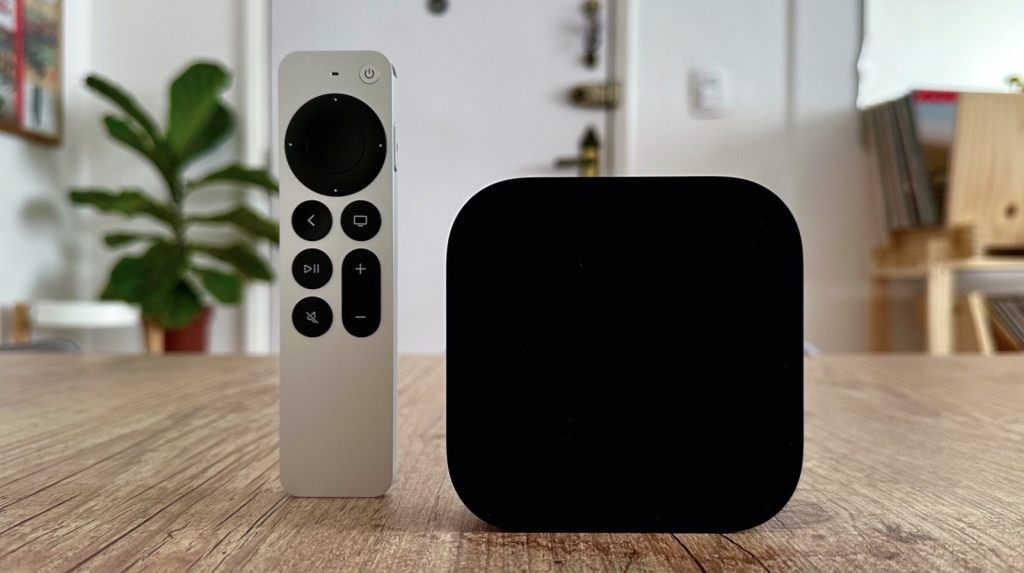
Apple TV’s Secret Weapon: The Enhance Dialogue Feature That’s Changing How We Watch
If you’ve ever found yourself straining to hear dialogue in your favorite shows or movies, you’re not alone. Apple has quietly introduced a game-changing feature that’s solving this universal frustration, and it’s hiding right in your Apple TV settings.
The Magic Behind Apple’s Enhance Dialogue
With the release of tvOS 17, Apple introduced the Enhance Dialogue feature, and it’s been nothing short of revolutionary for home entertainment. This isn’t just another audio setting—it’s a sophisticated tool that intelligently separates and amplifies dialogue from background noise, music, and sound effects.
Initially, this feature was exclusive to users with an Apple TV 4K paired with two HomePod 2 speakers, creating what Apple calls a “spatial audio experience.” But the company quickly recognized the demand and expanded compatibility. With tvOS 18, Apple extended support to include pairs of original HomePod or HomePod mini speakers, and most recently, made it available on any smart TV when using an Apple TV 4K (2nd generation or later).
Breaking Down the Compatibility Matrix
Here’s what you need to know about device compatibility:
- First-generation Apple TV 4K: Requires a combination of HomePod speakers
- Second-generation Apple TV 4K or later: Works with TV speakers, soundbars via HDMI, or Bluetooth speakers
- Smart TVs: Compatible when paired with Apple TV 4K (2nd gen+)
How to Enable This Game-Changing Feature
Getting started is surprisingly simple:
- Navigate to your Apple TV settings
- Select “Audio Options”
- Toggle on “Enhance Dialogue”
Once enabled, the setting remains active until you manually turn it off. For those who prefer more control, you can access the feature through the Now Playing menu by selecting Audio Options and choosing Enhance Dialogue.
Pro Tip: Your streaming apps need to be updated to support this feature, so make sure everything is current for the best experience.
Beyond Basic Dialogue Enhancement
Apple didn’t stop at just making voices louder. The company has integrated some clever additional features:
Fitness+ Integration: When using Apple Fitness+ on your Apple TV, you can choose between enhancing the coach’s voice or the music, depending on whether you want to focus on instructions or get lost in the rhythm during your workout.
Voice Isolation: For those who need even more precision, you can add Voice Isolation alongside Enhanced Dialogue. This is perfect for situations where you’re trying to focus on specific audio elements. Simply go to Settings → Accessibility → Enable Add Voice Isolation.
Real-World Performance
In our testing, the Enhance Dialogue feature delivers impressive results across different setups:
- With HomePod 2 pair: Exceptional clarity with rich spatial separation
- With built-in TV speakers: Surprisingly effective, though not as immersive
- With soundbars: Great balance between dialogue and ambient sound
The feature particularly shines when watching content that’s been poorly mixed or when dealing with older shows where dialogue was recorded at lower levels compared to modern productions.
The Technical Wizardry
What makes this feature so effective is Apple’s use of machine learning algorithms that can distinguish between human speech and other audio elements in real-time. The system analyzes the audio stream, identifies dialogue frequencies, and intelligently boosts them without creating an unnatural or tinny sound quality.
Why This Matters for the Future of Home Entertainment
Apple’s Enhance Dialogue feature represents a significant shift in how we think about home audio. Rather than requiring expensive audio equipment upgrades, it demonstrates how software solutions can dramatically improve the viewing experience. This approach democratizes high-quality audio, making it accessible to users regardless of their hardware setup.
The Bottom Line
Whether you’re watching the latest blockbuster, catching up on a documentary, or following along with a fitness instructor, Apple’s Enhance Dialogue feature ensures you’ll never miss a word again. It’s a testament to how thoughtful software engineering can solve everyday problems and enhance our digital experiences in meaningful ways.
Apple TV 4K, Enhance Dialogue, tvOS 17, tvOS 18, HomePod, spatial audio, dialogue enhancement, Apple Fitness+, voice isolation, streaming audio, home entertainment, Apple ecosystem, audio technology, machine learning audio, smart TV features, soundbar compatibility, Bluetooth audio, accessibility features, media consumption, entertainment technology
,

Leave a Reply
Want to join the discussion?Feel free to contribute!