
A Good Retrofit Smart Lock for Secondary Doors
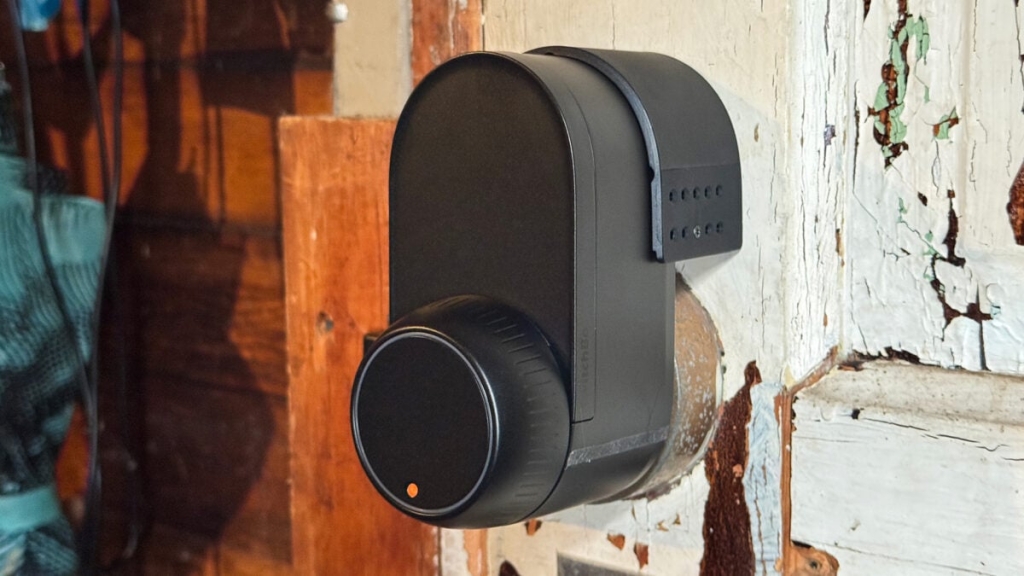
SwitchBot Lock Ultra: A Smart Lock for the Rest of Us
In a world where smart home devices are becoming increasingly complex, SwitchBot has carved out a niche with its simple yet effective solutions. The SwitchBot Lock Ultra is no exception, offering a retrofit smart lock that doesn’t require you to replace your existing hardware. This makes it an attractive option for those who want to upgrade their security without the hassle of a full lock replacement.
Design and Installation
The Lock Ultra boasts a sleek, matte black design that looks more premium than most competing devices. It uses a rechargeable battery pack that’s easily accessible by sliding the front cover up. SwitchBot claims the battery lasts about a year with 10 locks/unlocks per day, and the lock even has a backup battery to keep it running while you charge the main one.
Installation is straightforward, especially if you’re using it with a standard deadbolt. You simply swap out the indoor thumb turn and attach the Lock Ultra. For those with jimmy-proof or mortise locks, SwitchBot offers an adapter kit for an additional $20, making it a versatile solution for various lock types.
Performance and Features
The Lock Ultra shines when it comes to performance. Using the SwitchBot app, you can unlock your door with a tap, though the speed can vary depending on your Bluetooth connection. While the lock works reliably with the app, its Matter compatibility (which requires a SwitchBot Hub) is less impressive, often being slow or failing to work at all.
The app itself offers a range of customizable settings, from GPS-based auto-unlocking to setting the lock to automatically lock itself after a set time. You can even adjust the rotation speed of the knob and mute the lock’s sounds, giving you full control over its operation.
Keypad Options
For those who want additional features, SwitchBot offers modular keypad devices. The SwitchBot Keypad Vision, for example, adds fingerprint scanning and facial recognition. However, these features can be hit or miss, with facial recognition being particularly finicky. If you’re looking for reliable performance, you might be better off with the keypad’s passcode option or the cheaper Keypad Touch, which lacks facial recognition but includes a fingerprint sensor.
Cold Weather Performance
One of the standout features of the Lock Ultra is its ability to function in extreme cold. During testing in sub-zero temperatures, both the lock and the keypad continued to operate, though the keypad’s facial recognition stopped working at the lowest temperatures. This makes the Lock Ultra a solid choice for those living in colder climates.
Final Thoughts
The SwitchBot Lock Ultra is a solid smart lock that offers a lot of value, especially for those with non-standard lock types. Its modularity and ease of installation make it a versatile option, though its performance with third-party ecosystems leaves something to be desired. If you’re looking for a simple, effective way to smarten up your door without replacing your existing hardware, the Lock Ultra is worth considering.
Tags and Viral Phrases
- Smart Lock Revolution
- Retrofit Your Door
- No More Keys
- Tech Meets Security
- Cold Weather Tested
- Modular Design
- SwitchBot Lock Ultra
- Smart Home Innovation
- Easy Installation
- Bluetooth Connectivity
- Matter Compatibility
- Keypad Options
- Facial Recognition
- Fingerprint Scanning
- Backup Battery
- Sleek Design
- Affordable Smart Lock
- Garage Door Solution
- Jimmy-Proof Lock Adapter
- Mortise Lock Compatible
- Smart Home Niche
- SwitchBot Ecosystem
- Tech Review
- Home Security Upgrade
- DIY Smart Lock
- Smart Lock for Everyone
,


Leave a Reply
Want to join the discussion?Feel free to contribute!