
A Powerful To-Do App for Android That Collects Absolutely None of Your Data
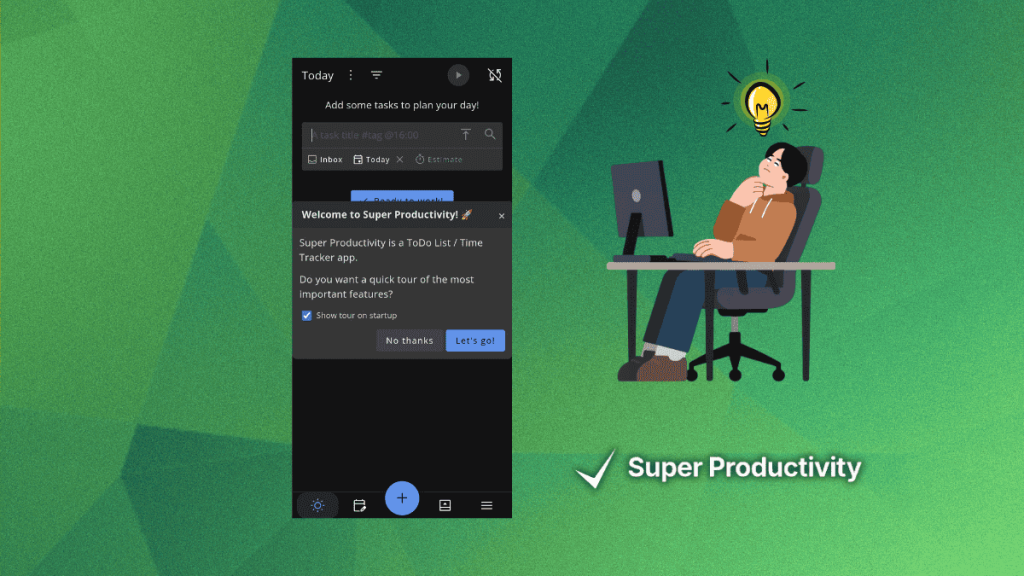
Super Productivity: The Open-Source To-Do App That Actually Works
In a world where productivity apps often come with hidden costs—be it data collection, subscription fees, or overly complex interfaces—Super Productivity emerges as a refreshing alternative. This MIT-licensed open-source to-do app is designed to adapt to your workflow, not the other way around. Available on Linux, Windows, macOS, Android, iOS, and as a web app, it’s a versatile tool for anyone looking to stay organized without compromising their privacy.
Why Super Productivity Stands Out
Unlike many mainstream productivity apps, Super Productivity doesn’t just manage tasks—it’s a full-fledged productivity system. It integrates features like time boxing, a Pomodoro timer, and break reminders to keep you focused and balanced. You can also attach notes, files, and bookmarks to projects, and track personal metrics to identify areas for improvement.
Key Features:
- Task Planning: Create tasks with sub-tasks, projects, and tags.
- Third-Party Integrations: Connect with Jira, GitHub, GitLab, Trello, Linear, ClickUp, OpenProject, Azure DevOps, and CalDAV.
- Optional Sync: Use Dropbox or WebDAV for syncing, but all data is stored locally by default.
- Privacy First: No user accounts, no registration, and no data collection.
How Does It Fare in Real Life?
I tested Super Productivity over an afternoon, and here’s what I found:
Creating Tasks Made Simple
Adding a new task is as easy as clicking the big plus button and typing in the task name. While the interface might feel a bit old-school compared to flashy, modern apps, it’s intuitive and gets the job done. You can set due dates, time estimates, and even configure notifications to remind you when it’s time to start.
Recurring Tasks? No Problem
Need a task to repeat daily, weekly, or monthly? Super Productivity has you covered. The recurring task feature is easy to set up and highly customizable, allowing you to tweak intervals, reminders, and more.
Organize Like a Pro
Tags are a breeze to create and use. You can add them to tasks during creation or from the sidebar menu. Plus, you can attach notes, images, and web URLs to tasks, keeping all relevant information in one place.
The Inbox: Your Productivity Hub
The Inbox view acts as a central dashboard for all your tasks. The sidebar menu provides quick access to Today, Inbox, Schedule, Boards, Tags, and Settings. It’s a clean, organized way to manage your workload.
Privacy and Permissions
Super Productivity is a privacy-first app. It only asks for notification permissions (on Android, at least) and doesn’t collect any user data. This makes it a great choice for anyone concerned about their digital footprint.
How to Install Super Productivity
Ready to give it a try? Here’s how to get started:
- Android: Download from F-Droid, the Play Store, or the App Store.
- iOS: Available on the App Store.
- Desktop: Binaries for Linux, Windows, and macOS are available on GitHub.
- Web App: Use it directly in your browser via the web app.
Final Thoughts
Super Productivity is more than just a to-do app—it’s a productivity powerhouse that respects your privacy and adapts to your needs. Whether you’re a student, professional, or freelancer, this app can help you stay on top of your tasks without the bloat of mainstream tools.
Tags: #SuperProductivity #OpenSource #ProductivityApp #PrivacyFirst #TaskManagement #PomodoroTimer #TimeBoxing #NoDataCollection #MITLicensed #FOSS #ItsFoss #TechNews #ProductivityHacks #StayOrganized #DigitalPrivacy #TaskTracker #FocusApp #WorkLifeBalance #EfficiencyBoost #TechInnovation
Viral Sentences:
- “Super Productivity: The open-source to-do app that actually respects your privacy!”
- “Ditch the bloat, embrace simplicity—Super Productivity is here to save the day!”
- “No accounts, no data collection, just pure productivity. Super Productivity FTW!”
- “Time boxing, Pomodoro, and zero data collection—Super Productivity is the real MVP!”
- “Why settle for less when you can have Super Productivity? Your tasks, your way!”
- “Super Productivity: Because your data shouldn’t cost you your peace of mind.”
- “From Linux to iOS, Super Productivity is the ultimate cross-platform productivity tool!”
- “Say goodbye to subscription fees and hello to Super Productivity—open-source and free!”
- “Super Productivity: The app that works for you, not the other way around.”
- “Privacy, productivity, and power—Super Productivity has it all!”
,


Leave a Reply
Want to join the discussion?Feel free to contribute!