
Android getting new ‘local file backup’ feature via Google Drive
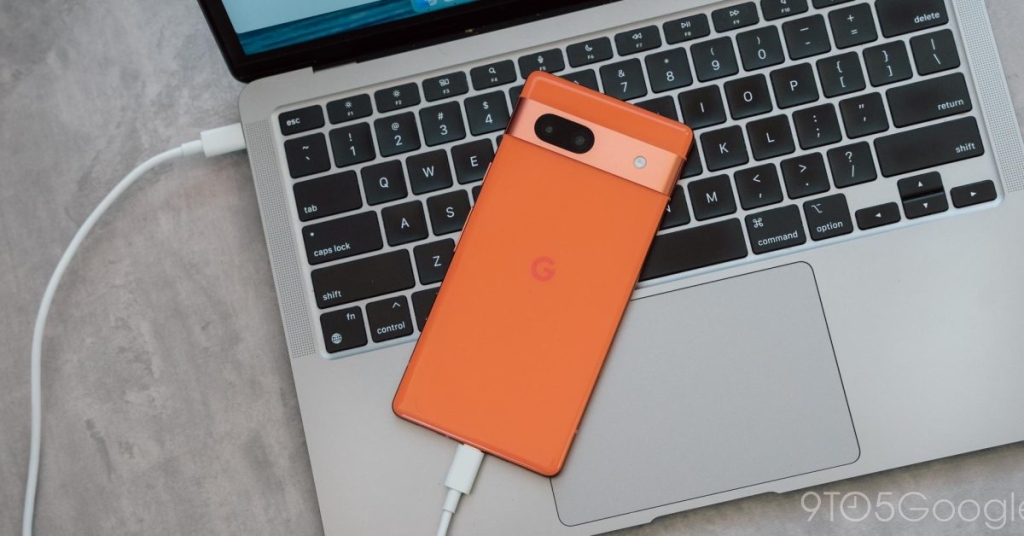
Android Phones to Get Automatic Local File Backup to Google Drive
In a move that’s set to revolutionize how Android users manage their downloaded documents, Google is rolling out a new local file backup feature that will automatically save your important files to Google Drive. This development, revealed in the latest release notes for Google Play services, promises to address a common pain point for millions of smartphone users worldwide.
The New Feature: What We Know So Far
According to the official release notes, Android phones will soon receive a “new local file backup feature” that allows users to automatically save their downloaded documents to Google Drive. This ensures that important files are not only safe but also accessible from any device connected to your Google account.
The feature is categorized under “Utilities” in Google Play services version 26.06, though, as with most Google feature rollouts, it may take some time before it becomes widely available to all users.
How It Differs from Existing Android Backup
It’s important to note that this new local file backup feature is distinct from Android’s existing backup system. The current Android backup functionality uses Google Drive storage for apps and app data, call history, contacts, device settings, and SMS/MMS messages. This new feature specifically targets the “Download” folder on your Android device, focusing on the documents you’ve manually downloaded and saved.
Potential Implementation Scenarios
While exact implementation details haven’t been disclosed, we can speculate on a couple of possible approaches:
-
Device-Specific Folders: The simplest implementation would involve uploading every file in the “Download” folder to a new, device-specific folder in Google Drive. This folder would be accessible through drive.google.com or the Google Drive mobile apps, allowing users to view and manage their backed-up documents across devices.
-
Synced Download Folders: A more sophisticated approach might involve keeping a single, synced “Download” folder across all of a user’s Android devices. This would ensure that any document downloaded on one device would be immediately available on all other connected devices.
Regardless of the implementation, this feature will be available for both Android phones and tablets, ensuring a consistent experience across different device types.
Why This Feature Matters
The introduction of automatic local file backup addresses a significant gap in Android’s ecosystem. Many users rely on their smartphones as their primary computing device, downloading important documents like PDFs, presentations, and spreadsheets directly to their phones. However, these files often remain isolated on a single device, creating a single point of failure.
Consider the following scenarios:
- Accidental Deletion: Without a backup, accidentally deleting an important document from your Downloads folder could mean losing it forever.
- Device Failure: If your phone crashes or becomes unusable, any documents stored only on that device could be lost.
- Cross-Device Access: Users who work across multiple devices often find themselves unable to access documents downloaded on their phone when using a tablet or computer.
By automatically backing up these files to Google Drive, Android is essentially creating a safety net for users’ most important documents, ensuring they’re protected against device-specific issues and accessible from anywhere.
The Broader Context: Digital Document Management
This feature comes at a time when digital document management is becoming increasingly crucial. With the rise of remote work and mobile computing, people are relying more than ever on their smartphones to handle important tasks that previously required a desktop computer.
While services like Google Photos have made it easy to automatically back up images and videos, document management has lagged behind. Users often resort to manual uploads or third-party apps to ensure their important PDFs and other documents are backed up. This new feature from Google aims to streamline that process, making document backup as seamless as photo backup has become.
Potential Impact on User Behavior
The introduction of automatic local file backup could significantly change how users interact with their downloaded documents:
-
Increased Trust in Mobile Devices: Knowing that important documents are automatically backed up may encourage users to rely more heavily on their smartphones for work-related tasks.
-
Reduced Reliance on Email: Users might be less likely to email documents to themselves as a backup method, instead trusting the automatic backup system.
-
Improved Document Organization: With files automatically uploaded to Google Drive, users might become more inclined to organize their documents using Drive’s folder structure and search capabilities.
-
Cross-Platform Synergy: This feature could strengthen the integration between Android devices and other platforms where Google Drive is accessible, such as desktop computers and Chromebooks.
Looking Ahead: The Future of Mobile Document Management
As we look to the future, this feature could be just the beginning of more advanced document management capabilities on Android. Potential developments might include:
- Smart Categorization: AI-powered sorting of documents into relevant folders based on content.
- Enhanced Search: Improved search capabilities within the Downloads folder, leveraging Google’s search technology.
- Collaboration Features: Built-in sharing and collaboration tools for documents backed up to Drive.
- Version Control: Automatic versioning of documents to track changes over time.
Conclusion
Google’s new local file backup feature represents a significant step forward in mobile document management. By automatically securing users’ downloaded documents in Google Drive, it addresses a critical need in the Android ecosystem and potentially changes how millions of users interact with their important files.
As the rollout progresses, it will be interesting to see how users adopt this feature and what additional capabilities Google might introduce to further enhance the document management experience on Android devices.
Tags and Viral Phrases:
- Android file backup
- Google Drive integration
- Automatic document backup
- Mobile document management
- Android ecosystem enhancement
- Digital file security
- Cross-device file access
- Google Play services update
- Smartphone productivity boost
- Cloud storage revolution
- File backup technology
- Android vs iOS document management
- Google’s mobile strategy
- Digital workflow optimization
- Smartphone as primary device
- Cloud-first approach
- Document accessibility
- Mobile computing evolution
- Google ecosystem integration
- User experience improvement
- Data protection on mobile
- File management innovation
- Android utility features
- Google Drive capabilities
- Mobile productivity tools
- Cloud backup solutions
- Smartphone document handling
- Digital organization
- File synchronization technology
- Mobile-first document strategy
- Google’s AI in file management
- Cross-platform file access
- Mobile document security
- Android user experience
- Cloud storage trends
- Mobile file organization
- Document backup automation
- Smartphone workflow enhancement
- Google ecosystem advantages
- Mobile computing future
- File management evolution
- Android device optimization
- Cloud integration benefits
- Mobile productivity revolution
- Document accessibility solutions
- Smartphone as workstation
- File backup best practices
- Mobile document handling
- Cloud storage innovation
- Android feature updates
,


Leave a Reply
Want to join the discussion?Feel free to contribute!