
Calibre 9.5 E-Book Manager Released With Reading Progress Column
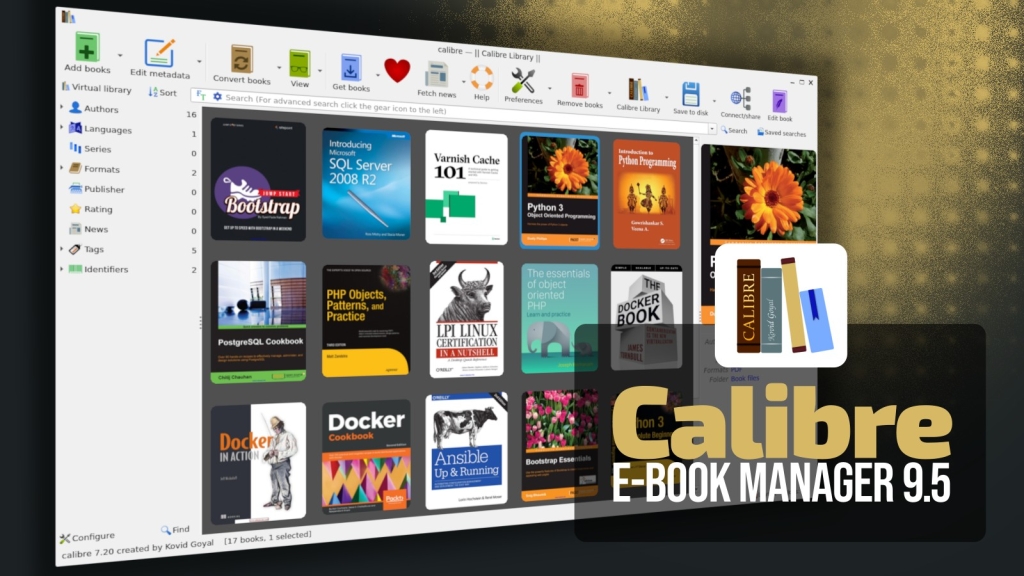
Calibre 9.5 Drops with Game-Changing Reading Progress Tracker
E-book enthusiasts, rejoice! The open-source powerhouse Calibre has just unleashed version 9.5, and it’s packing some serious upgrades that will revolutionize how you manage and track your digital library. This fifth maintenance release in the 9.x series brings a highly requested feature that users have been clamoring for: a customizable reading progress column that transforms your library management experience.
The Reading Progress Revolution
Let’s cut to the chase—the star of the show is undoubtedly the new custom column for reading progress. For years, Calibre users have been manually tracking their reading habits through spreadsheets or third-party apps, but those dark days are finally over. This native integration pulls data directly from Calibre’s built-in e-book viewer, creating a seamless experience that keeps everything under one roof.
Setting up this game-changing feature is refreshingly straightforward. Navigate to Preferences, select “Add your own columns,” hit that plus button, and choose “Read progress.” That’s it—you’re now tracking your reading journey with military precision. Whether you’re a casual reader juggling a few books or a hardcore bibliophile managing hundreds of titles, this feature puts your reading statistics front and center where they belong.
The beauty of this system lies in its integration. No more switching between apps or manually updating progress bars. Your reading data flows automatically from the viewer to your library interface, creating a unified ecosystem that just works. It’s the kind of thoughtful design that makes you wonder how you ever lived without it.
E-Book Viewer Gets a Major Facelift
But wait, there’s more! The e-book viewer itself has received some serious TLC in this update. One of the most practical additions is the ability to display page numbers from a paper book’s page list when available. This seemingly small feature bridges the gap between digital and physical reading experiences, making it easier to reference specific passages or participate in book club discussions without the mental gymnastics of converting digital locations to physical pages.
The viewer also maintains the last page number in the book, providing context that many readers have been missing. It’s these little touches that demonstrate Calibre’s commitment to user experience—they’re not just adding flashy features, they’re solving real problems that readers face every day.
Take Control of Your Reading Data
Ever felt overwhelmed by your reading statistics? Calibre 9.5 introduces a reset button in the reading statistics panel, giving you the power to wipe the slate clean whenever you want. Whether you’re starting a new reading challenge, switching genres, or just need a fresh start, this feature puts you in complete control of your reading data.
This level of customization extends throughout the entire application. Calibre has always been about giving users options, and version 9.5 doubles down on that philosophy. From the reading progress column to the resettable statistics, every feature is designed with user agency in mind.
Annotation Organization Gets a Superpower
If you’re the type who highlights and annotates extensively, prepare to have your mind blown. The annotations browser now includes filtering by highlight style, transforming what was once a chaotic mess of notes into an organized treasure trove of insights. This is particularly game-changing for students, researchers, and anyone who uses e-books for serious study or work.
Imagine being able to instantly filter all your yellow highlights, or separate your notes from your underlines. In large collections with extensive annotations, this feature alone could save you hours of scrolling and searching. It’s the kind of productivity boost that makes you wonder how you ever managed without it.
Clean Up Your E-Books Like a Pro
The “Edit Book” feature has gained a new tool that’s sure to become a favorite among power users: the ability to remove unused images from e-books. This works similarly to the existing tool for unused CSS, allowing you to trim the fat from your e-books and potentially reduce file sizes significantly.
For those who collect e-books from various sources, this feature is a godsend. Many e-books come bloated with unnecessary images, decorative elements, or remnants from the conversion process. Now you can surgically remove these extras, creating cleaner, more efficient files that are easier to manage and transfer.
Bug Fixes and Stability Improvements
Behind the flashy new features, Calibre 9.5 brings a host of bug fixes and stability improvements that might not be as exciting but are equally important. The update ensures that icons overridden from the configuration directory switch correctly between dark and light variants when the interface theme changes—a fix that might seem minor but prevents those jarring visual glitches that can ruin the user experience.
Focus management has also been improved, with the editor now properly restoring focus after displaying a search count popup. These are the kinds of refinements that separate amateur software from professional-grade applications. Calibre continues to prove why it’s the gold standard in e-book management.
Format Support and News Sources
The update addresses several e-book format issues, including a fix for KEPUB markup removal when empty Kobo spans are present. These technical improvements might not be headline-grabbing, but they ensure that Calibre continues to handle the ever-evolving landscape of e-book formats with grace and reliability.
News enthusiasts will be pleased to know that Calibre 9.5 adds a new news source: Truthout by PaulB223. The update also improves support for the Naked Capitalism source, expanding your options for staying informed through your e-book management software.
Cross-Platform Availability
The best news? Calibre 9.5 is available right now for Windows, macOS, and Linux users. The development team has maintained their commitment to cross-platform compatibility, ensuring that no matter what operating system you prefer, you’ll have access to the latest and greatest features.
This universal availability is crucial for Calibre’s user base, which spans casual readers, students, professionals, and e-book enthusiasts across all platforms. The fact that you can manage your library identically whether you’re on a Windows desktop, a Mac laptop, or a Linux workstation is a testament to Calibre’s engineering excellence.
Why This Update Matters
In an era where e-book management often feels fragmented across multiple apps and services, Calibre 9.5 represents a consolidation of power. The reading progress feature alone could eliminate the need for separate reading tracking apps for many users. Combined with the improved viewer, enhanced annotation tools, and the robust editing capabilities, this update positions Calibre as not just an e-book manager, but a complete reading ecosystem.
The open-source nature of Calibre means these improvements come without subscription fees, vendor lock-in, or privacy concerns. It’s software that respects your data and your choices, developed by a community that genuinely cares about the reading experience.
The Future of E-Book Management
With version 9.5, Calibre continues to evolve and adapt to user needs while maintaining the stability and reliability that have made it the go-to solution for millions of readers worldwide. The reading progress feature feels like a natural evolution rather than a gimmick, addressing a real need that users have been expressing for years.
As e-books continue to grow in popularity and importance, tools like Calibre become increasingly vital. Whether you’re a student managing textbooks, a professional organizing research materials, or a casual reader curating a personal library, Calibre 9.5 offers the features and flexibility you need to take control of your digital reading life.
The update is available for download now, and given the significance of these new features, upgrading is practically mandatory for anyone serious about e-book management. Don’t miss out on the reading progress revolution—your future self will thank you.
Tags: Calibre, e-book management, reading progress, open source, e-book viewer, annotations, cross-platform, Linux, Windows, macOS
Viral Phrases: Game-changing update, reading progress revolution, track your reading journey, seamless integration, productivity boost, open-source powerhouse, complete reading ecosystem, e-book management excellence, universal availability, user agency, thoughtful design, professional-grade applications, community-driven development, digital reading life, e-book enthusiasts rejoice, software that respects your data
Viral Sentences: “Calibre 9.5 transforms how you manage and track your digital library forever.” “The reading progress feature alone could eliminate the need for separate reading tracking apps.” “These are the kinds of refinements that separate amateur software from professional-grade applications.” “Calibre continues to prove why it’s the gold standard in e-book management.” “The open-source nature of Calibre means these improvements come without subscription fees or vendor lock-in.” “This update positions Calibre as not just an e-book manager, but a complete reading ecosystem.” “Whether you’re a student managing textbooks or a casual reader curating a personal library, Calibre 9.5 offers the features and flexibility you need.” “Don’t miss out on the reading progress revolution—your future self will thank you.”
,


Leave a Reply
Want to join the discussion?Feel free to contribute!