
Ditching ChatGPT for Claude? How to easily transfer your memories and preferences
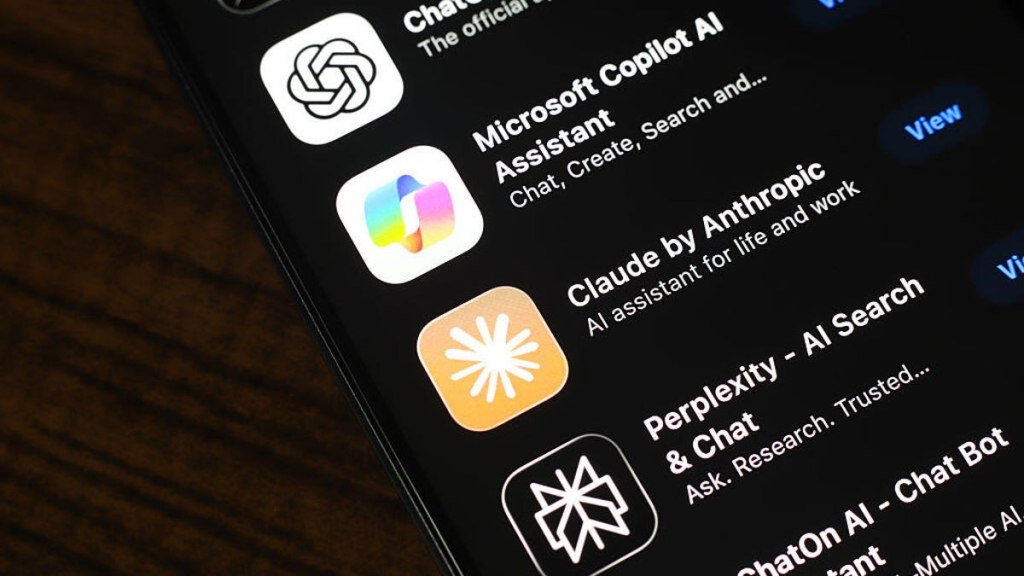
Anthropic’s Claude AI Revolutionizes Memory Migration with One-Click Import Tool
In a groundbreaking move that’s sending shockwaves through the AI industry, Anthropic has unveiled a game-changing feature for its Claude AI platform: the ability to seamlessly import memories from competing AI services with just a few clicks. This bold innovation comes at a pivotal moment when ChatGPT faces mounting pressure from the viral #QuitGPT campaign, and Claude is rapidly climbing the ranks to become the #1 free app on Apple’s App Store.
The Memory Migration Revolution
Let’s face it—building a comprehensive memory profile with any AI assistant is a time-consuming process. You spend weeks, sometimes months, feeding the AI details about your professional background, personal interests, communication preferences, and project workflows. Now imagine being able to transfer all that hard-earned context to a new platform instantly. That’s exactly what Anthropic has achieved.
The new memory import feature allows users to transfer their entire AI relationship history from ChatGPT, Google Gemini, Microsoft Copilot, or any other conversational AI directly into Claude. Think of it as moving houses but having all your furniture, decor, and personal touches magically appear in your new home exactly as they were.
Why This Changes Everything
This isn’t just a convenient feature—it’s a strategic masterstroke that addresses one of the biggest pain points in AI adoption. Users often hesitate to switch platforms because they don’t want to “start over” with their AI assistant. Claude has effectively eliminated that barrier, making the switching cost virtually zero.
The timing is impeccable. With the #QuitGPT movement gaining momentum and users increasingly concerned about OpenAI’s direction, Claude is positioning itself as the ethical, user-friendly alternative that respects your time and investment in building AI relationships.
How It Works: Simpler Than You Think
The import process is remarkably straightforward, designed with user experience as the top priority:
-
Access the Import Tool: Navigate to Claude’s dedicated memory import page at claude.com/import-memory, or access it through Settings > Privacy > Memory preferences if you’re already using Claude.
-
Generate Instructions: Claude automatically creates customized instructions for extracting your memories from your current AI service. No technical knowledge required.
-
Copy and Paste: Simply copy these instructions and paste them into your existing AI conversation. The instructions are carefully crafted to prompt the AI to export all stored memories in a structured format.
-
Review and Transfer: You receive a comprehensive list of all memories, which you can review, edit, or approve before importing them into Claude.
-
Instant Integration: Within seconds, Claude assimilates your memories and can immediately reference your background, preferences, and ongoing projects.
The Technical Magic Behind the Scenes
The instructions generated by Claude are remarkably sophisticated. They prompt the source AI to provide a complete export including:
- Personal details (name, location, profession, family information)
- Communication preferences and stylistic instructions
- Professional tools, languages, and frameworks you use
- Projects, goals, and recurring conversation topics
- Tone and format preferences for responses
The entire process uses a simple text-based transfer protocol—no APIs, no complex integrations, just plain text that any AI can understand and process. It’s elegant in its simplicity and universally compatible.
Privacy and Control: You’re in Charge
Anthropic has built robust privacy controls into the system. You maintain complete control over what gets transferred—you can review and edit the exported memories before importing them. Once in Claude, you can easily delete specific memories or clear all stored information with a single click.
The “Generate memory from chat history” option gives you granular control over how Claude builds its understanding of you over time. You can turn this off entirely if you prefer Claude to only reference explicitly shared information.
The Strategic Implications
This move represents a fundamental shift in how AI platforms compete. Rather than locking users in with proprietary formats and making migration difficult, Claude is betting that superior user experience and ethical practices will win in the long run.
It’s a direct challenge to the industry’s status quo. By making it trivially easy to leave competitors, Anthropic is essentially saying, “Our product is so good, you won’t want to leave once you try it.” This confidence is backed by Claude’s rapidly growing user base and its reputation for more nuanced, context-aware conversations.
Real-World Impact
For professionals who rely on AI assistants for daily work, this feature is transformative. A software developer can transfer years of project context, coding preferences, and technical knowledge. A writer can move their entire creative process, including style guidelines and ongoing projects. A business professional can transfer client relationships, industry knowledge, and communication preferences.
The cumulative time saved is substantial—potentially hundreds of hours that would otherwise be spent rebuilding relationships with a new AI assistant.
The Future of AI Interoperability
This development hints at a future where AI platforms might become more interoperable, with standardized formats for memory and context transfer. It challenges the industry to prioritize user needs over platform lock-in strategies.
Anthropic’s approach could pressure other AI companies to develop similar import tools or risk appearing anti-user. We might see an arms race not for proprietary features, but for the most seamless user experience and ethical practices.
Getting Started Today
Ready to experience the future of AI migration? Here’s your action plan:
- Visit claude.com/import-memory or access it through Claude’s settings
- Follow the simple step-by-step instructions
- Transfer your memories from your current AI
- Experience Claude’s superior capabilities with all your context intact
Whether you’re actively looking to switch from another AI or simply curious about Claude’s capabilities, this tool makes exploration risk-free and commitment-free.
The Bottom Line
Anthropic’s memory import feature isn’t just a convenient tool—it’s a statement about the future of AI development. It prioritizes user agency, respects the time users invest in building AI relationships, and challenges the industry to be more user-centric.
In a world where AI assistants are becoming increasingly central to our work and creative processes, the ability to move freely between platforms while maintaining continuity is not just nice to have—it’s essential. Claude has just raised the bar for what users should expect from their AI platforms.
The question now isn’t whether other AI companies will follow suit, but how quickly they’ll adapt to this new paradigm of user empowerment and seamless interoperability.
Tags: Claude AI, memory import, AI migration, ChatGPT alternative, QuitGPT, Anthropic, AI interoperability, memory transfer, AI switching, Claude features, AI competition, ethical AI, user empowerment, AI privacy, memory management
Viral Phrases: “game-changing feature,” “strategic masterstroke,” “one-click import,” “zero switching cost,” “AI relationship migration,” “memory revolution,” “user empowerment,” “ethical AI practices,” “seamless interoperability,” “industry paradigm shift,” “user-centric AI,” “AI lock-in elimination,” “future of AI,” “competitive advantage,” “user agency,” “AI freedom,” “platform agnostic,” “memory continuity,” “AI relationship preservation,” “ethical competition,” “user-first approach”
,
Leave a Reply
Want to join the discussion?Feel free to contribute!