
Find Hub for Android removes biometric login
Google’s Find Hub Ditches Biometric Login—And the Internet Has Thoughts
In a move that’s already sending ripples through the Android community, Google has quietly removed the biometric authentication requirement from its Find Hub app (formerly known as Find My Device). The change, which rolled out server-side in the past few hours, means users no longer need to scan their fingerprint or enter a PIN to access the Devices or People lists within the app.
This shift marks a significant departure from the security measure introduced in October 2024, which required biometric login to open the app. The latest Play Store update, dated February 2025, appears to be the vehicle for this change, though it’s worth noting that the update’s changelog doesn’t explicitly mention the removal of biometric authentication.
Why the Change?
For many users, the biometric login requirement was more of an annoyance than a security boon. Imagine this: you’re actively using Find Hub to navigate to a friend’s location, and every time you switch back to the app, you’re greeted with a fingerprint prompt. It’s a minor inconvenience, but one that can add up over time, especially for those who rely on the app frequently.
Google’s decision to remove this step could be seen as a nod to user experience, prioritizing convenience over an extra layer of security. However, it’s not without its critics. Some argue that location tracking is sensitive information, and removing biometric authentication could potentially expose users to privacy risks.
How Does This Compare to Other Platforms?
Interestingly, Google’s move aligns with how other platforms handle location sharing. For instance, Google Maps doesn’t require additional confirmation to access location sharing features, and Apple’s Find My app on iOS also opens immediately without biometric authentication. This suggests that Google’s decision might be part of a broader industry trend toward streamlining user experiences.
That said, some users might still prefer the option to enable biometric login for added peace of mind. Features like Google Authenticator’s “Privacy screen” offer a middle ground, allowing users to choose their preferred level of security.
Other Updates in the Pipeline
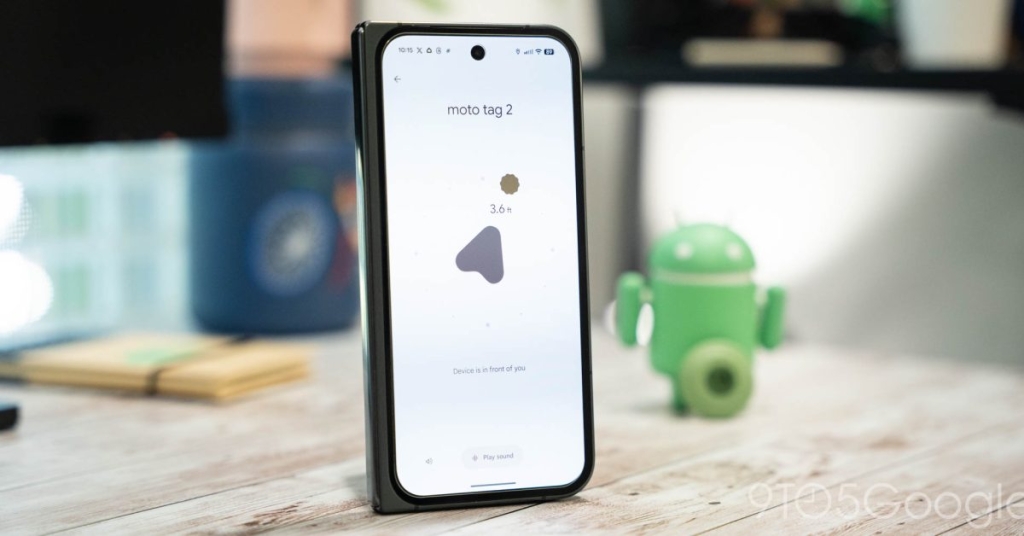
In addition to the biometric login change, Google has quietly addressed another issue in the latest Play Store update. The “What’s new” section now includes a note stating, “We’ve resolved an issue where Precision Finding wasn’t working correctly on certain Android devices.” This fix is likely to be welcomed by users who rely on Precision Finding to locate their devices with pinpoint accuracy.
The Bigger Picture
Google’s decision to remove biometric authentication from Find Hub is part of a broader conversation about the balance between security and convenience in the digital age. As technology continues to evolve, companies are constantly reevaluating their approaches to user privacy and data protection.
For now, it seems Google is betting on the idea that most users value seamless access to their devices over an extra layer of security. Whether this gamble pays off remains to be seen, but one thing is clear: the tech world will be watching closely to see how this change impacts user behavior and perceptions of privacy.
Tags & Viral Phrases:
- Google Find Hub
- Biometric login removed
- Android location tracking
- Privacy vs. convenience
- Find My Device update
- Google Maps location sharing
- Apple Find My comparison
- Precision Finding fix
- Server-side rollout
- User experience overhaul
- Tech security trends
- Digital privacy debate
- Seamless access
- Location sharing features
- Industry-wide changes
- User behavior insights
- Data protection evolution
- Convenience over security
- Tech community reactions
- Google’s latest move
,


Leave a Reply
Want to join the discussion?Feel free to contribute!