
Galaxy S26’s Gallery app lets you find exact moments in videos
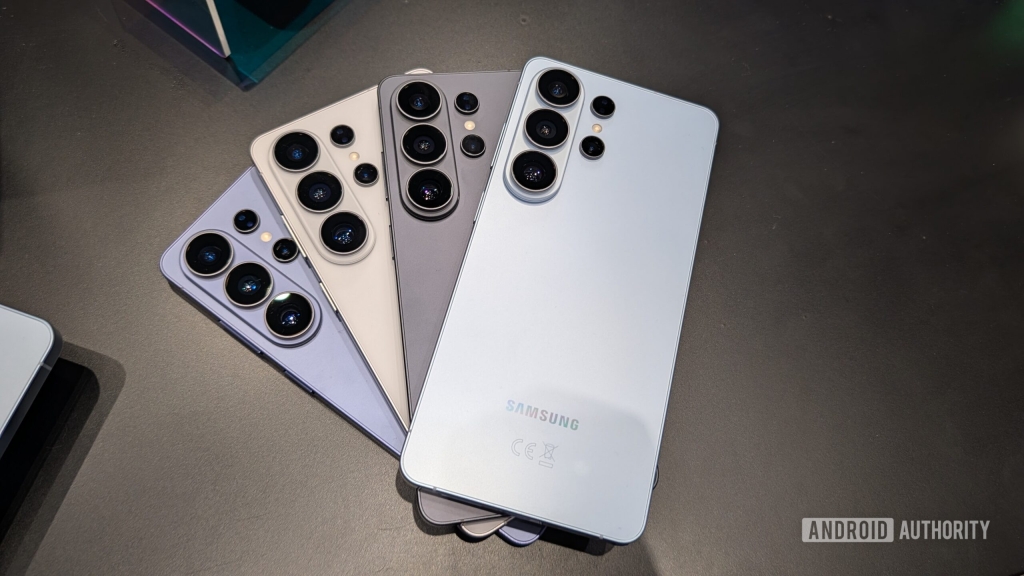
Samsung just dropped the Galaxy S26, and it’s not just another smartphone—it’s a pocket-sized AI powerhouse. With the S26, Samsung is doubling down on artificial intelligence, integrating it into nearly every aspect of the device. From the system-wide Finder to advanced photo and video editing tools, the S26 is designed to make your life easier, faster, and more intuitive. But one feature stands out from the rest: Gallery Search.
Gallery Search is a game-changer for anyone who’s ever struggled to find a specific photo or video in their gallery. Instead of scrolling endlessly or relying on vague file names, you can now search using natural language. Want to find that picture of your dog at the beach? Just type “dog at the beach,” and Gallery Search will do the rest. But here’s where it gets even cooler: the feature doesn’t just search for photos—it also scans through your videos.
That’s right, Samsung’s Gallery Search can analyze every frame of your videos to find the exact moment you’re looking for. Whether it’s a clip of your kid scoring a goal or a sunset you captured on vacation, the AI-powered search will pinpoint the timestamp and show you the results in real-time as you type. It’s like having a personal assistant for your media library.
The feature is powered by Samsung’s Galaxy AI, which uses advanced machine learning to understand context and nuances. For example, searching for “tiger” might show you all the tiger-related content in your gallery, but searching for “running tiger” will narrow it down to videos or photos where the tiger is actually in motion. This level of precision is unprecedented in smartphone search capabilities.
Gallery Search is part of Samsung’s broader push to make AI a central part of the user experience. With the Galaxy S26, Samsung is betting big on AI to differentiate itself from competitors like Apple and Google. And while some of these features might seem like gimmicks at first, Gallery Search proves that AI can genuinely enhance everyday tasks.
One of the most impressive aspects of Gallery Search is its real-time updating. As you type your search query, the results update instantly, making it feel like the phone is reading your mind. This seamless integration of AI into the user interface is a testament to Samsung’s commitment to innovation.
But what about older devices? Will Galaxy S26 users be the only ones to enjoy this feature? Samsung hasn’t confirmed whether Gallery Search will roll out to older models when they receive the One UI 8.5 update, but there’s hope. Given how useful this feature is, it would be a shame to limit it to just the S26 series.
The Galaxy S26 series itself is a marvel of modern technology. The Ultra model, in particular, is a beast, featuring a 6.9-inch 10-bit display, the Snapdragon 8 Elite Gen 5 for Galaxy chipset, and a 200MP main camera. It’s Samsung’s slimmest and lightest Ultra yet, but don’t let its sleek design fool you—it’s packed with power. The S26 Plus and S26 models offer similar performance and AI features in more compact and affordable packages, making the S26 series accessible to a wide range of users.
Samsung’s focus on AI isn’t just about adding flashy features—it’s about creating a more intuitive and personalized experience. With Gallery Search, Samsung is showing that AI can be more than just a buzzword. It can be a tool that makes our lives easier, one search at a time.
So, whether you’re a professional photographer, a casual snapper, or just someone who’s tired of losing track of their media, the Galaxy S26’s Gallery Search is a feature worth getting excited about. It’s not just a step forward for Samsung—it’s a leap forward for smartphone technology as a whole.
And as Samsung continues to push the boundaries of what’s possible with AI, one thing is clear: the future of smartphones is here, and it’s smarter than ever.
#GalaxyS26 #Samsung #AI #GallerySearch #TechInnovation #SmartphoneTech #AIpowered #FutureOfTech #SamsungUnpacked #TechNews #ViralTech #GameChanger #SmartSearch #TechTrends #CuttingEdgeTech,

Leave a Reply
Want to join the discussion?Feel free to contribute!