
‘Gemini in Chrome’ now available to Chromebook Plus laptops
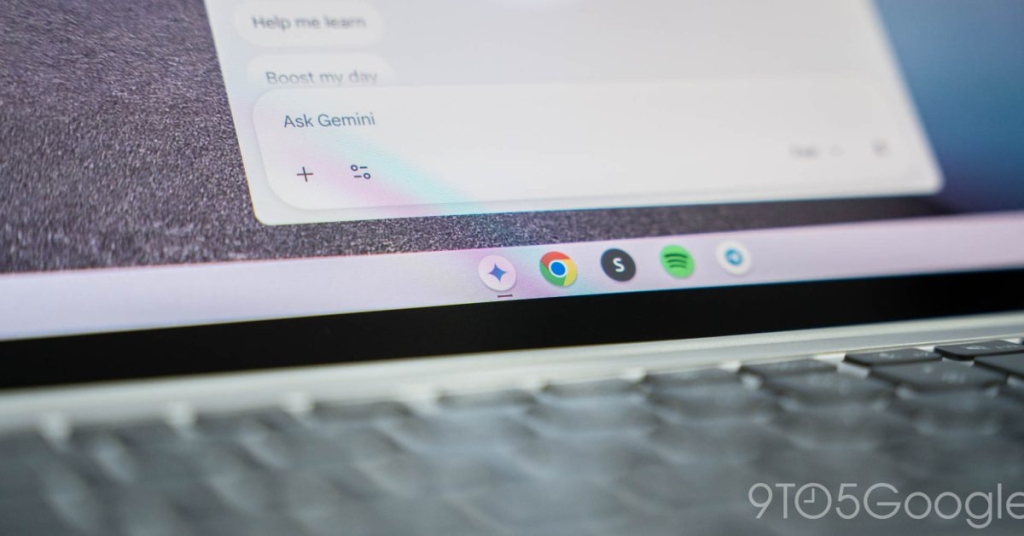
Google Finally Brings Gemini AI to Chromebook Plus—But Only for US Users
In a move that’s equal parts exciting and slightly frustrating, Google has officially rolled out its Gemini AI integration to Chromebook Plus devices—but with a catch that’s leaving some users scratching their heads.
The Long-Awaited Integration
After months of desktop exclusivity, Google’s powerful Gemini AI is finally making its way to ChromeOS. The tech giant confirmed this week that Chromebook Plus owners in the United States can now access the AI-powered sidebar that’s been available to Windows and macOS users since last year.
For those unfamiliar, Gemini in Chrome acts as a digital assistant that lives in your browser’s sidebar, capable of summarizing articles, generating content, answering questions based on your open tabs, and even engaging in voice conversations through Gemini Live. It’s essentially bringing ChatGPT-like functionality directly into your browsing experience.
The Chromebook Plus Restriction
Here’s where things get interesting—and perhaps a bit controversial. The feature is launching exclusively on Chromebook Plus models, Google’s premium tier of ChromeOS devices. This isn’t entirely surprising given that Chromebook Plus has positioned itself as Google’s AI-first computing platform, offering features like Magic Editor in Google Photos, AI-powered wallpaper generation, and enhanced video conferencing tools.
But for owners of standard Chromebooks—which make up the vast majority of ChromeOS devices worldwide—this news comes with a healthy dose of FOMO. While Google hasn’t explicitly ruled out bringing Gemini to all Chromebooks in the future, there’s been no indication of when or if that might happen.
What Gemini in Chrome Actually Does
The AI integration offers three core capabilities that Google believes will transform how users interact with their browser:
Get Answers and Insights: Gemini can analyze the content of your open tabs to provide summaries, explain complex topics, or find specific information without you having to jump between multiple sources. Reading a lengthy research paper? Ask Gemini to break it down into digestible chunks.
Generate Content: Need to draft an email response or craft a social media post? Gemini can help generate text directly within your browser. It can even create images on the fly, making it a versatile creative tool.
Go Live with Voice: Perhaps the most impressive feature is Gemini Live, which enables two-way voice conversations. Whether you’re brainstorming ideas for a project or rehearsing for an upcoming presentation, you can literally talk to your browser.
The Rollout Details
Google announced that the rollout began on January 28, but don’t panic if you don’t see the feature immediately—the company warns that the “extended rollout” could take a couple of weeks to reach all eligible devices.
For business and education users, there’s an important caveat: the feature is enabled by default, and Workspace administrators will need to manually disable it if they prefer their users don’t have access to AI tools. This suggests Google sees significant productivity potential in the integration, even in professional settings.
The Geographic Limitation
Adding another layer of limitation, Gemini in Chrome for Chromebooks is currently only available to users in the United States. This mirrors the broader rollout strategy for Gemini in Chrome, which has seen staggered international releases.
For Chromebook Plus owners outside the US, this means watching enviously as American users get first dibs on what could be a genuinely useful productivity tool.
Why This Matters
Google’s decision to bring Gemini to Chromebook Plus first is strategic on multiple levels. It reinforces the premium positioning of the Chromebook Plus brand while giving Google a controlled environment to test AI integration on its own hardware and operating system.
The move also highlights the growing importance of AI as a differentiator in the increasingly competitive laptop market. As Microsoft pushes Copilot+ PCs and Apple prepares its own Apple Intelligence features, Google is ensuring its hardware has compelling AI capabilities to match.
The Bigger Picture
This integration represents a significant step in Google’s broader AI strategy. By embedding Gemini directly into the browser—the application most users spend the majority of their computing time in—Google is creating an AI experience that feels natural and immediately useful rather than bolted on as an afterthought.
For Chromebook Plus owners in the US, this is genuinely exciting news that could make their devices even more capable productivity machines. For everyone else, it’s a reminder that in the world of tech rollouts, patience is often required.
As AI continues to evolve and integrate more deeply into our daily computing experiences, it’s clear that features like Gemini in Chrome will become increasingly standard. The question is whether Google will eventually democratize access to these tools or continue using them as premium differentiators for its higher-end hardware.
Either way, the AI revolution in web browsing has officially arrived on ChromeOS—but for now, it’s an exclusive party with a very short guest list.
Tags and Viral Phrases:
Gemini AI Chromebook Plus, Google AI integration, ChromeOS AI features, exclusive Chromebook Plus features, AI sidebar Chrome browser, Gemini Live voice conversations, Chromebook Plus vs regular Chromebook, Google AI rollout strategy, AI productivity tools, Chrome browser AI integration, Chromebook Plus US only, Workspace AI admin controls, ChromeOS Gemini features, AI content generation browser, voice AI browsing experience, Google AI ecosystem, premium Chromebook AI features, AI browsing assistant, Chromebook Plus limitations, Google AI exclusivity
,


Leave a Reply
Want to join the discussion?Feel free to contribute!