
Gemini ‘Tools’ redesign comes to Android, iOS
Gemini App Gets Major Redesign: New Tools Menu, Experimental Features, and Streamlined Interface
Google’s AI-powered Gemini app is rolling out a significant redesign across Android and iOS platforms, bringing a more intuitive interface and exciting new capabilities to users worldwide.
Tools Menu Transformation
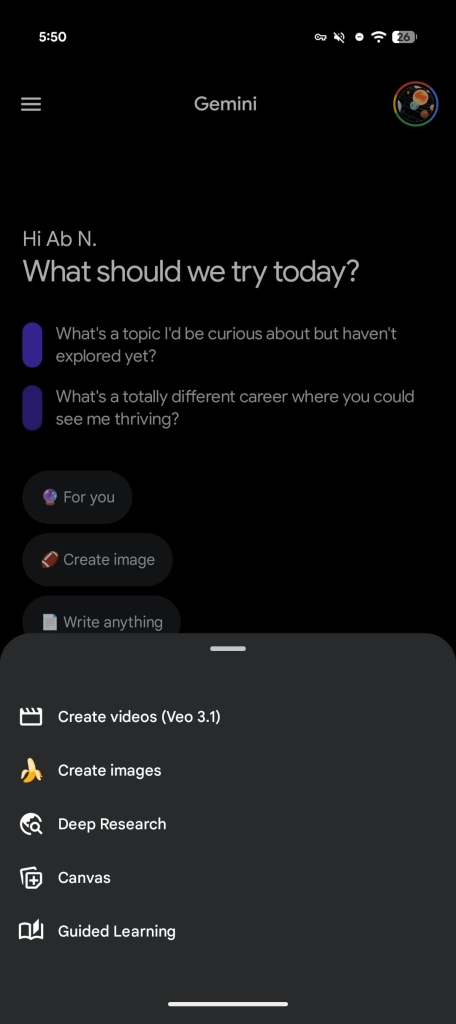
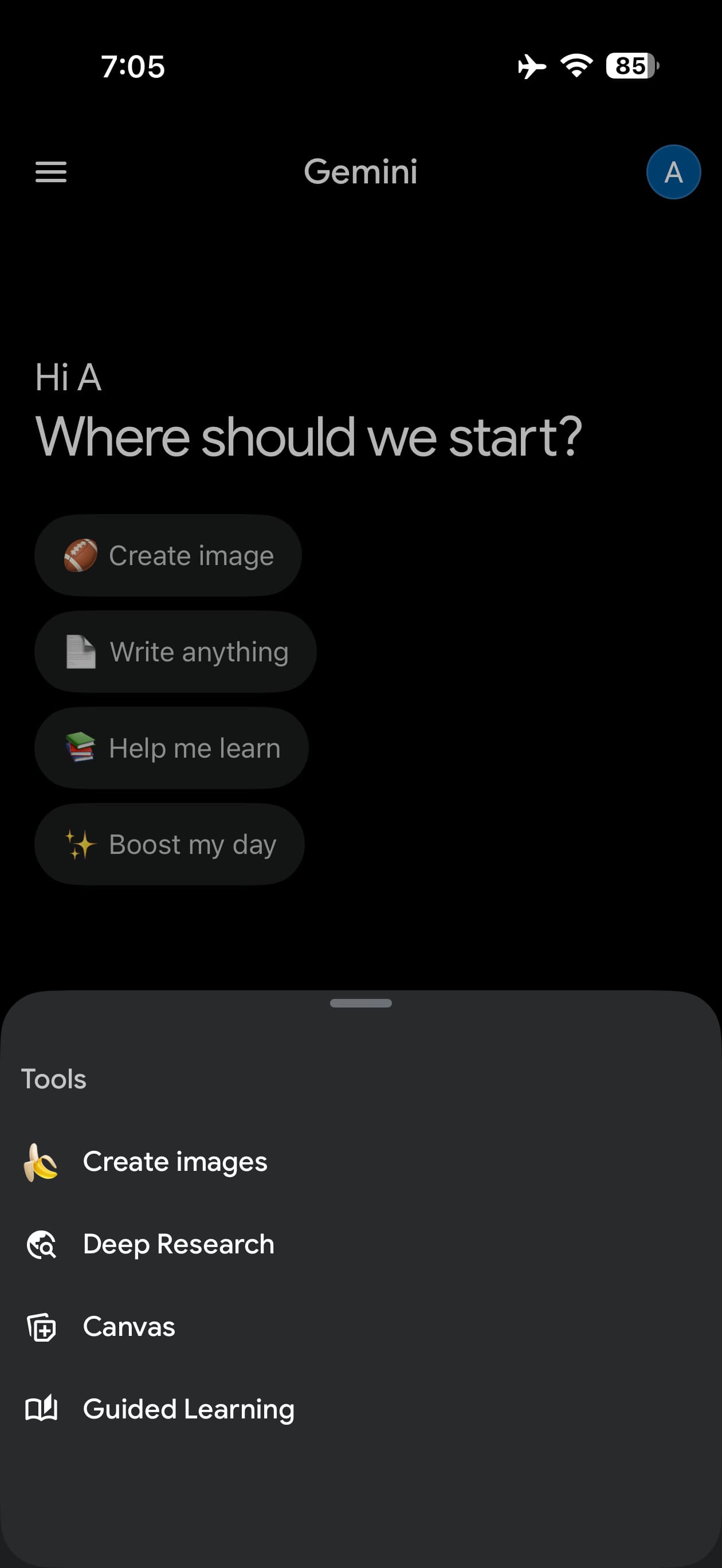
The most noticeable change comes to the Tools menu, which has been completely revamped. On Android devices, the previously unnamed sliding panel now proudly displays the “Tools” label at the top, making navigation more straightforward for users.
The redesign introduces a dedicated “Experimental features” section at the bottom of the menu, complete with a distinctive “Labs” badge. This section houses Google’s cutting-edge AI capabilities that are still in testing phases, allowing users to opt into trying the latest innovations before they become mainstream.
Old vs. New: A Visual Evolution
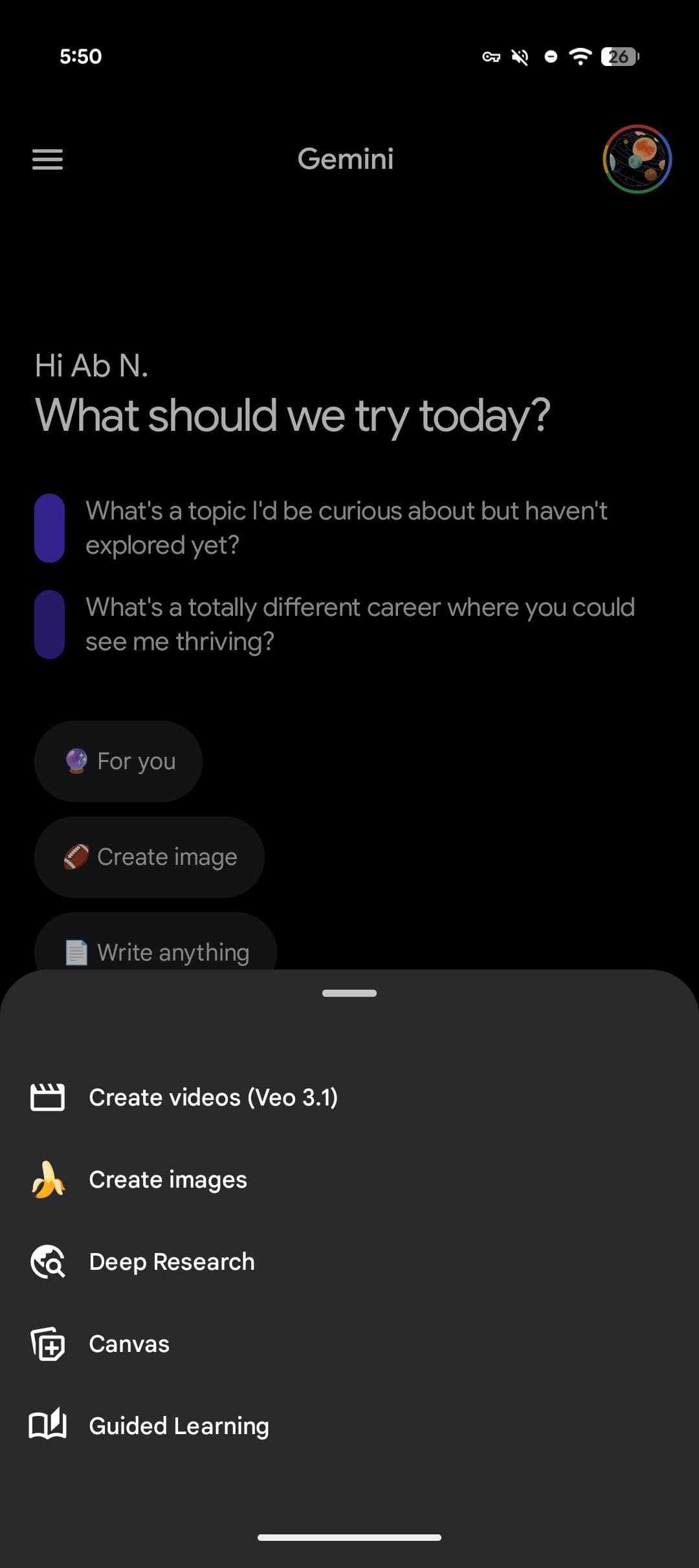
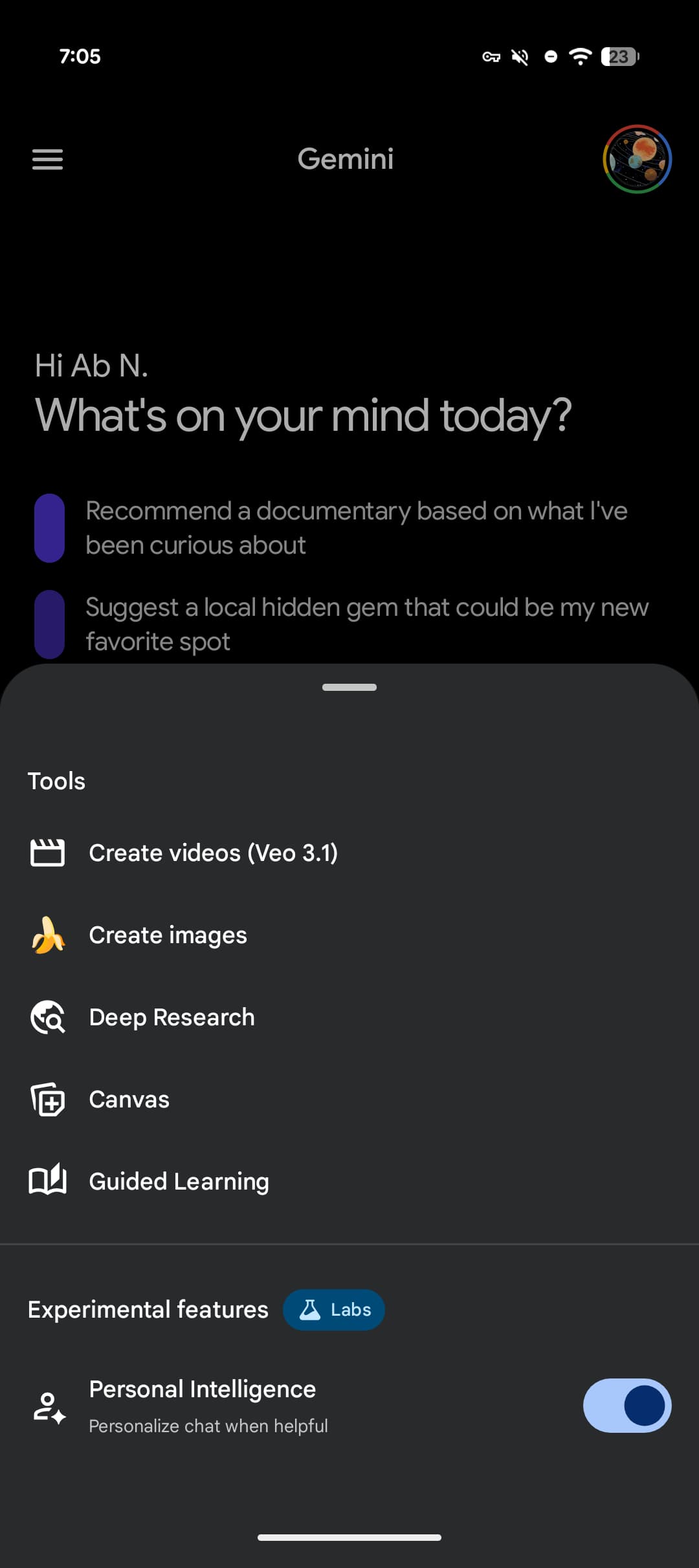
The transformation is immediately apparent when comparing the old and new versions side by side.
Personal Intelligence for Google AI Subscribers
In an exciting development for Google AI subscribers in the United States, Gemini now offers a new “Personal Intelligence” toggle. This feature allows users to enable or disable personalized AI assistance on a conversation-by-conversation basis, giving unprecedented control over how the AI interacts with their data and preferences.
iOS Gets the Bottom Sheet Treatment
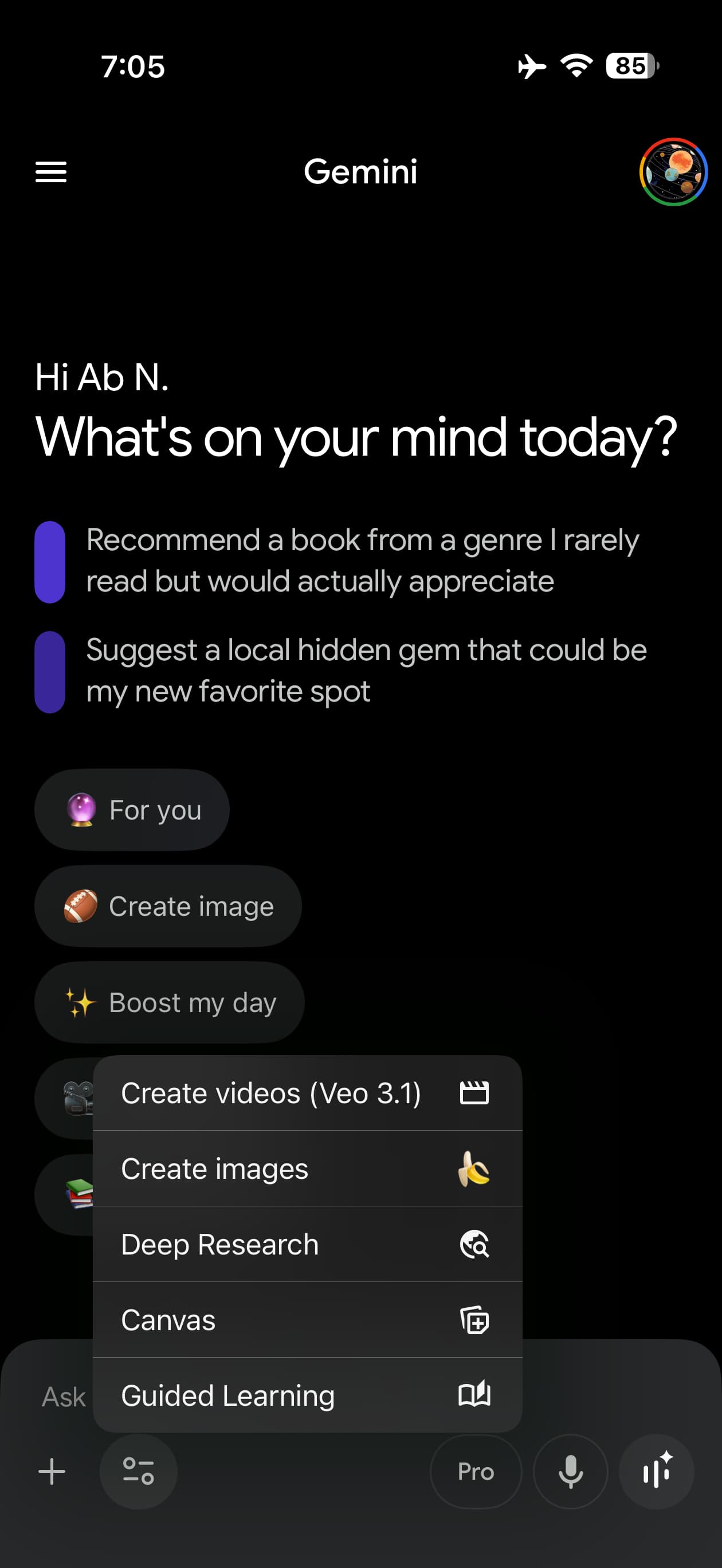
iOS users are experiencing their own transformation, as the Tools menu switches from the native pop-up style to a sleek bottom sheet interface—matching the design language used for the model picker. The familiar ‘+’ attachment menu remains unchanged, maintaining consistency for users who frequently share files and images.
My Stuff Gets a Makeover
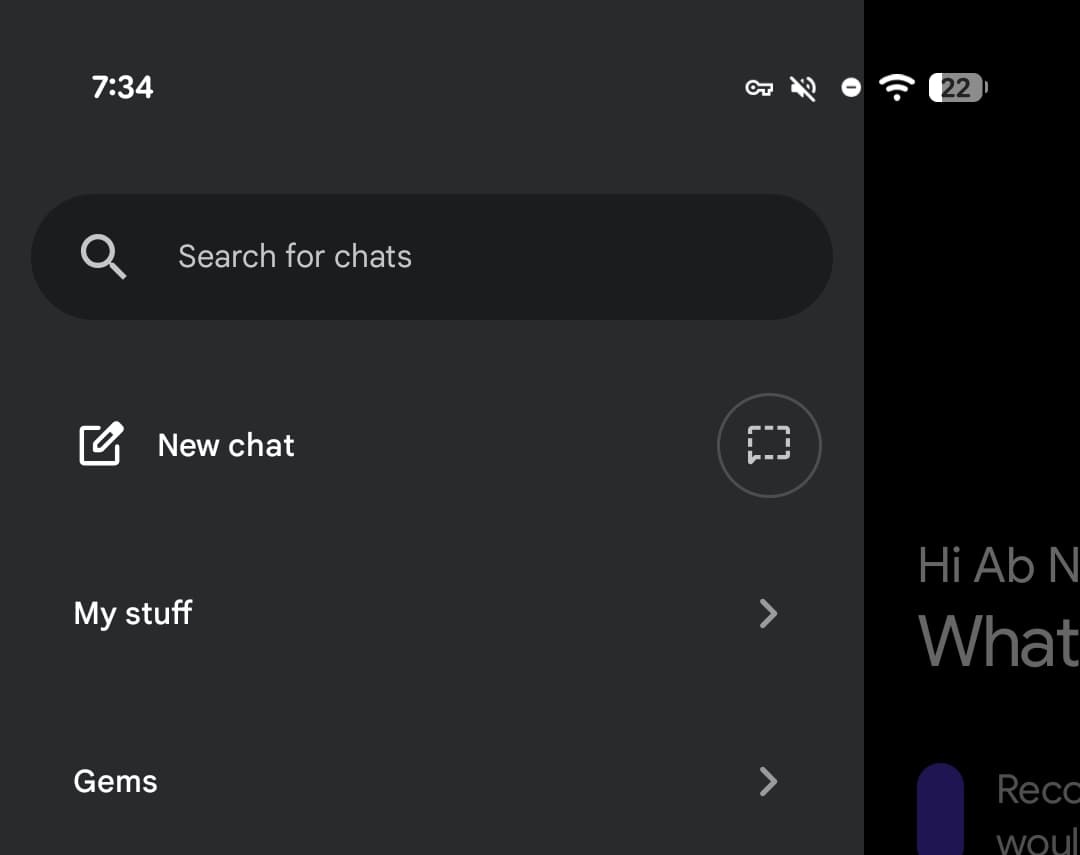
The “My stuff” section (formerly “My Stuff”) has undergone a significant simplification across Android and web platforms. The preview of your three most recent items has been removed, creating a cleaner, less cluttered side panel. On the web version at gemini.google.com, this change is accompanied by a playful smiley star-shaped icon that adds a touch of personality to the interface.
Enhanced Document and Media Organization
iOS users are also gaining access to the updated Documents and Media organization system that was first introduced on the web. This enhanced filing system makes it easier to manage and retrieve your saved content within the Gemini ecosystem. However, Android users will need to wait a bit longer, as this feature hasn’t rolled out to their platform yet.
What This Means for Users
These changes represent Google’s continued commitment to refining the Gemini experience based on user feedback and evolving AI capabilities. The shift to a bottom sheet interface, the addition of experimental features, and the streamlined organization all point toward a more user-friendly and powerful AI assistant.
The introduction of conversation-specific Personal Intelligence toggles is particularly noteworthy, as it demonstrates Google’s understanding that users want granular control over their AI interactions. Whether you’re a casual user or a power user, these updates offer something valuable.
Availability
The redesigned Tools menu is rolling out now across supported platforms. Users may need to update their Gemini app to access the latest features, and some experimental capabilities may be limited to specific regions or subscription tiers.
Gemini #AI #Google #TechNews #AppUpdate #ArtificialIntelligence #MobileApp #Android #iOS #TechInnovation #DigitalTransformation #FutureTech #AIRevolution #TechUpdate #GoogleAI #MobileTechnology #AppRedesign #TechTrends #DigitalAssistant #CuttingEdgeTech #TechEvolution #AIAssistant #MobileExperience #TechRedesign #Innovation #TechCommunity #DigitalFuture #SmartTechnology #TechUpgrade #NextGenAI
,


Leave a Reply
Want to join the discussion?Feel free to contribute!