
Getting your Android phone repaired? Turn on this setting first – and lock down your data
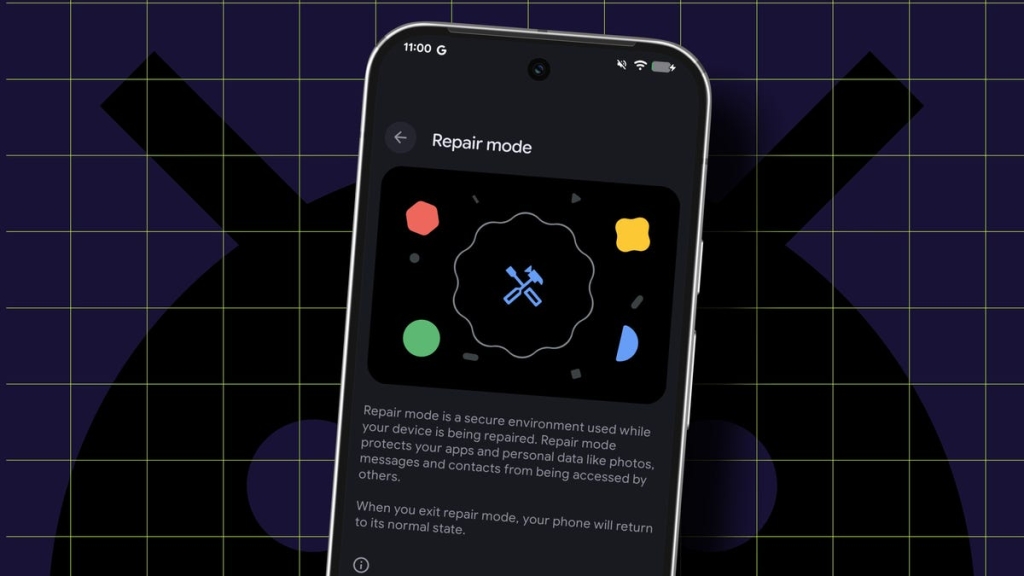
Android Repair Mode: The Hidden Feature That Could Save Your Phone (and Your Data)
In the ever-evolving world of smartphone technology, Android continues to introduce features that enhance user experience and security. One such feature that has flown under the radar for many users is Android Repair Mode – a specialized environment designed to protect your personal data when your device needs professional attention.
The Unexpected Discovery
Sometimes the best features are discovered by accident. That’s exactly what happened to a ZDNET contributor who encountered a frustrating SIM card recognition issue after installing the March security update. After exhausting all conventional troubleshooting methods, they stumbled upon Android’s Repair Mode, which not only resolved their immediate problem but also revealed a powerful tool that many Android users don’t even know exists.
What Exactly Is Android Repair Mode?
Android Repair Mode is essentially a secure, sandboxed environment that creates a temporary partition on your device. When activated, it:
- Creates a separate, isolated profile that prevents access to your personal data
- Allows technicians to test and diagnose hardware issues without compromising your privacy
- Maintains full device functionality while protecting sensitive information
- Requires your PIN or password to exit, preventing unauthorized access
Think of it as a digital “clean room” where your phone can be examined without exposing your personal life to prying eyes.
Why This Feature Matters More Than Ever
In an age where our smartphones contain everything from banking information to personal photos, handing your device to a stranger for repairs can feel like giving away the keys to your digital kingdom. Repair Mode eliminates this anxiety by creating a secure barrier between your data and anyone who needs to work on your phone.
Device Requirements and Availability
Not every Android device can access this feature. To use Repair Mode, you’ll need:
- A Pixel or Samsung device (the two manufacturers that have implemented this feature)
- Android 14 or later
- At least 2GB of available storage space
If you’re running an older Android version or using a device from another manufacturer, you’ll need to wait for broader adoption of this feature.
When Should You Use Repair Mode?
The primary use case is obvious: whenever you’re sending your phone for repairs. Whether you’re dropping it off at a local shop or mailing it to the manufacturer, Repair Mode ensures your data remains protected.
However, there are other scenarios where this feature proves valuable:
- Device lending: If someone needs to borrow your phone for an extended period, Repair Mode provides peace of mind
- Troubleshooting: When diagnosing complex issues, technicians can work in a controlled environment
- Privacy protection: For users who are particularly concerned about data security
How to Activate Repair Mode
The activation process differs slightly between Pixel and Samsung devices:
For Pixel devices:
- Go to Settings > System > Repair Mode
- Tap “Enter repair mode”
- Enter your PIN or password when prompted
For Samsung devices:
- Navigate to Settings > Battery and device care > Maintenance Mode
- Follow the on-screen instructions to enable the feature
A Word of Caution: SIM Card Security
While Repair Mode protects your data, it’s still wise to remove your SIM card before handing over your device. Even in Repair Mode, the phone can access your carrier network, which means someone could potentially use your phone number for unauthorized purposes.
The Bigger Picture: Privacy in the Repair Economy
Repair Mode represents a significant step forward in addressing privacy concerns in the right-to-repair movement. As more jurisdictions pass laws requiring manufacturers to make repairs more accessible, features like this become increasingly important for protecting consumer data.
This approach balances the need for device repairability with the equally important need for data privacy – a balance that has been difficult to achieve in the past.
The Future of Android Repair Mode
As Android continues to evolve, we can expect Repair Mode to become more sophisticated. Potential future enhancements might include:
- Biometric authentication for exiting Repair Mode
- Remote activation for mail-in repairs
- Integration with manufacturer repair tracking systems
- Expanded availability to more Android device manufacturers
Final Thoughts
Android Repair Mode is one of those features that makes you wonder why it wasn’t implemented years ago. In a world where our phones contain our most sensitive information, having a built-in privacy safeguard for repairs isn’t just convenient – it’s essential.
Whether you’re dealing with a cracked screen, battery issues, or mysterious software glitches, Repair Mode ensures that fixing your phone doesn’t mean sacrificing your privacy. It’s a small feature with big implications for how we think about device security and repairability.
So the next time your Android device needs professional attention, remember this hidden gem. Your data – and your peace of mind – will thank you.
Tags & Viral Phrases:
- Android Repair Mode
- hidden Android features
- phone repair privacy
- data protection smartphone
- Samsung Maintenance Mode
- Pixel repair features
- Android 14 security
- right to repair privacy
- phone technician security
- SIM card security
- factory reset alternative
- Android troubleshooting
- smartphone data protection
- repair mode activation
- device privacy features
- Android security features
- phone repair tips
- data sandboxing Android
- temporary device profile
- Android privacy settings
- repair without data risk
- phone technician access
- Android device security
- smartphone repair mode
- privacy-focused repair
- Android troubleshooting mode
- device partition security
- phone repair anxiety
- Android data protection
- smartphone repair safety
- Repair Mode benefits
- Android privacy innovation
- phone repair best practices
- device security features
- Android user privacy
- repair economy privacy
- smartphone data security
- Android feature discovery
- phone repair confidence
- device privacy solutions
- Android security evolution
- smartphone privacy features
- repair mode explained
- Android device protection
- phone repair security
- Android privacy advancements
- smartphone repair features
- device security innovations
- Android user protection
- phone repair privacy concerns
,


Leave a Reply
Want to join the discussion?Feel free to contribute!