
GIMP 3.2 RC3 Released In Preparation For The Stable GIMP 3.2
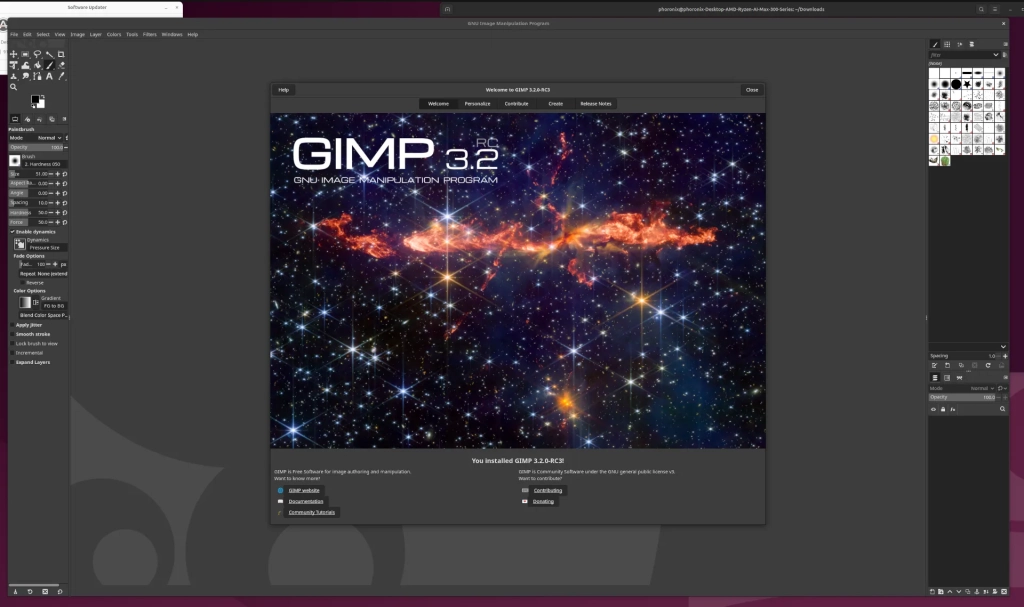
GIMP 3.2 RC3 Released: The Free Software Giant Inches Closer to Its Next Major Leap
In the ever-evolving world of open-source graphics editing, the GNU Image Manipulation Program (GIMP) is once again making headlines. The release of GIMP 3.2 RC3 signals that the much-anticipated stable version of GIMP 3.2 is on the horizon, bringing with it a host of new features, improvements, and bug fixes that are sure to excite both amateur and professional users alike.
A Year in the Making
GIMP 3.2 has been in development with the ambitious goal of releasing within one year of GIMP 3.0. For context, GIMP 3.0 was officially tagged in mid-March, marking a significant milestone in the software’s evolution. If all goes according to plan, GIMP 3.2 could be ready for release around the same time this year, making it a highly anticipated update for the free software community.
What’s New in GIMP 3.2 RC3?
The third release candidate of GIMP 3.2 is packed with enhancements and refinements that demonstrate the project’s commitment to improving user experience and functionality. Here’s a detailed breakdown of the most notable changes:
Enhanced Layer Management
One of the standout improvements in GIMP 3.2 RC3 is the better handling of layers. The development team has implemented measures to prevent accidental destructive alterations to layers, a common frustration for many users. This change is particularly significant for professionals who rely on GIMP for complex image editing tasks.
Improved Color Accuracy
GIMP has always been a powerful tool for image manipulation, but color accuracy has been an area where it sometimes lagged behind commercial alternatives. With GIMP 3.2 RC3, filters such as levels, curves, equalize, and white balance now use linear precision. This enhancement is part of a broader effort to improve GIMP’s color correctness, ensuring that your edits are not only visually appealing but also technically sound.
Enhanced Tool Control
The development team has also focused on improving the usability of GIMP’s tools. The flip tool can now be controlled via arrow keys, a small but significant improvement for users who prefer keyboard shortcuts. Similarly, the shear tool has received the same treatment, making it easier to make precise adjustments without constantly switching between mouse and keyboard.
Smarter Crop Tool
The crop tool has been updated to automatically add transparency to a layer if you set it to fill with transparency and make a crop that’s larger than the current layer. This feature streamlines the cropping process, especially for users who frequently work with transparent backgrounds or need to expand their canvas.
Global Menu Support for Flatpak
For those who use GIMP via Flatpak, there’s good news: initial support for using the Global Menu has been added. This integration brings GIMP in line with other desktop applications, providing a more cohesive user experience.
Better OpenEXR Support
GIMP’s support for high dynamic range (HDR) imaging has been improved with better handling of Luminance/Chroma OpenEXR images. This enhancement is crucial for users working in fields such as visual effects, gaming, and scientific imaging, where HDR content is becoming increasingly common.
AArch64 AppImage Fix
The GIMP AppImage has been fixed to work again on AArch64 architectures. This fix ensures that users on ARM-based systems, including many modern laptops and single-board computers, can continue to enjoy GIMP without compatibility issues.
Bug Fixes and Other Enhancements
As with any release candidate, GIMP 3.2 RC3 includes a variety of bug fixes and other enhancements that improve stability and performance. While these changes may not be as headline-grabbing as new features, they are essential for delivering a polished final product.
The Road to GIMP 3.2 Stable
With GIMP 3.2 RC3 now available for testing, the development team is likely in the final stages of preparation for the stable release. Users are encouraged to download and test the release candidate to help identify any remaining issues before the final version is released. This collaborative approach is a hallmark of open-source development and ensures that GIMP remains a robust and reliable tool for all users.
Looking Ahead
As GIMP continues to evolve, it’s clear that the project remains committed to providing a powerful, free alternative to commercial image editing software. Whether you’re a hobbyist, a student, or a professional, GIMP 3.2 promises to deliver the tools and features you need to bring your creative visions to life.
For more information on GIMP 3.2 RC3, including download links and detailed release notes, visit the official GIMP website at GIMP.org.
Tags and Viral Phrases:
GIMP 3.2, GIMP 3.2 RC3, GIMP release, GIMP update, GIMP 3.2 features, GIMP 3.2 download, GIMP 3.2 release date, GIMP 3.2 stable, GIMP 3.2 RC3 download, GIMP 3.2 RC3 features, GIMP 3.2 RC3 release, GIMP 3.2 RC3 testing, GIMP 3.2 RC3 bugs, GIMP 3.2 RC3 improvements, GIMP 3.2 RC3 enhancements, GIMP 3.2 RC3 layer management, GIMP 3.2 RC3 color accuracy, GIMP 3.2 RC3 tool control, GIMP 3.2 RC3 crop tool, GIMP 3.2 RC3 global menu, GIMP 3.2 RC3 OpenEXR support, GIMP 3.2 RC3 AArch64 fix, GIMP 3.2 RC3 bug fixes, GIMP 3.2 RC3 performance, GIMP 3.2 RC3 stability, GIMP 3.2 RC3 final release, GIMP 3.2 RC3 testing community, GIMP 3.2 RC3 open source, GIMP 3.2 RC3 free software, GIMP 3.2 RC3 graphic design, GIMP 3.2 RC3 photo editing, GIMP 3.2 RC3 image manipulation, GIMP 3.2 RC3 creative tools, GIMP 3.2 RC3 professional use, GIMP 3.2 RC3 amateur use, GIMP 3.2 RC3 hobbyists, GIMP 3.2 RC3 students, GIMP 3.2 RC3 visual effects, GIMP 3.2 RC3 gaming, GIMP 3.2 RC3 scientific imaging, GIMP 3.2 RC3 ARM support, GIMP 3.2 RC3 single-board computers, GIMP 3.2 RC3 laptop compatibility, GIMP 3.2 RC3 desktop application, GIMP 3.2 RC3 cohesive user experience, GIMP 3.2 RC3 high dynamic range, GIMP 3.2 RC3 HDR imaging, GIMP 3.2 RC3 transparency, GIMP 3.2 RC3 keyboard shortcuts, GIMP 3.2 RC3 mouse and keyboard, GIMP 3.2 RC3 canvas expansion, GIMP 3.2 RC3 layer protection, GIMP 3.2 RC3 destructive alterations, GIMP 3.2 RC3 linear precision, GIMP 3.2 RC3 color correctness, GIMP 3.2 RC3 filters, GIMP 3.2 RC3 levels, GIMP 3.2 RC3 curves, GIMP 3.2 RC3 equalize, GIMP 3.2 RC3 white balance, GIMP 3.2 RC3 flip tool, GIMP 3.2 RC3 shear tool, GIMP 3.2 RC3 arrow keys, GIMP 3.2 RC3 transparency fill, GIMP 3.2 RC3 Flatpak build, GIMP 3.2 RC3 Global Menu integration, GIMP 3.2 RC3 Luminance/Chroma OpenEXR, GIMP 3.2 RC3 AppImage fix, GIMP 3.2 RC3 AArch64 architectures, GIMP 3.2 RC3 bug fixes and enhancements, GIMP 3.2 RC3 stability and performance, GIMP 3.2 RC3 collaborative approach, GIMP 3.2 RC3 open-source development, GIMP 3.2 RC3 robust and reliable, GIMP 3.2 RC3 powerful free alternative, GIMP 3.2 RC3 commercial image editing software, GIMP 3.2 RC3 creative visions, GIMP 3.2 RC3 official GIMP website, GIMP 3.2 RC3 release notes, GIMP 3.2 RC3 download links.
,


Leave a Reply
Want to join the discussion?Feel free to contribute!