
GNOME 50 is a brilliant release – but I had to look twice to see why
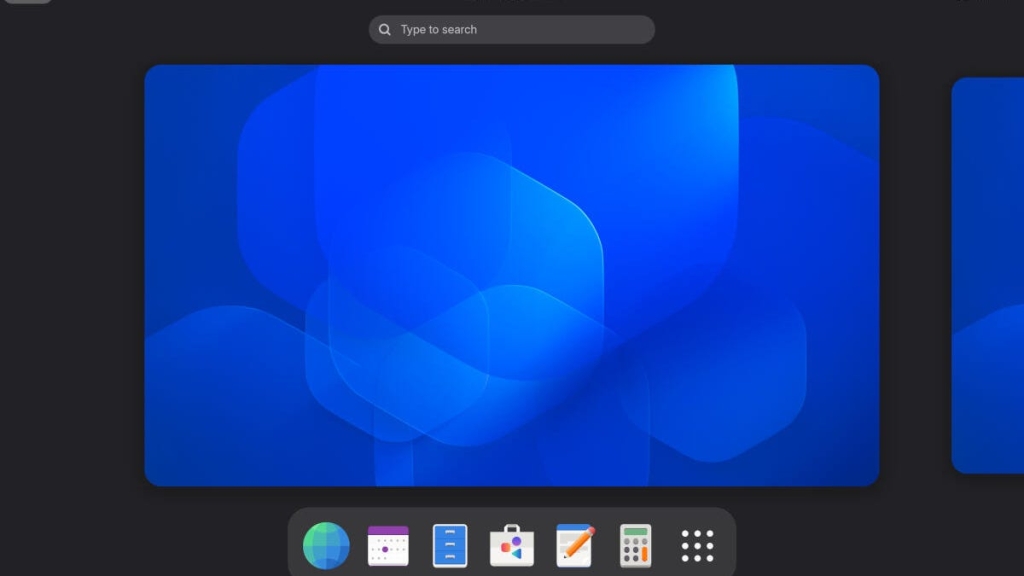
GNOME 50: A Subtle Evolution That Packs a Powerful Punch
After years of incremental refinement, GNOME 50 arrives not with fireworks, but with the quiet confidence of a desktop that knows exactly what it is. This milestone release proves that sometimes the most impactful changes are the ones you barely notice—until you realize everything just works better.
The End of an Era: X11 Says Goodbye
Perhaps the most significant shift in GNOME 50 is the removal of X11 support in favor of Wayland. This isn’t just a technical detail for enthusiasts—it’s a fundamental reimagining of how your Linux desktop operates. Wayland delivers superior performance, enhanced security, and a more modern foundation for future innovations. The GNOME team has finally cut the cord with legacy technology, embracing a future where graphics handling is more efficient and secure.
Performance Enhancements You’ll Feel, Not See
The headline features might seem modest at first glance, but they represent a laser focus on user experience. VRR (Variable Refresh Rate) support transforms gaming on Linux, eliminating screen tearing and delivering buttery-smooth frame rates. Hybrid GPU systems now benefit from intelligent dGPU detection, automatically leveraging discrete graphics when needed without user intervention.
The new thumbnail widget operates at lightning speed, while the file manager gains case-sensitive path completion and enhanced search capabilities. These aren’t flashy additions—they’re the kind of refinements that make daily computing feel more responsive and intuitive.
Accessibility Gets a Major Upgrade
GNOME 50 doubles down on inclusivity with substantial improvements to the Orca screen reader. The standout feature allows users to switch languages on the fly—imagine using your desktop in English and seamlessly transitioning to German mid-session without navigating through complex settings menus. This kind of thoughtful design demonstrates GNOME’s commitment to serving diverse user needs.
Fractional Scaling: Finally Out of Beta
For users with high-resolution displays, fractional scaling has been a long-awaited feature. GNOME 50 delivers it fully baked, allowing precise scaling at 125%, 150%, 175%, or 200% rather than forcing users into rigid integer-based options. This means text and icons can be perfectly sized for any display, eliminating the frustration of either too-small text or awkwardly oversized elements.
Under the Hood: Systemd-Homed and Beyond
The introduction of systemd-homed represents a controversial but potentially transformative change to Linux user management. This system creates portable, self-contained, encrypted home directories that can be easily moved between machines. While concerns about encryption-related lockouts exist, the promise of simpler user management and enhanced security is compelling.
Systemd-context joins the party, providing secure configuration file management for immutable operating systems like GNOME. This addresses the unique challenges of systems where certain files must remain writable despite the overall read-only nature of the OS.
The 50th Release That Doesn’t Act Its Age
When GNOME 50 was announced, many expected a feature-packed extravaganza to celebrate the milestone. Instead, the GNOME team delivered something arguably more valuable: a polished, refined experience that builds upon proven foundations rather than reinventing the wheel.
This approach speaks to GNOME’s maturity as a desktop environment. Rather than chasing novelty, the developers have focused on perfecting the core experience. The result is a desktop that feels faster, smoother, and more cohesive than ever before—improvements that compound to create something genuinely special.
Real-World Performance
Testing GNOME 50 on minimal hardware revealed its efficiency. Even with limited RAM and CPU cores, the desktop ran smoothly, demonstrating that these optimizations aren’t just theoretical. The familiar GNOME Shell remains instantly recognizable, but every interaction feels more refined.
Installation and Availability
As of now, GNOME 50 remains in beta. Adventurous users can download the GNOME OS ISO from os.gnome.org, though installation requires either GNOME Boxes for virtualization or a dedicated machine for native installation. The ISO approach ensures you’re getting the pure GNOME experience without distribution-specific modifications.
The Verdict: Subtlety as Strength
Does GNOME 50 live up to the hype of a 50th release? Initially, it might seem underwhelming compared to milestone releases that typically showcase dramatic new features. But spend time with it, and the cumulative effect of dozens of small improvements becomes undeniable.
GNOME 50 represents a philosophy shift: instead of asking “what new features can we add?” the team asked “how can we make everything work better?” The answer is a desktop environment that’s more polished, more efficient, and more user-friendly than ever before.
This release won’t convert skeptics looking for revolutionary changes, but it will delight existing users who appreciate refinement over revolution. In an era where software often feels bloated and overcomplicated, GNOME 50 stands as a testament to the power of thoughtful, incremental improvement.
Tags:
GNOME 50, Linux desktop, Wayland, X11 removal, VRR support, fractional scaling, systemd-homed, Orca screen reader, GNOME OS, desktop environment, Linux gaming, hybrid GPU, accessibility, open source, UI improvements
Viral Sentences:
GNOME 50 proves that sometimes the best features are the ones you barely notice—until everything just works better. The end of X11 support marks a new era for Linux desktops, with Wayland delivering performance and security that finally match modern expectations. Fractional scaling is here, and it’s about time—no more choosing between microscopic text and oversized icons on high-DPI displays. GNOME’s 50th release isn’t about flashy new features; it’s about making the desktop you already love work even better. Systemd-homed could revolutionize how we think about user management on Linux, making home directories truly portable and secure. The subtle refinements in GNOME 50 add up to something genuinely special—a desktop that feels faster, smoother, and more cohesive than ever before.
,


Leave a Reply
Want to join the discussion?Feel free to contribute!