
GNOME 50 is Here, and X11 is Finally Gone
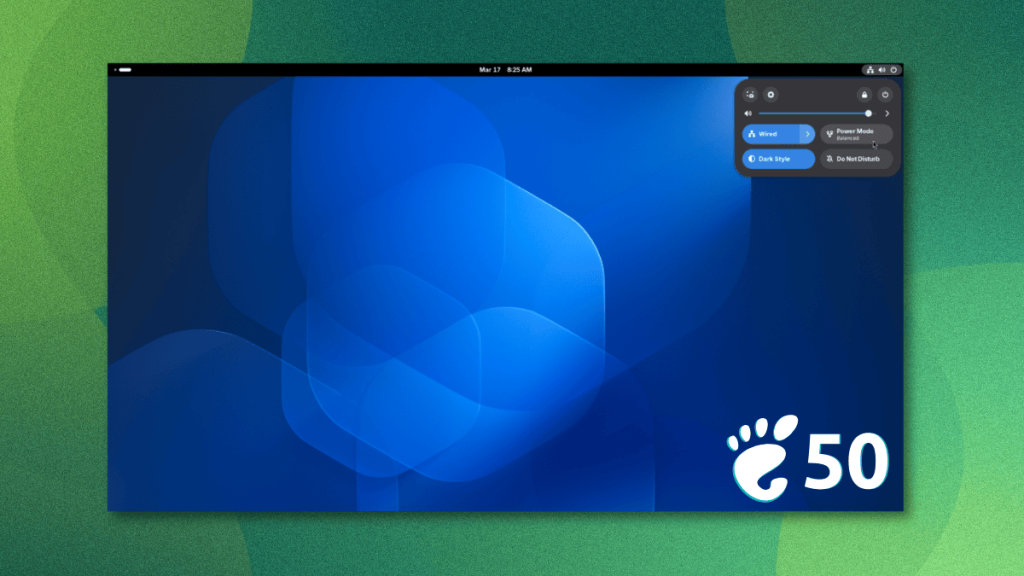
GNOME 50: A Major Leap Forward with Wayland-Only GDM and Enhanced Features
In the ever-evolving world of desktop environments, GNOME has consistently pushed the boundaries of user experience, design, and functionality. With the release of GNOME 50, the community is treated to a host of new features, refinements, and a significant shift in how the desktop handles display protocols. This article dives deep into what’s new, what’s changed, and why this release is a big deal for both casual users and power users alike.
The Big Picture: GNOME’s Evolution
GNOME has come a long way from its early days, steadily refining its core components, adopting a more cohesive design language through Libadwaita, and building a robust ecosystem of applications. The project has always aimed for a Wayland-first approach, and with GNOME 50, that vision is now closer to reality than ever before.
What’s New in GNOME 50?
X11 is Officially Gone from GDM
The most headline-grabbing change in GNOME 50 is the removal of X11 support from GDM (GNOME Display Manager). This was a long time coming. Initially planned for GNOME 49, the change was delayed due to a bug that broke session detection for non-GNOME desktops. Now, in GNOME 50, GDM runs entirely on Wayland, and X11 is no longer an option at the login screen.
This means:
- No more X11 sessions in GDM.
- Features like XDMCP and system-wide X servers are gone.
- Other desktop environments (like KDE Plasma or Xfce) can still be launched via per-user X servers, so they’re not left out in the cold.
This is a bold move that signals GNOME’s commitment to a Wayland-only future, improving security and performance while reducing maintenance overhead.
Shell Refinements and Usability Boosts
GNOME 50 brings several user-facing improvements to the desktop shell:
- Screen Time Management: Parents can now extend screen time limits directly from the interface, and idle tracking works correctly even when apps prevent the system from going idle.
- Power Mode Indicator: A new icon in the top bar shows when the system is in a non-default power mode (e.g., performance or battery saver).
- Volume Slider: Snaps to 100% when over-amplification is enabled, making it clearer where the recommended maximum is.
- Privacy Fixes: Password text is no longer exposed in input method pre-edit fields.
- Folder Handling: Manually deleted default folders no longer reappear after a reboot.
These tweaks may seem small, but they add up to a more polished and intuitive experience.
Better Display Handling
GNOME 50 makes two long-awaited features stable:
- Variable Refresh Rate (VRR)
- Fractional Scaling
If you’ve been waiting to try these on your high-refresh-rate or high-DPI display, now’s the time. Both are no longer behind experimental flags, making them accessible to a wider audience.
Other display-related improvements include:
- HiDPI support for remote desktop sessions.
- HDR screen sharing and a new SDR-native color mode.
- wp-color-management v2 protocol support.
- Improved discrete GPU detection, especially for NVIDIA users, with Mutter (GNOME’s window manager) handling driver quirks better.
Nautilus (Files) Gets a Major Overhaul
The default file manager, Nautilus, sees several significant upgrades:
- Case-insensitive path completion in the location bar—typing is now faster and more forgiving.
- Thumbnails now use Glycin, GNOME’s sandboxed image loading library, fixing long-standing issues with missing image thumbnails.
- Icon caching has been reworked for better performance.
- Multi-file properties dialog is improved.
- Image thumbnails in properties now show on a checkerboard background, making transparency easier to see.
These changes make file management smoother and more reliable.
Accessibility Upgrades
GNOME 50 brings a substantial overhaul to Orca, the built-in screen reader:
- Redesigned preferences window for better visual consistency.
- Global settings by default—no more per-app saving required (though still possible).
- Automatic language switching for web and interface content.
- Browse mode now works across all document content, not just web pages.
On the platform side, at-spi2-core gains new signals (pointer-moved, key-pressed, key-released) for better assistive technology integration.
Other Notable Improvements
- Fresh wallpapers are included, as always.
- Loupe (image viewer) now supports XPM and JPEG 2000 formats.
- GTK 4 drops its Librsvg dependency, as it can now render SVGs natively.
- Calendar app now shows event attendees and supports arrow key navigation in Month view.
- Session save and restore feature has been postponed to a future release.
How to Get GNOME 50
If you’re on a rolling release distribution like Arch Linux, EndeavourOS, or CachyOS, GNOME 50 will arrive as an update once maintainers push it to their repositories.
For those on fixed-release distros, Ubuntu 26.04 LTS and Fedora Workstation 44 will ship with GNOME 50, so keep an eye out for those releases.
If you’re eager to try it now, GNOME OS is the most straightforward way to get GNOME 50, though it’s not yet a full-fledged Linux distribution.
Final Thoughts
GNOME 50 is more than just a routine update—it’s a statement of intent. By removing X11 from GDM, GNOME is doubling down on Wayland, signaling a future where the desktop is more secure, performant, and modern. The refinements to the shell, display handling, file management, and accessibility show that GNOME is listening to its users and continuously improving the experience.
Whether you’re a longtime GNOME user or just curious about the latest in desktop Linux, GNOME 50 is worth checking out. It’s a release that balances bold changes with thoughtful refinements, making it one of the most compelling updates in recent memory.
Suggested Read: Ubuntu 26.04 LTS: Release Date and New Features
Tags & Viral Keywords
GNOME 50, Wayland, X11 removal, GDM, desktop environment, Linux desktop, Libadwaita, Mutter, accessibility, Orca screen reader, fractional scaling, variable refresh rate, HiDPI, NVIDIA, GTK 4, Nautilus, file manager, display settings, rolling release, Ubuntu 26.04, Fedora Workstation 44, GNOME OS, desktop Linux, open source, Linux news, tech updates, software release.
,


Leave a Reply
Want to join the discussion?Feel free to contribute!