
How OpenClaw turns your Mac into an action-based AI agent
OpenClaw: Your Mac’s New Digital Butler Powered by AI
OpenClaw has undergone a rapid rebranding journey—from Clawdbot to Moltbot to OpenClaw—but beneath the name changes lies a genuinely revolutionary tool. This self-hosted AI agent runs directly on your Mac or PC, transforming how you interact with your computer by executing tasks on your behalf.
What Makes OpenClaw Different
Unlike traditional AI assistants like ChatGPT, Apple Intelligence, or Claude that simply answer questions, OpenClaw takes action. It can read and modify files, execute shell commands, and even install new tools—all while running locally on your machine. Think of it as an always-on digital butler that lives on your Mac.
The real magic happens when you realize OpenClaw isn’t just another AI model. Instead, it leverages existing large language models (LLMs) like Claude or ChatGPT to understand your requests, then actually executes them on your system. This distinction—between suggesting what to do and doing it—represents a fundamental shift in how we’ll interact with AI.
Installation: The Most Challenging Part
Setting up OpenClaw requires some technical comfort, but it’s manageable for those familiar with Terminal. The process begins with installing Command Line Tools on your Mac using xcode-select --install, followed by running a curl command that handles the bulk of the installation.
OpenClaw requires Apple silicon Macs for now, with more powerful machines like the Mac Studio or MacBook Pro with a Max chip offering better performance, especially if you plan to run LLMs locally. The installer automatically handles dependencies like Homebrew, Node.js, and Git if they’re missing.
If installation fails due to Node.js version conflicts, you can resolve this by installing Node LTS (v22) using nvm commands, then re-running the OpenClaw installer.
Security Considerations
OpenClaw’s power comes with responsibility. Because it can read files, run commands, and interact through messaging apps, it effectively has deep system access. Security researchers at Cisco emphasize that these same capabilities that make OpenClaw useful also make it risky.
The tool includes important guardrails: you explicitly choose which folders it can access, which skills it’s allowed to use, and you can see what it’s doing in real-time. You can disable individual skills, revoke permissions, or stop the gateway entirely at any time. Since everything runs locally, shutting it down is as simple as stopping the service from Terminal.
However, this isn’t a “set it and forget it” tool. Start with limited permissions, review actions before enabling more powerful skills, and avoid using it for mission-critical tasks or giving it access to sensitive personal data unless you’re confident in what you’re doing.
Getting Started with OpenClaw
After installation, OpenClaw guides you through initial setup, including selecting your preferred AI model provider (OpenAI, Google, Copilot, Anthropic, etc.), configuring basic permissions, and installing skills. You’ll need to grant additional permissions for it to carry out actions on your behalf.
Communication happens through familiar messaging apps—Telegram, WhatsApp, Slack, iMessage, or Microsoft Teams—rather than a traditional interface. This makes interaction feel natural and accessible.
During skill selection, you choose what the agent is allowed to do: reading and editing files, running shell commands, managing software, etc. Start with recommended defaults and enable additional skills as you become more comfortable.
Real-World Usage Examples
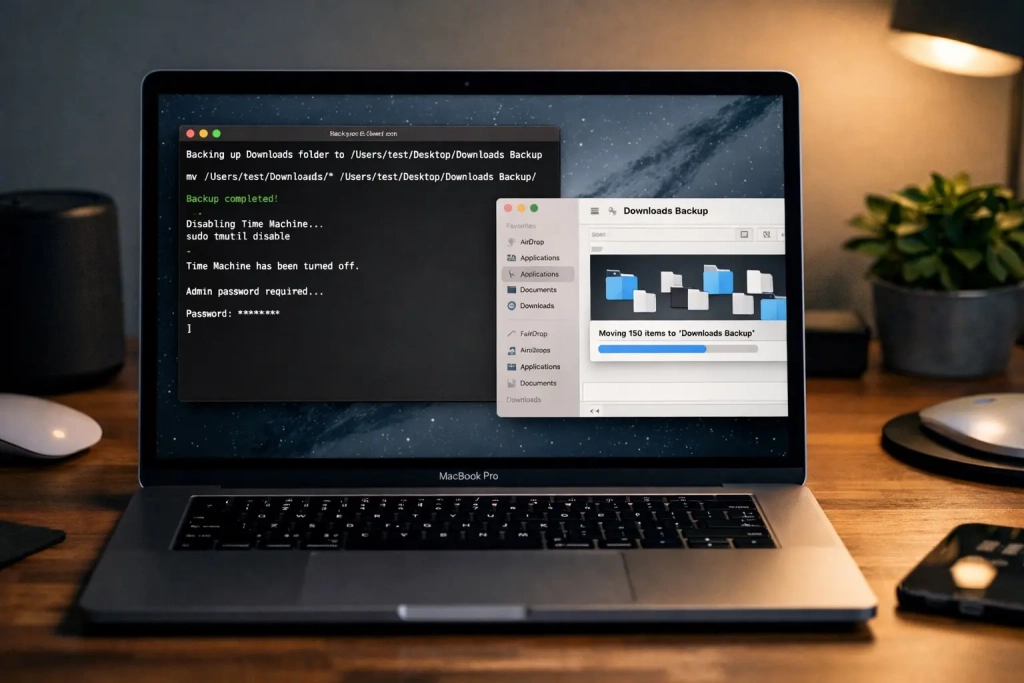
Once set up, OpenClaw sits quietly in the background, waiting for instructions through your chosen messaging app. Simple tasks become effortless: moving screenshots from your desktop to a new folder, backing up Downloads folder contents, or even controlling system-level settings like Time Machine backups.
For more complex tasks, OpenClaw can analyze website structures to identify location pages suitable for noindexing, or handle any other automation you can describe. The Mac needs to stay awake while OpenClaw is active, and closing the Terminal window stops it unless running as a background daemon.
You can check OpenClaw’s status with openclaw gateway status, stop it with openclaw gateway stop, and restart it with openclaw gateway start. The companion macOS app provides quick access to common settings, skill management, and even a voice wake feature for hands-free interaction.
The Future of AI on macOS
OpenClaw represents a glimpse into how AI agents might eventually live on our Macs—not as cloud-based services, but as local tools that truly understand and manipulate our digital environments. While the setup requires effort and it’s clearly not for average users, the experience of having an AI actually do things for you rather than just talk about doing them feels genuinely revolutionary.
The tool’s transparency about token usage helps manage costs, and its local operation ensures privacy. As AI continues evolving from passive assistants to active agents, OpenClaw stands at the forefront, showing us what’s possible when artificial intelligence moves from answering questions to taking meaningful action on our behalf.
Tags
AI agent, OpenClaw, self-hosted AI, macOS automation, digital butler, AI assistant, local AI, machine learning, automation tools, AI for Mac, intelligent automation, AI technology, future of AI, computer automation, AI agents, local processing, AI tools, Mac automation, intelligent software, AI revolution
Viral Phrases
Your Mac’s new digital butler, AI that actually does things, the future of AI on your desktop, transform how you interact with your computer, AI agent that lives on your machine, magic of automation, peek into the future of AI, AI that takes action not just answers, revolutionary tool for Mac users, AI that reads files and runs commands, local AI that respects your privacy, AI that moves files and installs software, the shift from AI that talks to AI that acts, AI that controls system settings, automation that feels like magic, AI that analyzes websites and suggests changes, the butler you never knew you needed, AI that backs up your files automatically, the next evolution of computer interaction, AI that understands and executes, the tool that makes your Mac smarter, AI that works while you sleep, the assistant that lives in your messaging apps, AI that costs what you see, the guardrails that keep AI safe, the setup that’s worth the effort, AI that’s transparent about its costs, the tool that’s not for everyone but changes everything for those who use it, AI that runs locally so your data stays private, the companion app that makes management easy, AI that shows us what’s possible, the beginning of AI agents everywhere.
,


Leave a Reply
Want to join the discussion?Feel free to contribute!